Weekly Briefing • October 2, 2026
A skilled nursing provider in Beachwood, Ohio found an intruder on one of its servers; the notification letters are going to more than 3,000 people. A California law firm found that "limited" patient data had been accessed; the people getting letters are patients of a hospital the firm represents, who never dealt with the firm themselves. A phishing campaign tracked across 351 sandbox runs, 51% of them from the United States, turns one click on a forged DocuSign envelope into a stolen Microsoft 365 session and a remote-control agent on the same person's computer. And a campaign planting fake bank and airline phone numbers across the web is reaching people through the AI assistant they asked, with no email anyone could have flagged.
The thread this week is scope. In every case the incident ended up larger than the mistake that started it, and the cleanup landed on people who never made the mistake. Here's what happened, and what it means for how your firm operates.
The Breach Was at the Law Firm. The Letters Carry the Hospital's Name.
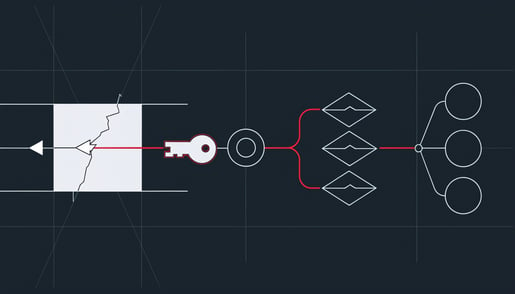
Two breach notices went out on October 1, both reported by The HIPAA Journal, and neither involved a hospital's own network. Saber Healthcare, which runs skilled nursing, long-term care, and senior rehabilitation facilities out of Beachwood, Ohio, identified unauthorized access to one of its servers on July 27. The review of what was on that server finished August 19, and the answer was the full identity set: names with dates of birth, driver's license or state ID numbers, health insurance and medical information, financial account details, passport numbers, and Social Security numbers. Saber has not published a count; its filings with state attorneys general put the incident above 3,000 people. Buchalter, a law firm headquartered in California, discovered on August 28 that an unauthorized third party had reached patient data belonging to Arrowhead Regional Medical Center, a hospital it provides legal services to. The firm confirmed on September 4 which patients were involved and obtained their contact information on September 21 to start mailing letters. Neither notice names an attacker, and neither reports misuse.
Two weeks ago this briefing covered a practice-management vendor whose breach became a notification obligation at every practice on its platform. The Buchalter case moves that one step further out. A law firm that receives patient records to handle a hospital's legal matter is a business associate under HIPAA. The breach happened at the firm, but the duty to notify patients and the HHS Office for Civil Rights sits with the hospital, so the hospital is drafting letters about an intrusion it never saw, on a server it never configured, on a timeline the firm's investigation set. A business associate typically has up to 60 days from discovery to tell you; many agreements shorten that to 10 or 15 days, and it is worth knowing which yours says before you need it. A third notice in the same reporting, from a dental practice, shows the other side of the problem: one server ran the practice management, dental imaging, and electronic health record software together, so everything the practice knew about every patient, dependents included, sat behind a single door. That practice says its data was encrypted and the attackers are not believed to have the keys. It still had to send the letters.
Key Insight
Breach notification follows the data, not the server: when a law firm, billing company, or imaging vendor holding your patient records is breached, the letters carry your name. And the 60-day clock runs from the day a breach is discovered, not the day the review finishes, which for Saber Healthcare meant three weeks were gone before anyone knew what the server held.
For a medical or dental practice, the list of businesses holding your patient records is longer than your software vendors: the attorney handling a dispute, the billing company, the collections agency, the imaging vendor. For a law firm, you are on the other side of the same arrangement. A hospital's or a practice's records in your matter folders make you the business associate, and state bar confidentiality rules add a duty to tell affected clients that runs separately from the statute. Either way, the question to be able to answer this month is who holds your records and how fast they are contractually required to tell you when something happens. Full analysis here: Saber Healthcare and Buchalter Disclose Separate Data Breach Incidents.
One Click, Two Compromises: The Mailbox and the Machine It Was Open On
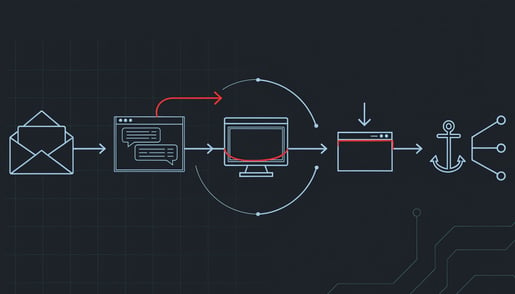
If you have read this briefing since August, you have seen the first half of this story three times: a phishing page walks someone through a genuine Microsoft sign-in, MFA and all, and the attacker walks away holding the finished session, so changing the password afterward does not put them out. Researchers at ANY.RUN, reported by The Hacker News, tracked a campaign they call CSuite across 351 sandbox analyses, 51% of them submitted from the United States, that does exactly that and then adds the second half. The lures are the documents your office handles every day: pages branded as Adobe, DocuSign, Zoom, Google Meet, Dropbox, and Microsoft 365, including a forged DocuSign envelope sent in the name of a law firm. One branch of the page pushes the victim into a device-code sign-in: a short code appears, the victim types it into the real Microsoft login page, completes MFA for real, and the attacker's waiting software collects the tokens. The other branch drops a small script file. In one run ANY.RUN watched, an Adobe-themed lure delivered a BAT file that elevated its own privileges and installed ScreenConnect, a genuine remote-control product that IT departments buy. Action1, another legitimate management tool, shows up in the same campaign. Both are signed by their vendors, register themselves as Windows services the way a proper install would, and call home to infrastructure most firewalls already allow. The organizations hit so far cluster in technology, manufacturing, government, and consulting, but the envelope carried a law firm's name, and a signature request from a law firm is an ordinary Tuesday for a medical office or an accounting practice.
The rule from the August 21 briefing still holds and covers the first branch exactly: a code you are asked to type into a Microsoft sign-in page is the attack. The September 4 rule covers the second: nothing you did not go looking for gets to install remote-access software. What is new is what happens after someone has already clicked. Resetting the password leaves the stolen session working. Revoking the session leaves the remote-control agent running on the workstation, with its own connection out. A suspected phish in this campaign is two incidents, one in the Microsoft 365 account and one on the computer, and whoever handles your IT needs to hear it that way, because a cleanup that closes only one leaves a working path back in. Full analysis here: CSuite Phishing Steals Microsoft 365 Sessions and Deploys ScreenConnect RMM.
Ask an AI Assistant for the Bank's Phone Number, and You May Get the Attacker's
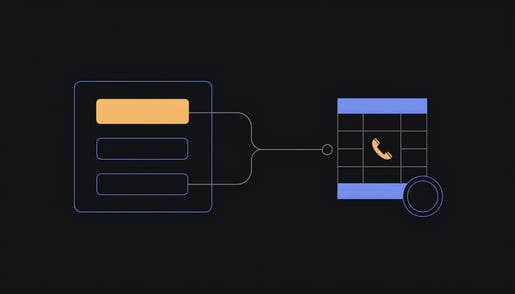
Ariel Simon at Vigilance Security documented a campaign, covered in this week's ThreatsDay roundup from The Hacker News, that does not phish anyone. It floods the web with optimized posts, PDFs, reviews, and fake support pages so that when someone asks ChatGPT, Gemini, or Google's AI Overview for a company's support line, the assistant pulls the attacker's page into the answer. The content is planted wherever anyone can publish and the ranking is good: Google Sites, GitHub Pages, WordPress, and Blogger; fundraiser, job, and event platforms; reviews on Yelp and Apple Maps. What comes back is fraudulent phone numbers, email addresses, and login pages for Delta, Lufthansa, Qatar Airways, Chase, Bank of America, Airbnb, TripAdvisor, and hundreds of other brands. The assistant presents it as a clean answer with the web address stripped out, so the things a person would normally check, the domain, the look of the page, the sender, are not there to check.
Think about who at your practice looks up a phone number in a hurry: the bookkeeper calling the bank about a declined payment, the office manager calling the payroll company, whoever is on the phone with a software vendor when it stops working. If the number came from an AI answer, the person on the other end may be the attacker, and the caller will volunteer the account number, the verification details, and the reason for the call without being asked twice. No email arrived, so nothing got flagged, forwarded, or reported, and the first sign is money moving or a login being used from somewhere new. Every account recovery that starts with a phone call, and every remote-support session that starts with a phone call, runs through whichever number got dialed. Full analysis here: ThreatsDay Roundup Covers AI Search Poisoning and One-Click Code Execution.
Also on Our Radar This Week
From the same roundup: Exvicy, a ClickFix kit sold as a subscription — Sekoia found it advertised on a Russian-language crime forum since May 26 at $1,200 a month, raised to $2,000 in August. It works through hacked WordPress sites showing a fake Cloudflare "verify you are human" box that tells the visitor to paste a command into the Windows Run dialog. The September 4 rule covers it word for word; the change is that this is now a product with a price list, so expect more of it.
Executive Threat Detection Extends Account Monitoring to Leadership Credentials — Cisco Talos launched a monthly service that watches the accounts of up to 10 named executives, on the reasoning that leadership identities draw bespoke attacks while enterprise tooling is tuned for the average user. A practice with twenty staff will not buy a Talos retainer, but the logic transfers: the owner's mailbox and the office manager's are the two with approval authority, the assistant with delegate access to the owner's calendar is the way in, and Talos's own advice is a written rule that every payment instruction gets verbal confirmation on a known number with no exception for the boss, which is the sentence from the September 18 briefing.
AI Agents Trigger Runaway Costs for Enterprises Running Automated Workflows — OWASP now ranks "unbounded consumption" sixth in its 2026 list of top risks for AI applications, and Forcepoint's Jyotika Singh describes the failure plainly: the service stays up and keeps answering while the bill climbs past anything budgeted, with no alert because no single request looks wrong. This is a developer's problem at enterprise scale, but one line applies to any office that has put an AI tool on a company card: an AI tool that acts on its own is a privileged account nobody provisioned, so somebody should own its spending cap, and the cap should be a hard limit, not an email that arrives after the money is gone.
One Thing to Do This Week
Make the real phone list. Take the numbers for your bank, your payroll provider, your practice-management or case-management vendor, and your IT provider from the back of your card, your statements, and the portals you already sign in to, print them, and put the sheet where the phones are. Then give your staff the rule that goes with it: a phone number or a login link that comes from ChatGPT, Gemini, a Google AI answer, or a search result does not get used for anything involving money or an account. If the sheet does not have the number, the call waits until it does. This week's campaign planted fake numbers for Chase, Bank of America, and Delta exactly where a hurried search would find them, and the person who dials one hands over account details to someone who never had to send a phishing email. Ten minutes, no help from IT.
Get the Monthly Briefing
Once a month I pull the threats that actually mattered into one short read — what happened, what it means for firms like yours, and the one thing worth doing about it. Subscribe using the form at the foot of this page.

Brian Sammons has managed IT environments for Ohio professional service firms — medical, dental, legal, accounting, and financial — since 2004. He writes the Weekly Briefing for the owners, administrators, and IT managers responsible for keeping those firms running: what happened in security this week, and what it means for yours.
Questions about how this affects your environment? Schedule 15 minutes and I'll walk you through it.