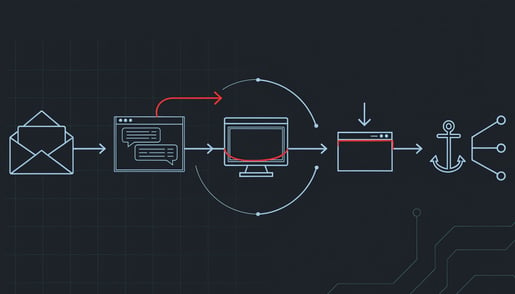
Security researchers at ANY.RUN tracked a phishing campaign they call CSuite across 351 sandbox analyses, and just over half of those submissions came from the United States. The lures are the documents your office handles every day: a DocuSign envelope, an Adobe file, a Zoom invite, a Dropbox share. One of them was a forged signature request sent in a law firm's name. What sets this campaign apart is what a single click leaves behind. Not one problem, but two.
Why a password reset does not fix it
The first problem is the mailbox. The lure pushes the victim into a Microsoft 365 sign-in, sometimes by asking them to type a short code into Microsoft's real login page. The victim signs in for real and completes multi-factor authentication for real. The attacker's waiting software collects the session tokens that come out the other end. Multi-factor checks the moment of sign-in; the tokens issued afterward are an already-trusted session, and replaying them opens the mailbox with no second prompt. Nothing in your logs shows a failed password attempt, because no password was ever guessed. Resetting the password does not end a session that is already live.
The second problem is the computer. In one case the lure delivered a small script that elevated its own permissions and installed ScreenConnect, a genuine remote-management product that IT departments buy and use. Action1, another real product, is used in the campaign as well. The software is signed by its vendor, registers itself as a normal Windows service, and calls home to the vendor's own cloud, which many firms already allow through their firewall. Antivirus generally does not flag it, because it is not malware. It is a legitimate remote-control tool that now belongs to someone else.
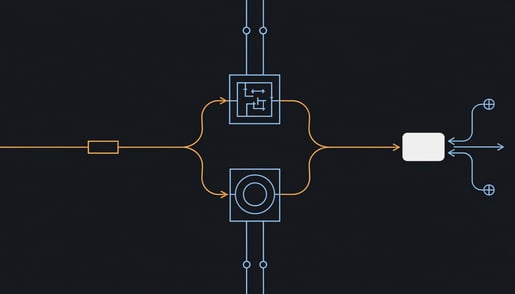
That is why the cleanup is two separate jobs. Revoke the stolen session and the attacker still has the remote-control agent. Remove the agent and the attacker still has the mailbox. Close only one and you have left a door open.
What it costs a small firm
An attacker reading a live executive or finance mailbox sees the supplier you already pay, the amount you already owe, and the tone your controller already uses. A message asking to update remittance details arrives mid-thread from the correct sender, and accounts payable approves it because every prior signal checks out. Money leaves under a legitimate approval, which limits what your bank can reverse and starts your insurer asking what controls failed.
The damage then moves outward. Compromised accounts get used to phish colleagues, partners, and clients from your real domain, with your real email authentication passing. Explaining to a client that their staff clicked on something that came from you tends to reach the commercial relationship.
The campaign's exposure clustered in technology, manufacturing, government, and consulting, but the mechanics are generic. A dental practice, a law office, and an accounting firm all run on supplier payment chains and client correspondence, and all three sign documents electronically.
The practical takeaway
Five things, in order. The first three are for whoever manages your Microsoft 365 tenant.
- When an account is suspected, revoke its sessions in Entra ID and force sign-in on every device, before anything else. The session is the access path; the password reset comes second.
- Take an inventory of remote-access tools on every machine and keep exactly one that your IT provider actually uses. Block the others from running, and block their vendor domains at your web filter, so a dropped installer fails at the download step.
- Run three mailbox checks in the same hour: inbox rules that file messages mentioning invoices, wires, or remittance into odd folders; forwarding addresses, including ones set at the admin level; and recently approved third-party apps, which keep reading mail after you revoke sessions.
- Give executives, finance approvers, and administrators phishing-resistant multi-factor, meaning a hardware security key rather than a code or an approve button. There is no code to relay and no prompt to approve by mistake.
- Make any change to payment details require a phone call to a number you already have on file. This single habit defeats the fraud even when the mailbox is already in someone else's hands.
And one sentence for staff: a signature request you were not expecting is a phone call, not a click.
For regulated firms, notification obligations commonly follow what the attacker could reach, not what you can prove they took. An executive mailbox holds employee records, client personal data, and whatever else passed through it. Knowing whether you could reconstruct what was read is worth checking before you need to.
The full breakdown, including the exact indicators your IT provider should hunt for, is in our Threat Intelligence Center write-up. If you are not sure which remote-access tools are installed across your firm right now, a security assessment will produce that list.