Microsoft has taken down EvilTokens, a phishing service that broke into more than 12,000 Microsoft 365 mailboxes at more than 10,000 organizations, including healthcare, financial services, construction, and real estate firms. The victims did not type their password into a fake page. They typed a short code into Microsoft's real login page, approved their own multi-factor prompt, and handed a criminal their mailbox. Here is how that works, and what a small firm on Microsoft 365 should change this week.
Why multi-factor did not stop it
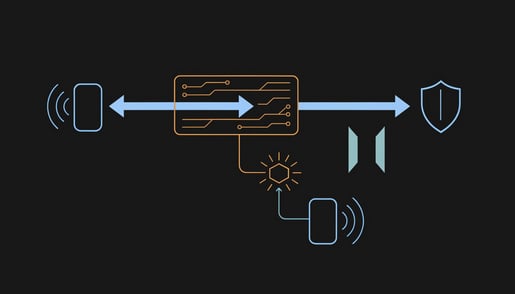
Microsoft 365 has a legitimate sign-in method for devices that cannot show a login page, like conference room screens and smart TVs. The device displays a short code, and you enter it on Microsoft's own website to link the device to your account. EvilTokens generated those codes on the attacker's side and sent them to victims in tailored phishing messages. The victim went to the genuine Microsoft page, entered the code, and completed multi-factor authentication normally, because it really was their own sign-in. The access token that came out the other end went to the criminal.
Nothing about that looks wrong to the victim or to a basic security review. The password is never captured and never changes. Multi-factor succeeds. And because the platform kept refreshing that token in the background, a password reset alone did not evict the intruder. The mailbox could show no failed logins and no password change while someone else read it every day.
What the AI part actually did
EvilTokens was a subscription product: $1,500 to sign up and $500 a month for a dashboard, sold on Telegram. Its selling point was an "analyst" chatbot that read each compromised mailbox and worked out who approves payments, which vendor relationships carry trust, and which invoices were in flight. It then recommended who to impersonate and helped draft the fraudulent message, written from real conversations in the style the recipient already expects.
That is ordinary business email compromise, the fake "our bank details have changed" invoice, made available to buyers with no skill at it. It also retires the advice most staff training still gives. Bad grammar, a generic greeting, or odd branding are no longer reliable warning signs, because the message is built from your own correspondence and sent from a real colleague's real account.
The industries hit had nothing in common except mailboxes that contained payment conversations. For a practice, a law firm, or an accounting office, that describes most of the partners and the whole billing department.
The practical takeaway
Five changes for whoever manages your Microsoft 365 tenant.
- Block the device-code sign-in method for everyone who does not need it. In Entra ID, a Conditional Access policy can deny that flow across the tenant, with a small exception group for the conference room devices that actually use it. This removes the mechanism EvilTokens depended on.
- When an account is suspected, revoke its sessions, not just its password. A password reset leaves an already issued token working until it expires on its own. Revoking the account's sign-in sessions is what ends it.
- Look at your sign-in logs once, filtered for device-code authentication. In most small firms the answer should be zero or a handful of known devices. Anything else needs an explanation.
- Check for inbox rules that move or delete messages mentioning invoices, payments, or wire transfers. Mailbox fraud commonly hides the real vendor's replies this way.
- Make payment-detail changes require a phone call to a number you already have on file, never one from the email. That single habit defeats the fraud even when the mailbox is already compromised.
Tell staff one rule, too: if a message gives you a code and asks you to enter it on a Microsoft sign-in page, do not enter it. A real device code is shown on the screen of the device in front of you.
For regulated firms there is one more consideration. Once attacker tooling has read a mailbox, the client correspondence, patient messages, or payroll threads inside it count as exposed whether or not any payment was redirected, and notification obligations commonly attach to that exposure. Knowing whether you could tell which mailboxes were read is worth checking before you need to.
The full breakdown, including the detection signals your IT provider should alert on, is in our Threat Intelligence Center write-up. If you are not sure whether device-code sign-in is open in your tenant, a security assessment will tell you.