Capstone Technologies Group LLC Capstone Technologies Group LLC
  • Home
  • Services
    • Managed IT Solutions
    • Cybersecurity Services
    • Data Protection & Recovery
    • VoIP Solutions
    • Website Solutions
  • Industry Solutions
    • Legal IT Solutions
    • Medical IT Solutions
    • Financial IT Solutions
    • SMB IT Solutions
    • Non Profit IT Solutions
  • Resources
    • Blog
    • White Papers
    • Threat Intelligence Center
  • About Us
    • Who We Are
    • Client Testimonials
    • Case Studies
  • Threat Intelligence Center
  • Pricing

Springfield, OH · Call (937) 319-1211

Facebook
LinkedIn
Mastodon
Bluesky
Capstone Technologies Group LLC Capstone Technologies Group LLC
  • Home
  • Services
    • Managed IT Solutions
    • Cybersecurity Services
    • Data Protection & Recovery
    • VoIP Solutions
    • Website Solutions
  • Industry Solutions
    • Legal IT Solutions
    • Medical IT Solutions
    • Financial IT Solutions
    • SMB IT Solutions
    • Non Profit IT Solutions
  • Resources
    • Blog
    • White Papers
    • Threat Intelligence Center
  • About Us
    • Who We Are
    • Client Testimonials
    • Case Studies
  • Threat Intelligence Center
  • Pricing

Contact Us

IT and Security Guidance for Ohio Practices

One Click, Two Problems: The Phish That Steals Your Mailbox and Installs Remote Control

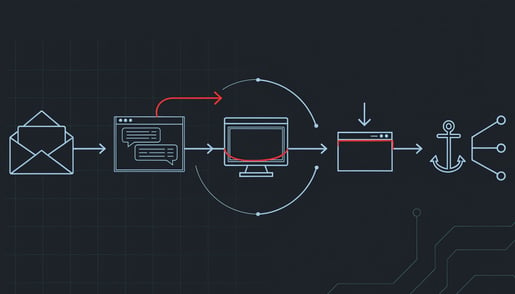
Security researchers at ANY.RUN tracked a phishing campaign they call CSuite across 351 sandbox analyses, and just over half of those submissions came from the United States. The lures are the documents your office handles every day: a DocuSign envelope, an Adobe file, a Zoom invite, a Dropbox share. One of them was a forged signature request sent in a law firm's name. What sets this campaign apart is what a single click leaves behind. Not one problem, but two.

Why a password reset does not fix it

The first problem is the mailbox. The lure pushes the victim into a Microsoft 365 sign-in, sometimes by asking them to type a short code into Microsoft's real login page. The victim signs in for real and completes multi-factor authentication for real. The attacker's waiting software collects the session tokens that come out the other end. Multi-factor checks the moment of sign-in; the tokens issued afterward are an already-trusted session, and replaying them opens the mailbox with no second prompt. Nothing in your logs shows a failed password attempt, because no password was ever guessed. Resetting the password does not end a session that is already live.

The second problem is the computer. In one case the lure delivered a small script that elevated its own permissions and installed ScreenConnect, a genuine remote-management product that IT departments buy and use. Action1, another real product, is used in the campaign as well. The software is signed by its vendor, registers itself as a normal Windows service, and calls home to the vendor's own cloud, which many firms already allow through their firewall. Antivirus generally does not flag it, because it is not malware. It is a legitimate remote-control tool that now belongs to someone else.

That is why the cleanup is two separate jobs. Revoke the stolen session and the attacker still has the remote-control agent. Remove the agent and the attacker still has the mailbox. Close only one and you have left a door open.

What it costs a small firm

An attacker reading a live executive or finance mailbox sees the supplier you already pay, the amount you already owe, and the tone your controller already uses. A message asking to update remittance details arrives mid-thread from the correct sender, and accounts payable approves it because every prior signal checks out. Money leaves under a legitimate approval, which limits what your bank can reverse and starts your insurer asking what controls failed.

The damage then moves outward. Compromised accounts get used to phish colleagues, partners, and clients from your real domain, with your real email authentication passing. Explaining to a client that their staff clicked on something that came from you tends to reach the commercial relationship.

The campaign's exposure clustered in technology, manufacturing, government, and consulting, but the mechanics are generic. A dental practice, a law office, and an accounting firm all run on supplier payment chains and client correspondence, and all three sign documents electronically.

The practical takeaway

Five things, in order. The first three are for whoever manages your Microsoft 365 tenant.

  1. When an account is suspected, revoke its sessions in Entra ID and force sign-in on every device, before anything else. The session is the access path; the password reset comes second.
  2. Take an inventory of remote-access tools on every machine and keep exactly one that your IT provider actually uses. Block the others from running, and block their vendor domains at your web filter, so a dropped installer fails at the download step.
  3. Run three mailbox checks in the same hour: inbox rules that file messages mentioning invoices, wires, or remittance into odd folders; forwarding addresses, including ones set at the admin level; and recently approved third-party apps, which keep reading mail after you revoke sessions.
  4. Give executives, finance approvers, and administrators phishing-resistant multi-factor, meaning a hardware security key rather than a code or an approve button. There is no code to relay and no prompt to approve by mistake.
  5. Make any change to payment details require a phone call to a number you already have on file. This single habit defeats the fraud even when the mailbox is already in someone else's hands.

And one sentence for staff: a signature request you were not expecting is a phone call, not a click.

For regulated firms, notification obligations commonly follow what the attacker could reach, not what you can prove they took. An executive mailbox holds employee records, client personal data, and whatever else passed through it. Knowing whether you could reconstruct what was read is worth checking before you need to.

The full breakdown, including the exact indicators your IT provider should hunt for, is in our Threat Intelligence Center write-up. If you are not sure which remote-access tools are installed across your firm right now, a security assessment will produce that list.

The Phishing Attack That Uses Microsoft's Real Login Page

Microsoft has taken down EvilTokens, a phishing service that broke into more than 12,000 Microsoft 365 mailboxes at more than 10,000 organizations, including healthcare, financial services, construction, and real estate firms. The victims did not type their password into a fake page. They typed a short code into Microsoft's real login page, approved their own multi-factor prompt, and handed a criminal their mailbox. Here is how that works, and what a small firm on Microsoft 365 should change this week.

Why multi-factor did not stop it

Microsoft 365 has a legitimate sign-in method for devices that cannot show a login page, like conference room screens and smart TVs. The device displays a short code, and you enter it on Microsoft's own website to link the device to your account. EvilTokens generated those codes on the attacker's side and sent them to victims in tailored phishing messages. The victim went to the genuine Microsoft page, entered the code, and completed multi-factor authentication normally, because it really was their own sign-in. The access token that came out the other end went to the criminal.

Nothing about that looks wrong to the victim or to a basic security review. The password is never captured and never changes. Multi-factor succeeds. And because the platform kept refreshing that token in the background, a password reset alone did not evict the intruder. The mailbox could show no failed logins and no password change while someone else read it every day.

What the AI part actually did

EvilTokens was a subscription product: $1,500 to sign up and $500 a month for a dashboard, sold on Telegram. Its selling point was an "analyst" chatbot that read each compromised mailbox and worked out who approves payments, which vendor relationships carry trust, and which invoices were in flight. It then recommended who to impersonate and helped draft the fraudulent message, written from real conversations in the style the recipient already expects.

That is ordinary business email compromise, the fake "our bank details have changed" invoice, made available to buyers with no skill at it. It also retires the advice most staff training still gives. Bad grammar, a generic greeting, or odd branding are no longer reliable warning signs, because the message is built from your own correspondence and sent from a real colleague's real account.

The industries hit had nothing in common except mailboxes that contained payment conversations. For a practice, a law firm, or an accounting office, that describes most of the partners and the whole billing department.

The practical takeaway

Five changes for whoever manages your Microsoft 365 tenant.

  1. Block the device-code sign-in method for everyone who does not need it. In Entra ID, a Conditional Access policy can deny that flow across the tenant, with a small exception group for the conference room devices that actually use it. This removes the mechanism EvilTokens depended on.
  2. When an account is suspected, revoke its sessions, not just its password. A password reset leaves an already issued token working until it expires on its own. Revoking the account's sign-in sessions is what ends it.
  3. Look at your sign-in logs once, filtered for device-code authentication. In most small firms the answer should be zero or a handful of known devices. Anything else needs an explanation.
  4. Check for inbox rules that move or delete messages mentioning invoices, payments, or wire transfers. Mailbox fraud commonly hides the real vendor's replies this way.
  5. Make payment-detail changes require a phone call to a number you already have on file, never one from the email. That single habit defeats the fraud even when the mailbox is already compromised.

Tell staff one rule, too: if a message gives you a code and asks you to enter it on a Microsoft sign-in page, do not enter it. A real device code is shown on the screen of the device in front of you.

For regulated firms there is one more consideration. Once attacker tooling has read a mailbox, the client correspondence, patient messages, or payroll threads inside it count as exposed whether or not any payment was redirected, and notification obligations commonly attach to that exposure. Knowing whether you could tell which mailboxes were read is worth checking before you need to.

The full breakdown, including the detection signals your IT provider should alert on, is in our Threat Intelligence Center write-up. If you are not sure whether device-code sign-in is open in your tenant, a security assessment will tell you.

One Click, No Attachment: The Zero-Day Chain That Beat an Up-to-Date Browser

On September 1, 2026, staff at several non-profits received an email asking them to click a link to a real U.S. university website. Anyone who hovered over it saw a recognized .edu domain. One click later, with no attachment to open and nothing to install, their fully updated Chrome browser handed a China-linked group control of the machine. Here is why the usual safety checks failed, and what a firm with no security team can do about it.

Why the usual checks failed

Two habits most firms rely on did not help here. The first is "hover before you click." The link genuinely pointed at the university. The attackers abused a flaw on the university's own site to bounce visitors onward after the click, so the destination looked safe right up until it wasn't.

The second is "keep the browser updated." The two Chrome flaws in the chain had already been fixed in Chrome's open-source code, but the fixes had not yet shipped in a stable release. A browser reporting itself fully up to date was still exploitable. Security researchers call that a patch gap, and it turned known bugs into working zero-days for everyone running Chrome on Windows. If your assurance reporting says "100 percent of endpoints on the latest browser version," that metric protected no one in this campaign.

The exploit page was also picky. It served the attack only to Chrome on Windows and showed nothing to anyone else, which is why a quick test from a phone or a Mac would have found the link harmless.

What the attacker actually gets

The group Volexity tracks as UTA0560 installed a small backdoor called GRIMWEDGE. It runs in memory, polls a command server, and does a handful of things well: list folders and running programs, read files, run commands in a hidden window, and upload whatever it fetches. It has no built-in persistence and no built-in way to move to other machines. Nothing encrypts, nothing breaks, and your staff notice nothing.

That quietness is the point, and it is what makes the aftermath expensive. The backdoor leaves little on disk, so the evidence your investigator would normally rely on may not survive a reboot. When a regulator, insurer, or grant funder asks which files left the building and when, that becomes a hard question to answer, and the burden of answering it is yours.

A second China-linked group, APT31, ran the same exploit chain in the same window with a different goal. Its payload was a malicious Chrome extension posing as a Google Gemini add-on that logs keystrokes, captures screenshots, and steals session cookies. Stolen cookies matter more than stolen passwords: a valid session token walks past the multi-factor prompt and opens webmail and cloud apps as the user, with no password-reset event to tip anyone off.

The targets were non-governmental organizations, but nothing in the tooling is specific to them. A law firm's client correspondence, a practice's patient records, or an accountant's client files sit behind exactly the same browser.

The practical takeaway

Five things, in order. None of them need a security team.

  1. Force Chrome to relaunch, then confirm it. Chrome downloads updates in the background but only applies them when the browser restarts, so a laptop that has been open for two weeks is running the old version no matter what your inventory says. Type chrome://version on a few machines and check. Do the same for Edge, which shares the same engine.
  2. Apply the September 2026 Windows updates on the same pass. The last step of the chain is a Windows flaw, CVE-2026-85880, and the fix for it has to be in place as well as the browser's. Microsoft issued that fix for Windows 10 and older server versions only. There is no update for it on Windows 11 or Windows Server 2025, so check Microsoft's advisory for the versions you run.
  3. Block the domain ocr.opusaccel[.]top at your DNS filter, and have whoever manages your firewall search back to late August for any lookups of it.
  4. Pull a list of installed Chrome extensions across the firm and look for one with the ID ckiknalbeplpcpofpnabcnhjcegckfei. It calls itself a Gemini extension. It is not.
  5. If you find any of that, do not reboot the machine. The backdoor lives in memory, and a restart destroys the best evidence you have. Unplug it from the network and call your incident response contact.

One last point for the firms that answer to an auditor or a funder. Notification obligations follow the data, not the size of the intrusion. Personal data on clients, patients, or donors touched by a file-read-and-upload sequence commonly puts you into breach-notification territory, and grant agreements typically carry reporting deadlines shorter than the statutory ones. Knowing what you would be able to prove, before something like this happens, is worth an afternoon.

The full technical breakdown, including the indicators your IT provider should be hunting for, is in our Threat Intelligence Center write-up. If you are not sure whether your browsers actually restart when they update, a security assessment will tell you.

Abstract schematic illustration: a red path cuts down through a component on a circuit board and breaches the layer beneath it

The Biggest Patch Tuesday Ever: What 999 Fixes Mean for a Small Firm

Abstract schematic illustration: a red path cuts down through a component on a circuit board and breaches the layer beneath it

Microsoft shipped 999 security fixes on September's Patch Tuesday, the most it has ever released in a single day, and two of the flaws were already being used in real attacks before the patches existed. Most of the coverage reads like a parts list. Here is what the release means for a professional-services firm with a few dozen Windows machines, a Microsoft 365 tenant, and no dedicated patching team.

Why this month is different

Volume is the obvious part: 974 of the 999 fixes are in Microsoft's own products, and 723 of those are in Windows. Rapid7, which tracks every cycle, says there is no reason to expect a return to the smaller monthly batches of past years. The less obvious part is the shape of the two flaws already being exploited. Both are local privilege escalation bugs, CVE-2026-85880 in a Windows kernel component and CVE-2026-81963 in the Windows Update Stack. Neither lets an attacker in from the internet. Both let an attacker who is already on a machine as an ordinary user become SYSTEM, which is the step that turns one phished mailbox into control of the network.

That matters because the way small firms actually get breached is a staff member running something they should not have, or a stolen session, not a movie-style remote exploit. A bug that upgrades a foothold is worth more to an attacker than a flashy one that creates it.

Two wrinkles change the to-do list. CVE-2026-85880 has no patch for Windows 11 or Windows Server 2025, so the fix only applies to older builds, and you need an inventory to know which machines those are. Separately, a browser flaw Google patched in Chrome on September 3 was already being exploited, and while Microsoft pushed the fix to Edge on September 2, it has not published an advisory, so nothing in your normal update reports will tell you whether a given Edge install has it.

Where a small firm is actually exposed

Four places, in rough order of how often we see them matter.

Staff laptops and desktops. This is where the two exploited bugs live. Any machine where a low-privilege foothold is plausible, which is every machine that receives email, is in scope. Terminal servers, jump boxes, and any workstation that runs a remote-management agent go first.

Remote access. If you publish Remote Desktop Services or a Remote Desktop Gateway so contractors or remote staff can reach the office, this release's Remote Desktop flaw is rated 9.8 and flagged by Microsoft as exploitation more likely. That single item can justify pulling the patch ahead of your usual schedule.

Exchange, if it is still on your premises. Four Exchange fixes in this release, including a spoofing flaw rated 9.3 and a privilege escalation at 9.1. Mail server compromise typically produces exactly the outcomes your insurer and your regulator ask about: mailbox access, invoice fraud through internal-looking senders, and notification obligations once message content is confirmed exposed. Exchange 2016 and 2019 have been out of support since October 14, 2025, and the paid extended updates Microsoft offered after that end in October 2026, with no further extension. Office 2021 reaches the end of support on October 13, 2026, the same day the last paid update year for Windows Server 2012 and 2012 R2 runs out. After those dates, anything in those categories stops receiving fixes for problems like these.

Identity. The highest scores in the release are in Microsoft's cloud identity services, including two rated a maximum 10.0, plus a flaw in the Microsoft Authenticator app rated 8.6. The service-side ones are Microsoft's to fix. The Authenticator one sits directly in the multi-factor path most firms rely on, and it is on your phones, not Microsoft's servers.

The practical takeaway

You do not have to patch 999 things this week. You have to make a documented decision about a short list.

  1. Push the two exploited privilege-escalation fixes to every machine where someone could plausibly get a foothold, and confirm which machines are old enough to actually receive the first one.
  2. If you run Exchange on premises, apply the cumulative update and treat it as the first step of a migration plan, since the paid extended updates for Exchange 2016 and 2019 end in October 2026.
  3. If you publish Remote Desktop to the internet, patch it now rather than in your next window.
  4. Open Edge, go to Settings, then About, and confirm the version by hand against the release notes. The update reports will not show this one.
  5. Update Authenticator on staff phones.

Where a machine cannot be patched this cycle, remove standard users from the local administrators group and limit which accounts can log on to management hosts. That does not fix the flaw, but it shortens what an attacker can reach after escalating.

One more point for the firms that answer to an auditor. Some frameworks, PCI DSS among them, set a patch window for critical vulnerabilities, and a release this large makes the triage decision itself the evidence an assessor may ask to see. Write down what you patched first, what you deferred, and why. That record can be worth as much as the patches.

The full breakdown, including the CVE-by-CVE sequencing and detection guidance for your IT team, is in our Threat Intelligence Center write-up. If you are not sure which of the four exposure groups above applies to your firm, a security assessment answers that.

When Your Own Microsoft 365 Becomes the Attacker's Channel

A malware family called TWINLOOT routes its command-and-control through Microsoft's own cloud — SharePoint, Teams, and the Graph API — so the domain blocklists and web filters built to catch an intrusion never see it, and it leaves no trace in your Microsoft 365 sign-in logs. Here's what that means for a professional-services firm, and the one question worth putting to your IT team.

Read more: When Your Own Microsoft 365 Becomes the Attacker's Channel

More Articles …

  1. Half of 2025's Attacks Never Touched the Endpoint
  2. Capstone Launches Threat Intelligence Center
  3. AI-Driven BEC Attacks: A New Cybersecurity Challenge
  4. Fast Flux DNS Threats: Why Capstone Clients Were Protected Before NSA Warnings

Subcategories

Weekly Briefing

  • 1
  • 2
  • 3

Page 1 of 3

Intro Image
Threat Intelligence Center

AI Agents Trigger Runaway Costs for Enterprises Running Automated Workflows

AI agents are designed to act without waiting for a human to approve each step, and that same...
26 Sep, 2026
Intro Image
Threat Intelligence Center

China-Linked Actors Exploit Chrome and Windows Zero-Day Chain to Deploy GRIMWEDGE

Researchers have tied a China-linked cluster tracked as APT31, JungleBamboo and UTA0560 to an...
15 Sep, 2026
Intro Image
Threat Intelligence Center

CLOSEDQUORUM and CAIRN Mark the First Reported Autonomous AI C2 Implant

Command-and-control has historically depended on an operator at a keyboard. CLOSEDQUORUM, the...
22 Sep, 2026
Intro Image
Threat Intelligence Center

Crypto Scammers Hijack Microsoft's Official X Account in Infostealer Campaign

Scammers gained control of Microsoft's official X account and used it to promote cryptocurrency...
02 Oct, 2026
Intro Image
Threat Intelligence Center

CSuite Phishing Steals Microsoft 365 Sessions and Deploys ScreenConnect RMM

A phishing operation aimed at US targets uses the CSuite toolkit to steal active Microsoft 365...
30 Sep, 2026
Intro Image
Threat Intelligence Center

Diesel Vortex Deploys Corp MDM Spyware That Steals SMS and Redirects Calls

Corp MDM is a spyware package distributed under the identifier com.corp.mdm that presents itself...
24 Sep, 2026
Facebook
LinkedIn
Mastodon
Bluesky
Schedule Your Assessment!

About Us

  • Privacy Policy
  • Code of Ethics
  • Sitemap
Mastodon

Areas We Serve

  • Managed IT Services Springfield, Ohio
  • Managed IT Services Dayton, Ohio
  • Managed IT Services Columbus, Ohio
Location: Springfield, Ohio · Serving Southwest and Central Ohio
Phone: (937) 319-1211
Email: [email protected]
SUBSCRIBE To Our Newsletter

Get the latest news!

Copyright © 2026 Capstone Technologies Group. All Rights Reserved.
Customized & Hosted by Capstone Technologies Group Great Hosting