Attackers are blending commodity loaders, infostealers and remote access tooling into faster...



Weekly Briefing • October 30, 2026
Each of this week's attacks passes the check your staff were taught to make. The "IT support" offering to fix a flooded inbox arrives inside Microsoft Teams, where no email filter ever sees it. The contract leads to a sign-in page that really is Microsoft's, and your own employee answers the MFA prompt. And the typos and clumsy phrasing that awareness training has taught people to look for are missing from phishing written with AI.
Since September, the One Thing at the bottom of this briefing has four times been a version of one rule: confirm on a number you already have. Before resetting a password or MFA (September 11). Before paying an invoice or changing where a payment goes (September 18). From a printed phone list instead of a search result (October 2). Instead of the number printed in an order confirmation (last week). This week's reporting explains why those are one rule, and adds two places it now has to reach. Here's what happened, and what it means for how your firm operates.
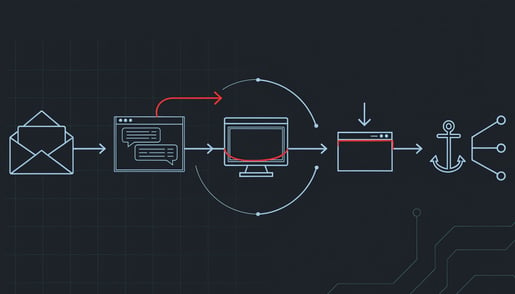
Arctic Wolf published research on October 26 covering more than 400 incidents in which attackers used Microsoft Teams to message employees while posing as their IT help desk. Many begin in the inbox. Hundreds of newsletter and subscription confirmations arrive within minutes, a tactic called mail bombing, and moments later a Teams chat or call from "IT support" offers to fix the problem the attacker just created. The caller talks the employee into opening Quick Assist, the remote-help tool built into Windows, and the attacker's code was running on the computer in under 15 minutes from the moment the employee engaged with the first message. For access that outlasts the call, the attackers then install AnyDesk or ScreenConnect, commercial remote-support products many offices already allow. Arctic Wolf did not name who is behind these incidents. Ransomware groups including Black Basta have used the same way in before.
Nothing here exploits a flaw. Teams external access is on by default, so anyone in another organization's Microsoft 365 can find, chat with and call your staff as long as both sides allow it, and the conversation never passes through the email filtering that catches phishing. The attackers create their own Microsoft 365 accounts with names built from words like support, IT, helpdesk or admin, sometimes with 365 on the end, and in 30 to 40 percent of cases they used the default onmicrosoft.com address every new account starts with, which takes minutes to set up. A display name like "IT Service Desk, Liam" does the rest.
The attack works because it asks your staff to do what they have been told to do: cooperate with IT, follow instructions during a support session, and accept remote help when something breaks. Someone whose inbox has just filled with junk is not going to stop and read a sender's domain in a chat window. Two changes close most of it. The first is yours: decide how real IT support reaches your staff, write it down, and tell everyone that a "help desk" turning up in a Teams chat or call they did not ask for gets a call to the IT number you already have before anything else happens. The second is a question for whoever manages your Microsoft 365: can any organization in the world start a Teams chat with your staff, or only the outside firms you actually work with? Limiting it to those firms is the main change, and restricting Quick Assist and blocking remote-support tools your IT provider has not approved takes away the hands-on access the rest of the attack depends on. Full analysis here: Black Basta Exploits Teams External Chat to Breach Networks in Under 15 Minutes.

ANY.RUN has documented a campaign it calls Skyw4lker, aimed mainly at organizations in the United States and focused on healthcare, manufacturing and technology companies. The lure is a password-protected document presented as a contract or a service proposal, with the password in the message. Many file scanners cannot open an encrypted document, so the link inside it reaches the recipient without being inspected. The link leads to a page on Google Sites, which makes web filters that block new or low-reputation sites less likely to flag it, and from there into a genuine Microsoft sign-in. ANY.RUN has not said who is behind it, when it started, or how many organizations it has reached.
Device-code phishing led this briefing on August 21. The attacker starts a Microsoft sign-in meant for equipment like a meeting-room display, and your employee finishes it by entering a code on Microsoft's real page and approving the MFA prompt. The tokens go to the attacker, and your logs record an ordinary successful sign-in. What is new is the wrapper. A contract with its password in the message looks like routine vendor practice, and it is built for the people who handle contracts and vendor paperwork.
In August the advice was a habit for staff: a real device shows you its code, and nobody sends you one. This week the better answer removes the question. In many offices this kind of sign-in is needed only for a short list of shared devices, if any, so ask whoever manages your Microsoft 365 whether it is blocked for everyone else. A block stops new sign-ins but does not cancel access already handed out, so in the same conversation ask for a check of past sign-ins of this kind. For a medical practice, someone else reading a mailbox full of referrals and billing can count as a reportable breach under HIPAA, and working out what was read starts from a sign-in your logs recorded as valid. Full analysis here: Skyw4lker Device Code Phishing Campaign Targets American Organizations.

This month's Cybersecurity Awareness Month coverage from Dark Reading, TechTarget and Cybersecurity Dive comes back to one point about training: most programs were built to teach warning signs that generative AI removes. Misspellings, generic greetings, awkward grammar and slightly-off links were the lesson. Attackers now use AI to write fluent, personal messages at scale, clone voices, and stage video and chat impersonations. The editors pointed to deepfakes aimed at help desks to get MFA reset, and to the Arup case, in which an employee was on a call with someone presenting as the CFO who asked for a large wire transfer. A SANS report found that 19% of organizations run awareness training designed mainly to meet a compliance or audit requirement.
Key Insight
Your staff can no longer tell a real request from a fake one by how it looks or sounds. They can still tell what it is asking for, and that is what should trigger the check.
The answer in the coverage is to stop asking people to decide whether something seems fake, and to teach instead that certain kinds of request always get confirmed through a separate channel: moving money, changing payment details, resetting a password or MFA, and sharing sensitive data. The kind of request triggers the check, however polished, urgent or familiar the sender seems. That is the rule behind every callback this briefing has given you since September, and this week adds two requests to the list: someone offering to take control of a computer, and anything that asks you to type a code into a Microsoft page. It also changes what whatever training your staff get should measure. The number that matters is not how many people clicked a test email but how many reported it, and how fast. And the rule only holds if it binds the people at the top, so say out loud that it applies to requests that come from you. Full analysis here: Rethinking Cybersecurity Awareness in the AI Era and What Must Change.
Police Seize Virtualine Bulletproof Service Tied to Ransomware and StealC. The FBI seized Virtualine's main web address, and Dutch police seized dozens of its servers and recovered data on more than 3,000 of its customers. Virtualine rented servers to criminals and ignored abuse complaints, and blockchain analysts tied its payments to ransomware operators and to the StealC infostealer. Taking the servers down does not take back what passed through them: passwords and session cookies stolen before the seizure keep working until someone changes them, and a quiet stretch after a takedown usually means the same customers are moving to a new host.
Huntress Managed ESPM Attack Reduction Disrupts ClickFix PowerShell Abuse. Huntress says ClickFix-style attacks through the Windows Run box now account for 31% of the endpoint detection signals its security operations center handles, and its 2026 threat report ties ClickFix and fake CAPTCHA pages to over half of all malware loader activity. The page, sometimes a hacked small-business website with a valid padlock, copies a command to the clipboard and tells the visitor to press Windows key + R, then Ctrl + V, then Enter. Huntress's new control blocks the Run box for people who have never used it, and attackers already send victims to File Explorer's address bar or Windows Terminal instead. The rule for staff fits on a sticky note: a real CAPTCHA never asks you to paste anything.
One Thing to Do This Week
At your next staff meeting, say this: "If your inbox suddenly fills with sign-up and newsletter emails, that isn't the problem. It's the setup. The next thing will be a Teams message or call from 'IT support' offering to fix it. Don't answer it, and don't open anything it asks you to open. Call IT on the number we already have." In the incidents Arctic Wolf studied, the attackers went from that first message to running their own code on the computer in under 15 minutes, so the rule has to be in place before the flood starts. If you printed the phone list from the October 2 briefing, the IT number on it is the one to call. This one needs no help from IT.
Get the Monthly Briefing
Once a month I pull the threats that actually mattered into one short read: what happened, what it means for firms like yours, and the one thing worth doing about it. Subscribe using the form at the foot of this page.

Brian Sammons has managed IT environments for Ohio professional service firms (medical, dental, legal, accounting, and financial) since 2004. He writes the Weekly Briefing for the owners, administrators, and IT managers responsible for keeping those firms running: what happened in security this week, and what it means for yours.
Questions about how this affects your environment? Schedule 15 minutes and I'll walk you through it.

Weekly Briefing • October 23, 2026
On October 15, someone holding a stolen credential for a Microsoft 365 backup app used it to sign in to at least 173 organizations' Microsoft 365 environments without typing a single password. Cisco Talos documented scammers getting Staples' and Dell's own order systems to deliver their phishing emails for them. And a Montana pharmacy disclosed that a website a third party built for it exposed prescription and insurance records for 258,920 customers.
Last week's briefing was about trust: the way in is usually something you already trusted. This week sharpens that. In all three stories, the check the victim relied on gave the right answer to the wrong question. Multi-factor authentication protects people signing in, and no person signed in. An app did. Email authentication confirmed the order confirmations came from Staples and Dell, and they did. The pharmacy's investigators confirmed its internal systems were untouched, and they were. The records were on the website. Here's what happened, and what it means for how your firm operates.
On October 15, a stolen credential belonging to ConnectWise Cloud Backup, the Microsoft 365 backup service formerly sold as SkyKick, was used to sign in to at least 173 Microsoft 365 tenants, the organization-level accounts that hold a firm's email, files and Teams, according to Huntress. Every sign-in came from one internet address, working through the tenants a few seconds apart, which Huntress reads as a script running down a target list. By October 17 Huntress was seeing sign-in activity from the same address in almost 1,000 tenants, more than 300 of them successful, though not every successful sign-in gained access. Microsoft assesses that a China state-aligned group it tracks as Storm-0940 was responsible. ConnectWise suspended the service on October 17 and began restoring it in phases on October 21, a process it expects to take several days.
Nobody's password was involved. A backup app like this one is connected to an organization's Microsoft 365 by consent, granted by an IT provider or an in-house IT person when the service is set up, and that consent lets it reach mailboxes, OneDrive, SharePoint and Teams so it can copy them. The credential the app uses to exercise that access lived in ConnectWise's own systems. Whoever held it had the app's access in every tenant where the app was connected: no password, no MFA prompt, and nothing on the sign-in screen most people check, because app sign-ins are recorded on a separate tab. The same address had spent October 13 and 14 trying passwords against four law firms' Microsoft 365 accounts, with no successful sign-ins in Huntress's data. The front door held. The app's door was already open. In two tenants Huntress examined, a ConnectWise app then made itself a Global Administrator and planted new credentials on other apps, which is a way back in that does not depend on the stolen one. Huntress found no sign of mailboxes, files, users or policies being changed in either.
Key Insight
Multi-factor authentication protects the people who sign in to your Microsoft 365. It has nothing to say about the apps already connected to it, each holding whatever access someone granted it, often years ago.
For a medical, legal or accounting practice, the mailbox is where patient records, client files and invoice threads live, and Todyl's analysis says this app's access included reading and writing mail and attachments. Write access means a fake payment request can be placed inside a thread your billing staff already trusts. The harder problem is proof. Reads of the company directory through Microsoft Graph leave no entry in the standard audit log. Where reads of mail and files are logged, the records name the backup app, so Todyl could not tell the attacker's reads from the backup service's own. A firm may never be able to show what was or wasn't read. Under HIPAA, the notification clock starts when a breach is known, or would have been known with reasonable diligence, not when you can prove what was taken.
If someone outside your office manages your Microsoft 365, your exposure is set by the list of apps that provider has connected to your tenant and what each one is allowed to do, and most firms have never seen that list. Ask whoever manages your Microsoft 365 for it, along with who approved each app. If ConnectWise Cloud Backup is on it, even unused, you are in the group ConnectWise says should review its records, and Microsoft and Huntress both say to disable, not delete, any app nobody can account for. Full analysis here: Compromised ConnectWise Credential Used to Sign In to 173 Microsoft 365 Tenants.

Cisco Talos has documented scammers getting real companies' systems to send their phishing for them. In two campaigns, about 1,400 messages in all, the emails came from Staples' and Dell's own order systems: a Staples confirmation for an Apple iPad, and a Dell order for Microsoft Project Standard 2024 at $736.09. The scammers had typed their own text into fields the retailers' systems later printed into the email, so where the shipping and billing details should have been, the message said "Order Confirmed" and gave a "Helpline" number. There was no forged sender, no link and no attachment. SPF, DKIM and DMARC, the checks that confirm an email really came from the domain it names, all passed, because it really did. Talos counted abuse of more than 25 legitimate platforms over the past year, across collaboration, file-sharing, survey, payment and AI services.
The attack is the phone call. Someone at your front desk sees an order for an iPad nobody ordered and calls to cancel it, and the person who answers walks them into a payment, a password, or remote-access software that hands over a live session on a work computer. The call happens off your network, so there is no click, download or log entry for anything to catch, and the first anyone hears of it may be days later, when the employee mentions it. If someone on your staff has called a number from an email like this, treat it as an incident and pin down when the call happened, what the caller was given, and whether anything was installed. Those are the questions your cyber insurer will ask, and if nobody can fix a start date, counsel will generally advise notifying on the widest scope you can defend. Full analysis here: Attackers Parasitize Trusted Infrastructure to Deliver Malicious Payloads.

Ridgeway Pharmacy, a mail order and community pharmacy in Victor, Montana, has disclosed that its public website exposed names, addresses, dates of birth, prescription, health and insurance information for 258,920 customers, and payment card information for some of them, as reported by The HIPAA Journal. A third party designed and built the website, and investigators confirmed the incident was limited to it and that no internal systems were involved. The pharmacy learned of the exposure on August 21, has since moved to a new website platform, and offered affected customers credit monitoring. The same reporting covered two smaller cases: IMS Care Center, a Phoenix practice where someone was inside the email system on June 17 and 18 and was shut out on the second day, and a Minnesota dental practice where an intrusion from April 28 to April 30 exposed diagnosis, treatment, insurance and Social Security information for 3,386 patients.
This is the third briefing this month to land on the outside businesses that hold your records. On October 2 the point was that breach notification follows the data, not the server, and Ridgeway is that point again at a larger scale. What this week adds is time. IMS Care Center caught its intruder within a day, and its review still did not confirm that Social Security numbers and medical information were exposed until September 30. The letters went out October 16. The Minnesota practice's file review finished months after the intrusion. Fast detection shortened the attacker's window. It did not shorten the review, because the review is someone working out what was in the system, whose it was, and when that can be put in writing, and the notification deadlines, the state attorney general reports and the report to HHS's Office for Civil Rights all run off that answer.
The way to shorten it is to have the list before anything happens. For a medical or dental practice, that means every outside party that touches patient data: your website developer, any chat or analytics tool on your website, your reminder service, your claims clearinghouse and your IT provider. For each one, confirm you hold a current business associate agreement and know which records it can reach. Then stop keeping records you no longer need, because those are records you cannot lose. Full analysis here: Ridgeway Pharmacy Data Breach Affects 259,000 Individuals.
9 Rising Malware Trends Security Pros Should Know From ClickFix to Akira. Immersive puts infostealers such as Lumma Stealer, StealC and RisePro behind 75% of stolen credentials, and what they take is more than passwords: browser cookies, VPN logins and MFA tokens, packaged and sold on dark web markets to whoever is buying. The person who infects a laptop is often not the one who uses the login. Ransomware crews like Akira buy that access, take the data first and encrypt last. So an infostealer found on any computer means every account and signed-in session on that machine is compromised, not just the passwords saved on it.
Kiloview E3 NDI Encoder Affected by Nine CVEs Including CVE-2026-105265. CISA published nine flaws on October 22 in a small hardware encoder that turns a camera feed into a network video stream, two of them rated 9.9 out of 10. Every unit signs its logins with the same built-in secret, so anyone with the public firmware can forge an administrator session. Kiloview's firmware 1.30 fixes all nine, and CISA reports no known exploitation. If your office streams or records meetings through dedicated video hardware, that box is a Linux computer, usually installed by an AV integrator, and nobody in IT may hold its password or update it. Find out who does.
One Thing to Do This Week
At your next staff meeting, say this: "If an email says we bought something we didn't, don't call the number in it. Look the company up on our account, or on the card we paid with, and call that number, or bring the email to me." The Staples and Dell emails in this week's briefing passed the authentication checks email systems run, so this is a rule only a person can follow. If you printed the phone list from the October 2 briefing, write this rule at the top of it. This one needs no help from IT.
Get the Monthly Briefing
Once a month I pull the threats that actually mattered into one short read: what happened, what it means for firms like yours, and the one thing worth doing about it. Subscribe using the form at the foot of this page.
Brian Sammons has managed IT environments for Ohio professional service firms (medical, dental, legal, accounting, and financial) since 2004. He writes the Weekly Briefing for the owners, administrators, and IT managers responsible for keeping those firms running: what happened in security this week, and what it means for yours.
Questions about how this affects your environment? Schedule 15 minutes and I'll walk you through it.

Weekly Briefing • October 16, 2026
On October 6, SonicWall published a fix for a flaw rated 10 out of 10 in one of its remote-access appliances. Two days later, decoy systems run by outside researchers were already catching attack traffic aimed at it. On October 8, the FBI arrested the co-founder of a firm that negotiates with ransomware groups on behalf of victims, on extortion charges. And Microsoft took down a marketplace that sold phishing kits and fraudulent Microsoft 365 accounts by the listing, behind roughly a billion phishing messages.
The thread this week is trust. In each story the damage runs through something that had already been trusted: the box that decides who gets onto your network from outside, the reputation of an old email account or a familiar name, and, if the charges hold up, the outside firm hired to sit on the victim's side of a ransom negotiation. Here's what happened, and what it means for how your firm operates.
SonicWall disclosed CVE-2026-102255 on October 6, a flaw in the sign-in portal of its SMA 1000 Series, the appliances that let remote staff reach the office network. It carries a score of 10 out of 10, the maximum. Someone with no password can make the appliance send requests on their behalf, and because those requests come from the appliance itself, systems inside the network that refuse traffic from the internet accept them. SonicWall said there was "currently no evidence" of exploitation. Defused reported attack traffic against its SonicWall decoy systems starting October 8, and Previdian reported attempts against its own sensors on October 9. SonicWall has released a hotfix. This is the same product line the Inc ransomware gang broke into in July through two earlier flaws, CVE-2026-15409 and CVE-2026-15410, before fixes for them existed.
SonicWall says the SSL VPN built into its firewalls and its smaller SMA 100 Series are not affected, so if that is how your staff connect from home, this particular flaw is not yours. The pattern is. A remote-access box decides who gets onto your network and knows where everything inside it lives. It generally will not run the endpoint protection installed on your computers, so whatever happens on it shows up only in the logs the box itself keeps. The same week, Palo Alto Networks' Unit 42 described attackers who hid code in the memory of Fortinet firewalls, where it left nothing on disk, and who shut off the firewalls' own logging along the way. More on that one below.
Key Insight
A patch closes the way in. It does nothing about anything that came through before it was installed, so a remote-access box that sat on the internet unpatched gets treated as compromised until someone shows otherwise, and the passwords and certificates it held get changed either way.
There is a second cost that arrives whether or not anything goes wrong. Joe Toomey, vice president of underwriting security at the cyber insurer Coalition, told Dark Reading that edge devices produce a disproportionate share of claims and that SSL VPN devices "are almost uniformly bad." Coalition prices policies partly on what its underwriters can see exposed from outside your company and on the claims history of the vendor that made the box, so at least at one insurer, your remote-access equipment shows up in your renewal quote. For your firm, that comes down to two questions for whoever manages your firewall: what remote-access equipment can the internet reach, and when an emergency fix like this one comes out, does the work stop at the patch, or does it include changing every password, shared secret and certificate the box was holding? Full analysis here: SonicWall SMA SSRF Flaw CVE-2026-102255 Draws Exploitation Attempts Within Days of Disclosure.
Microsoft's Digital Crimes Unit has taken down YAM Store, a marketplace that sold phishing kits alongside fraudulent Microsoft and Google accounts, as reported by CSO Online. Microsoft ties it to roughly 1 billion phishing messages aimed at more than 75,000 organizations, more than 750 million of them sent to Microsoft customers, and "tens of millions of dollars" for the people running it. Buyers shopped it like any other store: listings sorted by account age, subscription level and type, including school and nonprofit accounts, because an established account in an .edu or .org tenant has a sending reputation that a brand-new domain does not. The sellers also bought up domains that real organizations had let expire, rebuilt them to look active, and used them to obtain Microsoft 365 accounts to resell. The kits came with more than 2,300 ready-made pages impersonating healthcare providers, tax agencies, banks, courier services and police departments in more than 150 countries, and they were built to show a blank page to security scanners while the intended target saw a convincing sign-in screen.
Treat the takedown as disruption, not removal. The kits sold there, CoGUI, Haozi and the newer Iron Man System, can be sold elsewhere, and the people who bought them are customers who will shop somewhere else, so what reaches your staff's inboxes is unlikely to change much. What should change is how you think about one bad click. A password typed into one of these pages is not the end of the attack. It is inventory: the buyer may use the mailbox for invoice fraud this month and sell the same access to a ransomware crew the next, and the whole time, the sign-ins look like your employee's. The cleanup rule from earlier briefings still applies: end the stolen session, don't just change the password. The step that changes the economics is moving the accounts that matter most, starting with the owner's and whoever approves payments, to passkeys, so a password typed into a fake page is no longer enough to sign in and stops being worth selling. Full analysis here: Microsoft Disrupts YAM Store Phishing-as-a-Service Behind 1 Billion Messages.
The FBI arrested Edward Dubrovsky in Pennsylvania on October 8 on cyber extortion and conspiracy charges tied to its investigation of ShinyHunters, a data-theft and extortion group the FBI says has taken more than $70 million from victims this year. Dubrovsky co-founded Cypfer, a Canadian firm that negotiates with ransomware and extortion groups on behalf of the companies they hit, and is now associated with another Canadian firm, CyberSteward. He had been in Philadelphia for a cyber insurance conference where Cypfer was listed as the largest sponsor. The complaint is sealed, the case has moved to the Eastern District of Texas, and nothing has been proven. Sources told KrebsOnSecurity that charges against people at other negotiation firms may follow.
ShinyHunters does not encrypt anything. It phishes employees, signs in to cloud services with stolen passwords, pulls the data out through the application's own features, and threatens to publish it. When the break-in is that quiet, the money is made in the conversation afterward, and the negotiator on the victim's side of that conversation typically knows what was taken, what the insurance covers, and the number above which the victim will not pay. Two weeks ago the point here was that the list of businesses holding your patient or client records is longer than your list of software vendors. Add one more: whoever worked your last incident. If your firm has ever paid or negotiated over stolen data, find out who actually sat in that chat on your behalf, keep every record of the engagement, and tell your breach attorney and your cyber insurer this week rather than after a subpoena arrives. If it never has, the firm that would handle it often comes from your insurer's approved panel or through your breach attorney, not from a choice you make in the middle of an incident, so ask your broker at renewal which firms those are and how the carrier vets them. Full analysis here: FBI Arrests Founder of Ransomware Negotiation Firm Tied to ShinyHunters.
PEERSTITCH Malware Exploits FortiOS Flaws to Bypass Tagged VPN Session Checks — Unit 42 found an implant that lives only in the running memory of Fortinet firewalls and lets the attackers' VPN connections skip the firewall's own security checks. The group got there by first breaking into the central console a telecommunications managed service provider used to administer more than 500 of those firewalls, through a FortiManager flaw known since late 2024. Fortinet fixed the flaw used to plant the implant in April, and that is the point: a patched firewall can still be carrying it, a reboot erases the only evidence, and most owners in that position end up rebuilding the device from clean firmware. If someone else manages your firewalls, the console they manage them from is part of your perimeter too.
Four-Byte Write Bug Lets Researchers Run Code in Windows SmartScreen Enclave — Doyensec showed how to run their own code inside the walled-off part of Windows 11 that holds a hashed copy of your sign-in password for SmartScreen's phishing warnings, a region your endpoint protection cannot see into by design. It needs code already running on the PC, the researchers did not show a password being read, and Microsoft says it was not exploited before the September 8 update fixed it. That update is the entire fix. There is no setting that substitutes for it, and a PC that no longer receives Windows updates will never get it.
One Thing to Do This Week
Make a list of every domain name your firm has ever used: the current one, the practice name from before a merger or rename, the old website from before the redesign, anything a former partner registered. Then find the renewal invoice for each one, from your registrar, your web designer or your IT provider, and confirm it is still being paid. The YAM Store sellers bought domains that real organizations had let expire, rebuilt them to look active, and used them to get Microsoft 365 accounts to resell. A name your firm used for years has resale value to someone. If anyone wants to let one lapse to save the renewal fee, the answer is to ask whoever manages your email first. This one needs no help from IT.
Get the Monthly Briefing
Once a month I pull the threats that actually mattered into one short read — what happened, what it means for firms like yours, and the one thing worth doing about it. Subscribe using the form at the foot of this page.
Brian Sammons has managed IT environments for Ohio professional service firms — medical, dental, legal, accounting, and financial — since 2004. He writes the Weekly Briefing for the owners, administrators, and IT managers responsible for keeping those firms running: what happened in security this week, and what it means for yours.
Questions about how this affects your environment? Schedule 15 minutes and I'll walk you through it.

Weekly Briefing • October 2, 2026
A skilled nursing provider in Beachwood, Ohio found an intruder on one of its servers; the notification letters are going to more than 3,000 people. A California law firm found that "limited" patient data had been accessed; the people getting letters are patients of a hospital the firm represents, who never dealt with the firm themselves. A phishing campaign tracked across 351 sandbox runs, 51% of them from the United States, turns one click on a forged DocuSign envelope into a stolen Microsoft 365 session and a remote-control agent on the same person's computer. And a campaign planting fake bank and airline phone numbers across the web is reaching people through the AI assistant they asked, with no email anyone could have flagged.
The thread this week is scope. In every case the incident ended up larger than the mistake that started it, and the cleanup landed on people who never made the mistake. Here's what happened, and what it means for how your firm operates.
Two breach notices went out on October 1, both reported by The HIPAA Journal, and neither involved a hospital's own network. Saber Healthcare, which runs skilled nursing, long-term care, and senior rehabilitation facilities out of Beachwood, Ohio, identified unauthorized access to one of its servers on July 27. The review of what was on that server finished August 19, and the answer was the full identity set: names with dates of birth, driver's license or state ID numbers, health insurance and medical information, financial account details, passport numbers, and Social Security numbers. Saber has not published a count; its filings with state attorneys general put the incident above 3,000 people. Buchalter, a law firm headquartered in California, discovered on August 28 that an unauthorized third party had reached patient data belonging to Arrowhead Regional Medical Center, a hospital it provides legal services to. The firm confirmed on September 4 which patients were involved and obtained their contact information on September 21 to start mailing letters. Neither notice names an attacker, and neither reports misuse.
Two weeks ago this briefing covered a practice-management vendor whose breach became a notification obligation at every practice on its platform. The Buchalter case moves that one step further out. A law firm that receives patient records to handle a hospital's legal matter is a business associate under HIPAA. The breach happened at the firm, but the duty to notify patients and the HHS Office for Civil Rights sits with the hospital, so the hospital is drafting letters about an intrusion it never saw, on a server it never configured, on a timeline the firm's investigation set. A business associate typically has up to 60 days from discovery to tell you; many agreements shorten that to 10 or 15 days, and it is worth knowing which yours says before you need it. A third notice in the same reporting, from a dental practice, shows the other side of the problem: one server ran the practice management, dental imaging, and electronic health record software together, so everything the practice knew about every patient, dependents included, sat behind a single door. That practice says its data was encrypted and the attackers are not believed to have the keys. It still had to send the letters.
Key Insight
Breach notification follows the data, not the server: when a law firm, billing company, or imaging vendor holding your patient records is breached, the letters carry your name. And the 60-day clock runs from the day a breach is discovered, not the day the review finishes, which for Saber Healthcare meant three weeks were gone before anyone knew what the server held.
For a medical or dental practice, the list of businesses holding your patient records is longer than your software vendors: the attorney handling a dispute, the billing company, the collections agency, the imaging vendor. For a law firm, you are on the other side of the same arrangement. A hospital's or a practice's records in your matter folders make you the business associate, and state bar confidentiality rules add a duty to tell affected clients that runs separately from the statute. Either way, the question to be able to answer this month is who holds your records and how fast they are contractually required to tell you when something happens. Full analysis here: Saber Healthcare and Buchalter Disclose Separate Data Breach Incidents.
If you have read this briefing since August, you have seen the first half of this story three times: a phishing page walks someone through a genuine Microsoft sign-in, MFA and all, and the attacker walks away holding the finished session, so changing the password afterward does not put them out. Researchers at ANY.RUN, reported by The Hacker News, tracked a campaign they call CSuite across 351 sandbox analyses, 51% of them submitted from the United States, that does exactly that and then adds the second half. The lures are the documents your office handles every day: pages branded as Adobe, DocuSign, Zoom, Google Meet, Dropbox, and Microsoft 365, including a forged DocuSign envelope sent in the name of a law firm. One branch of the page pushes the victim into a device-code sign-in: a short code appears, the victim types it into the real Microsoft login page, completes MFA for real, and the attacker's waiting software collects the tokens. The other branch drops a small script file. In one run ANY.RUN watched, an Adobe-themed lure delivered a BAT file that elevated its own privileges and installed ScreenConnect, a genuine remote-control product that IT departments buy. Action1, another legitimate management tool, shows up in the same campaign. Both are signed by their vendors, register themselves as Windows services the way a proper install would, and call home to infrastructure most firewalls already allow. The organizations hit so far cluster in technology, manufacturing, government, and consulting, but the envelope carried a law firm's name, and a signature request from a law firm is an ordinary Tuesday for a medical office or an accounting practice.
The rule from the August 21 briefing still holds and covers the first branch exactly: a code you are asked to type into a Microsoft sign-in page is the attack. The September 4 rule covers the second: nothing you did not go looking for gets to install remote-access software. What is new is what happens after someone has already clicked. Resetting the password leaves the stolen session working. Revoking the session leaves the remote-control agent running on the workstation, with its own connection out. A suspected phish in this campaign is two incidents, one in the Microsoft 365 account and one on the computer, and whoever handles your IT needs to hear it that way, because a cleanup that closes only one leaves a working path back in. Full analysis here: CSuite Phishing Steals Microsoft 365 Sessions and Deploys ScreenConnect RMM.
Ariel Simon at Vigilance Security documented a campaign, covered in this week's ThreatsDay roundup from The Hacker News, that does not phish anyone. It floods the web with optimized posts, PDFs, reviews, and fake support pages so that when someone asks ChatGPT, Gemini, or Google's AI Overview for a company's support line, the assistant pulls the attacker's page into the answer. The content is planted wherever anyone can publish and the ranking is good: Google Sites, GitHub Pages, WordPress, and Blogger; fundraiser, job, and event platforms; reviews on Yelp and Apple Maps. What comes back is fraudulent phone numbers, email addresses, and login pages for Delta, Lufthansa, Qatar Airways, Chase, Bank of America, Airbnb, TripAdvisor, and hundreds of other brands. The assistant presents it as a clean answer with the web address stripped out, so the things a person would normally check, the domain, the look of the page, the sender, are not there to check.
Think about who at your practice looks up a phone number in a hurry: the bookkeeper calling the bank about a declined payment, the office manager calling the payroll company, whoever is on the phone with a software vendor when it stops working. If the number came from an AI answer, the person on the other end may be the attacker, and the caller will volunteer the account number, the verification details, and the reason for the call without being asked twice. No email arrived, so nothing got flagged, forwarded, or reported, and the first sign is money moving or a login being used from somewhere new. Every account recovery that starts with a phone call, and every remote-support session that starts with a phone call, runs through whichever number got dialed. Full analysis here: ThreatsDay Roundup Covers AI Search Poisoning and One-Click Code Execution.
From the same roundup: Exvicy, a ClickFix kit sold as a subscription — Sekoia found it advertised on a Russian-language crime forum since May 26 at $1,200 a month, raised to $2,000 in August. It works through hacked WordPress sites showing a fake Cloudflare "verify you are human" box that tells the visitor to paste a command into the Windows Run dialog. The September 4 rule covers it word for word; the change is that this is now a product with a price list, so expect more of it.
Executive Threat Detection Extends Account Monitoring to Leadership Credentials — Cisco Talos launched a monthly service that watches the accounts of up to 10 named executives, on the reasoning that leadership identities draw bespoke attacks while enterprise tooling is tuned for the average user. A practice with twenty staff will not buy a Talos retainer, but the logic transfers: the owner's mailbox and the office manager's are the two with approval authority, the assistant with delegate access to the owner's calendar is the way in, and Talos's own advice is a written rule that every payment instruction gets verbal confirmation on a known number with no exception for the boss, which is the sentence from the September 18 briefing.
AI Agents Trigger Runaway Costs for Enterprises Running Automated Workflows — OWASP now ranks "unbounded consumption" sixth in its 2026 list of top risks for AI applications, and Forcepoint's Jyotika Singh describes the failure plainly: the service stays up and keeps answering while the bill climbs past anything budgeted, with no alert because no single request looks wrong. This is a developer's problem at enterprise scale, but one line applies to any office that has put an AI tool on a company card: an AI tool that acts on its own is a privileged account nobody provisioned, so somebody should own its spending cap, and the cap should be a hard limit, not an email that arrives after the money is gone.
One Thing to Do This Week
Make the real phone list. Take the numbers for your bank, your payroll provider, your practice-management or case-management vendor, and your IT provider from the back of your card, your statements, and the portals you already sign in to, print them, and put the sheet where the phones are. Then give your staff the rule that goes with it: a phone number or a login link that comes from ChatGPT, Gemini, a Google AI answer, or a search result does not get used for anything involving money or an account. If the sheet does not have the number, the call waits until it does. This week's campaign planted fake numbers for Chase, Bank of America, and Delta exactly where a hurried search would find them, and the person who dials one hands over account details to someone who never had to send a phishing email. Ten minutes, no help from IT.
Get the Monthly Briefing
Once a month I pull the threats that actually mattered into one short read — what happened, what it means for firms like yours, and the one thing worth doing about it. Subscribe using the form at the foot of this page.
Brian Sammons has managed IT environments for Ohio professional service firms — medical, dental, legal, accounting, and financial — since 2004. He writes the Weekly Briefing for the owners, administrators, and IT managers responsible for keeping those firms running: what happened in security this week, and what it means for yours.
Questions about how this affects your environment? Schedule 15 minutes and I'll walk you through it.

Weekly Briefing • September 18, 2026
Nothing this week came through the firewall. The most expensive item was an email with no attachment, no link, and a clean authentication record. The one with the most medical records attached happened on a network in San Francisco that belongs to a software company most patients have never heard of. The third is how client files can leave a practice through a consent screen, in about the time it takes to click Allow.
Your security controls sit around your network. All three of these happened outside it — in your payment approval process, in a vendor's building, and in a browser tab. Here's what happened, and what it means for how your firm operates.
Between August 3 and 5, Microsoft tracked a single campaign of more than a million emails, 87.7 percent of them landing in US inboxes. Each one impersonated an executive at the company receiving it and asked accounts payable to process an ACH payment of just under $50,000. Underneath the executive's signature sat a ServiceNow subscription invoice: branding, invoice number, issue and due dates, itemized lines, and bank details pointing at accounts the attacker controlled. Microsoft found no evidence that ServiceNow, or any other company named in those emails, was compromised. The whole operation ran on a lookalike domain registered on July 31, days before the first message went out.
Here is why filtering did not stop it. There was no attachment to scan and no link to check, because the invoice was drawn directly into the body of the email as HTML. The executive's name appeared only in the display name, the signature, and the reply-to label, while the message itself was sent through a real, working third-party email service. SPF, DKIM, and DMARC all check the sending service, and the sending service was legitimate, so the mail passed every authentication test and arrived with no warning banner attached to it. The fraud lived entirely in the parts a person reads and a filter does not.
Key Insight
Every signal that made that invoice look approved — the name in the From field, the signature block, the invoice layout, the forwarded thread underneath it — was typed by the person asking for the money. None of it required access to anything you own.
Microsoft also found the fingerprints of generative AI in how the templates were assembled: heavy HTML commenting, near-identical structure across samples, the same invoice details reused while the company and executive names changed for each target. That is mass production, and it means the version aimed at a twelve-person practice costs the sender no more than the one aimed at a hospital system. Microsoft listed IT services, business advisory, and consumer goods among the industries hit, and nothing in the method is specific to any of them. The tells that survived are human ones: the quoted "forwarded" conversation carries no date headers, which genuine forwarded mail always has; the subject lines use phrases like "due bill" and a misspelled "ACH Parment"; and in one thread the CEO asks not to be copied, then announces in the next message that he is sending it himself. Tell whoever opens your mail to read the thread, not the signature. Full analysis here: AI-Assisted Executive Impersonation Fuels Invoice Fraud at Organizations.
zHealth, a San Francisco company selling cloud practice management and electronic health records software, has reported that 118,563 people had information exposed: names, medical information, and health insurance information, varying by person. The dates are the part to sit with. Someone was inside zHealth's network between January 20 and January 21 of this year, roughly one day. The company did not learn that information may have been copied until around June 15. The review establishing whose data was actually involved finished on September 3. Intrusion to finished answer: about eight months. Affected people are being offered twelve months of single-bureau credit monitoring. zHealth has not said how the attacker got in.
If your practice runs on a hosted EHR or practice management platform, that timeline is part of what you bought. Your patients' records sat in a building you do not own, the window opened and closed before anyone noticed, and your first notice arrives in a letter you had no hand in writing. The shape repeats across the same set of disclosures: a benefits administrator traced its breach to a single employee email account and still reported Social Security numbers exposed, and one intrusion at a credentialing vendor reached about 75 of its customers at once. One break-in at a vendor becomes a notification obligation at every practice on the platform.
Two things follow from that. The call worth making this month is to your EHR or practice management vendor, asking in writing which of your patient records sit in their environment and how quickly they commit to telling you when something happens. Your business associate agreement should say how quickly they must tell you. The second is what you tell patients who ask. Credit monitoring watches for new credit accounts being opened. It does not watch claims submitted to a health plan or prescriptions filled in someone else's name, which is what medical identity theft actually looks like. The check that finds that is reading the explanation of benefits statement line by line. Full analysis here: Health Records Vendor Discloses Data Breach Affecting 118,000 Individuals.
Intezer reviewed roughly 16.9 million enterprise security alerts and found about 73,000 tied to AI tools and agents, a volume that grew 685 percent between February and June this year. Sorted by outcome, 94.1 percent were noise, 5.8 percent were genuine exposure, and 0.02 percent were real attacks. That headline is about alert fatigue inside large security teams, which is not your problem if you have eleven people and no security team. The second finding is.
A large share of AI use never produces a security alert at all, because nothing runs on the machine. Somebody grants a third-party AI application consent to their Microsoft 365 account, or pastes a document into a chat window. Both move your information to an outside company, and neither one looks like an event to any tool watching the endpoint. The researchers saw exactly that: OAuth consent granted to ChatGPT across several customer tenants, first sign-in events for OpenAI, and at one customer a cluster of data-protection alerts for uploads into generative AI tools. For a firm like yours, client files and contract terms sent to a processor nobody approved is a disclosure question, not a tidiness question.
Three questions you can answer this month without buying anything: which AI applications currently hold standing access to your Microsoft 365 tenant, and who approved them; whether the free tier your staff signed into permits prompts to be retained for training; and whether your engagement letters or patient consents actually cover sending that material to a third party. In the environments we manage, a consent grant handing an outside application standing access to mail or files shows up as an identity finding rather than disappearing into tenant logs, which is the only place that activity leaves a trace. The same research also found AI brand names being used as bait: an invoice fraud lure citing a supposed Anthropic approval to justify a large payment, a fake Gemini Ads invitation, and an "OpenAI Partner Summit 2026" invite delivered through genuine Zoom infrastructure. Those land in your finance inbox, not with your IT provider, which is where this briefing started. Full analysis here: Enterprise AI Adoption Reshapes SOC Detection for Claude, Codex and Cursor.
China-Linked Actors Exploit Chrome and Windows Zero-Day Chain to Deploy GRIMWEDGE — Last week's briefing noted that two of September's patched flaws were already being exploited. Volexity has now shown what one of them, CVE-2026-85880, was being used for: a chain of three bugs, two in Chrome and that one in Windows, that turns a single click into code running on the machine. The targets were non-governmental organizations, so this is not aimed at your practice. Two details are, though. The lure linked to a genuine US university website and abused a flaw on that site to bounce visitors onward, so hovering over the link showed a real .edu domain and told the reader nothing. And Chrome downloads its update in the background but does not run the new version until the browser is restarted, which means an inventory report saying every machine is on the current version is not the same as every machine running it. Anyone who has kept forty tabs open for three weeks is still on the old one. Closing and reopening the browser is all it takes to finish the Chrome update.
Fake AI Trading Agent Steals Crypto Wallet Passwords and Deploys XWorm — HP spent April to June tracking a website advertising an autonomous AI trading agent, and what it installed is the useful part. The download contained a genuine Microsoft-signed Windows utility, renamed "Trading Agent.exe," whose only job was to satisfy the reputation check so Windows raised no warning, plus an attacker library beside it that the signed program obligingly loaded. The same research followed invoice-themed campaigns from the same toolkit to XWorm, a remote access tool that gives an operator hands-on control of the machine, and to stealers that read saved browser passwords. Two of the signed installers HP examined change the browser's default search engine and keep the change after they are uninstalled. A signature tells you who built a file. It does not tell you what the file does.
One Thing to Do This Week
Write one sentence and hand it to whoever pays your invoices: "Any invoice over an amount we set, and any request to change where a payment goes, gets confirmed by phone on the number already in our records before it is paid — including when the request comes from me." Say that last part out loud to them. This fraud works because a clerk who follows the rule is, in that moment, questioning the owner, and the rule only holds if it came from the owner first. The number in the invoice, the number in the signature block, and the number in the email footer do not count; the point is to move the conversation onto a line the sender does not control. Microsoft's campaign asked for just under $50,000, and many finance teams set the threshold somewhere in the low five figures. This takes one conversation and a note above the desk.
Get the Monthly Briefing
Once a month I pull the threats that actually mattered into one short read — what happened, what it means for firms like yours, and the one thing worth doing about it. Subscribe using the form at the foot of this page.
Brian Sammons has managed IT environments for Ohio professional service firms — medical, dental, legal, accounting, and financial — since 2004. He writes the Weekly Briefing for the owners, administrators, and IT managers responsible for keeping those firms running: what happened in security this week, and what it means for yours.
Questions about how this affects your environment? Schedule 15 minutes and I'll walk you through it.
Page 1 of 3