Weekly Briefing • August 11, 2026
Three of the threats we tracked this week share one detail: nothing in them looked fake. A phishing kit that sends victims to Microsoft's genuine login page. A malware campaign that installs the same remote-support software legitimate IT departments use. Malicious attachments arriving inside real email conversations your staff were already having. The old advice — look for the misspelled domain, the odd logo, the suspicious link — doesn't cover any of these.
Here's what happened, and what it means for how your firm operates.
The Phishing Kit That Uses Microsoft's Real Login Page
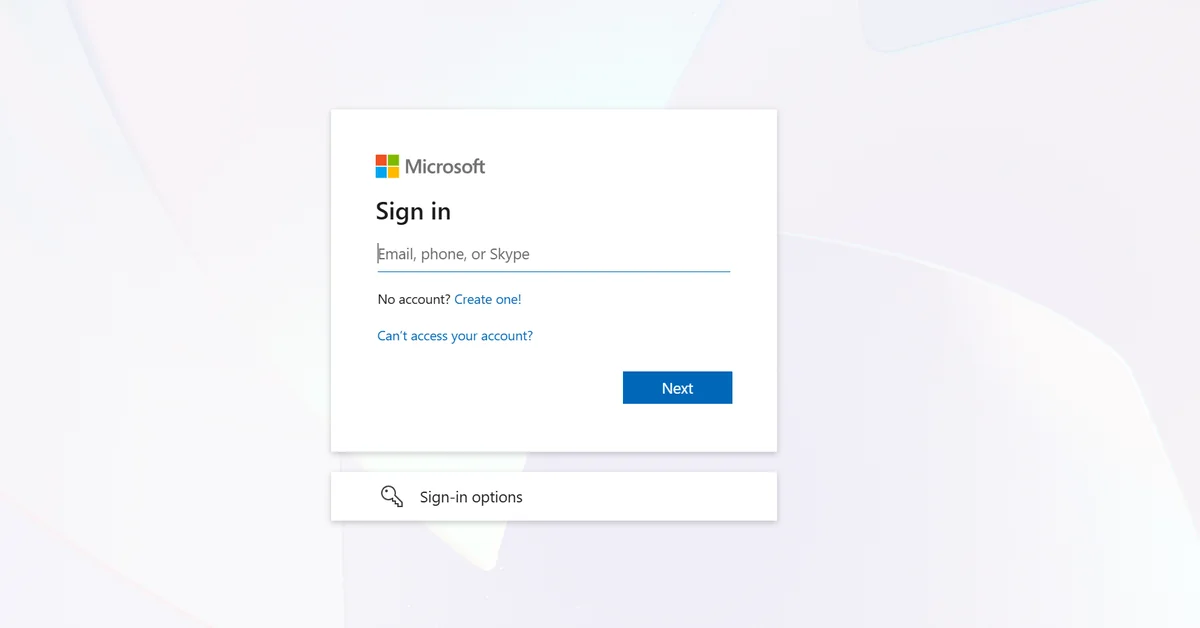
A toolkit tracked as Kali365 is running device code phishing against US companies — healthcare among the targeted sectors — and sandbox provider ANY.RUN records more than 80 public sessions tied to the campaign every week. The lure impersonates a service your staff already trust: SharePoint, OneDrive, or DocuSign. But instead of a counterfeit login page, the victim is redirected to Microsoft's real device login portal and asked to enter a code the attacker generated.
When the victim approves that code, Microsoft issues access and refresh tokens to the attacker's session. Those tokens grant continued access to Microsoft 365 email, documents, and cloud resources. No password was stolen, so a password reset doesn't help until the tokens themselves are revoked.
Key Insight
Nothing about the login page is fake. The victim signs in at Microsoft's genuine portal and, by approving a code the attacker generated, hands over working access to the company's Microsoft 365 tenant without a password ever changing hands.
The defense is procedural, not visual: nobody in your firm should ever type a device code they didn't generate themselves, moments earlier, on their own screen. If an email or document asks you to "verify" by entering a code at microsoft.com, stop and call IT. Full analysis and containment steps are in our Threat Intelligence Center: Kali365 Toolkit Weaponizes Microsoft Authentication Against US Companies.
The "Update" That Installs an Attacker's Remote Access Tool
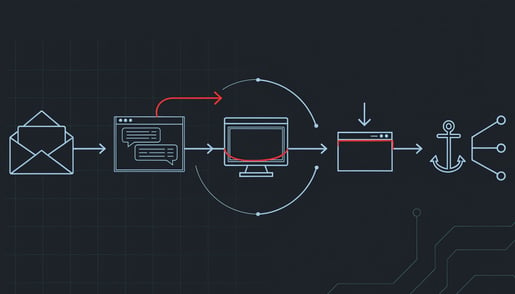
Securonix documented an active campaign, tracked as SMOKE#SCREEN, that uses fake Adobe and Zoom update prompts to install ConnectWise ScreenConnect, a legitimate, signed remote-access product that IT teams use for help-desk sessions. The attackers install the real client and point it at their own servers, which gives them a persistent interactive remote desktop that blends in with sanctioned IT software.
The lure works because it mirrors something your staff are told to do constantly: apply the update, close the vulnerability, move on. That instinct is correct. The delivery channel is what's wrong. In our managed environments, updates come through managed patching, not through a browser popup. A website telling you to update Adobe or Zoom is not how updates arrive, ever. Details: Fake Adobe and Zoom Updates Install ScreenConnect for Persistent Remote Access.

This is what real updates look like: N-Sight managed patching across one of our managed environments, 71 endpoints, running in the background. No popup ever asks staff for help.
When the Phishing Email Is a Real Email
Gen Threat Labs tracked malware campaigns through the first half of 2026 that didn't imitate trusted senders. The messages came from corporate mailboxes the attackers had already taken over, riding inside genuine conversations. Because the mail leaves through authorized infrastructure, SPF and DKIM authentication checks can still pass. The lures matched what recipients already expected: shipment notices, invoices, scanned documents.
This particular campaign concentrated on Central and Eastern Europe, so it's the technique, not the specific actor, that matters for Ohio firms: sender authentication and "does this look legitimate?" both return the wrong answer when the account itself is compromised. It's the same reason we told you in the last briefing that payment-detail changes get verified by a phone call to a number already on file. The email being real doesn't make the request real. Analysis: Hijacked Email Threads Deliver GepyS, Remcos RAT and XWorm in H1 2026.
Also on Our Radar This Week
Pass-ta-key attacks against Google-synced passkeys — Unit 42 showed malware on an already-compromised Windows machine can abuse synced passkeys. Passkeys remain far stronger than passwords; this is a reason to keep endpoints clean, not a reason to abandon them.
HollowFrame loader evades Microsoft Defender — documented by Blackpoint Cyber on two computers at a law firm. Before any payload arrived, the first stage asked the user for administrator rights and then told Defender to skip the folder and the program it was about to use.
"Poison Claude" resells discounted AI access through a proxy that reads every prompt — if anyone in your firm uses AI coding or writing tools, the discount route can mean an anonymous operator sees your client data.
One Thing to Do This Week
Tell your staff this one rule: software updates never come from a web page. Any popup, banner, or site that says Adobe, Zoom, or your browser needs updating gets closed and reported, not clicked. In a managed environment, updates arrive through patching that runs in the background, and anything asking for your help is the attack. One sentence at your next staff meeting covers it.

Brian Sammons has managed IT environments for Ohio professional service firms — medical, dental, legal, accounting, and financial — since 2004. He writes the Weekly Briefing for the owners, administrators, and IT managers responsible for keeping those firms running: what happened in security this week, and what it means for yours.
Questions about how this affects your environment? Schedule 15 minutes and I'll walk you through it.