Researchers identified 19 Chrome and Edge extensions containing wallet-stealing and...


Weekly Briefing • August 11, 2026
Three of the threats we tracked this week share one detail: nothing in them looked fake. A phishing kit that sends victims to Microsoft's genuine login page. A malware campaign that installs the same remote-support software legitimate IT departments use. Malicious attachments arriving inside real email conversations your staff were already having. The old advice — look for the misspelled domain, the odd logo, the suspicious link — doesn't cover any of these.
Here's what happened, and what it means for how your firm operates.
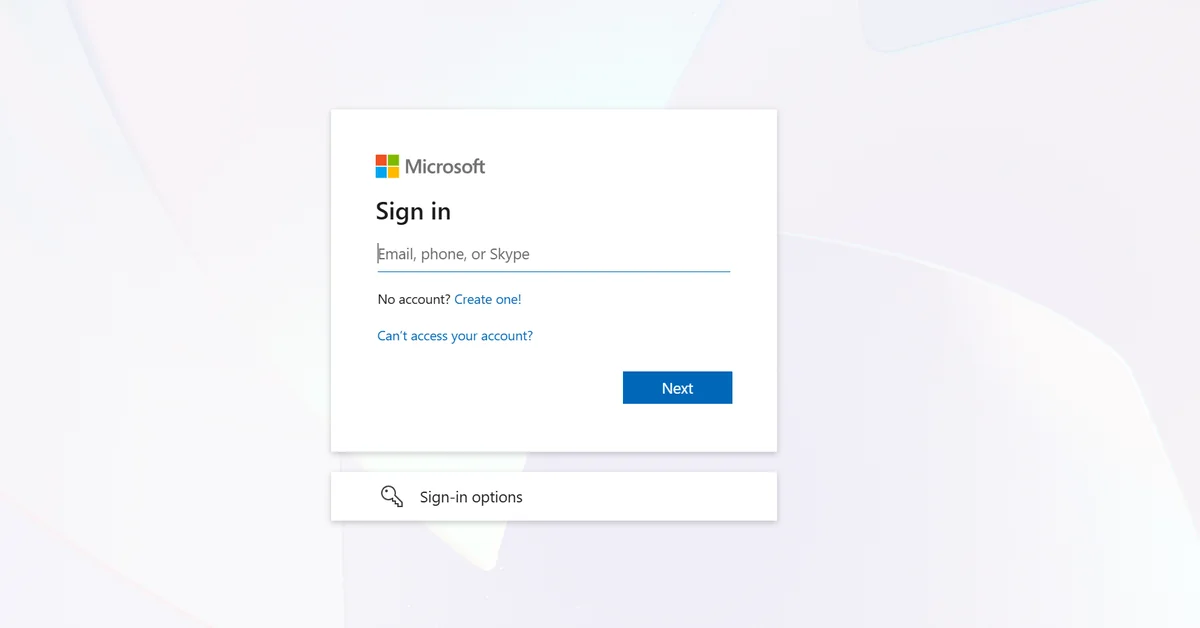
A toolkit tracked as Kali365 is running device code phishing against US companies — healthcare among the targeted sectors — and sandbox provider ANY.RUN records more than 80 public sessions tied to the campaign every week. The lure impersonates a service your staff already trust: SharePoint, OneDrive, or DocuSign. But instead of a counterfeit login page, the victim is redirected to Microsoft's real device login portal and asked to enter a code the attacker generated.
When the victim approves that code, Microsoft issues access and refresh tokens to the attacker's session. Those tokens grant continued access to Microsoft 365 email, documents, and cloud resources. No password was stolen, so a password reset doesn't help until the tokens themselves are revoked.
Key Insight
Nothing about the login page is fake. The victim signs in at Microsoft's genuine portal — and by approving a code the attacker generated, hands over working access to the company's Microsoft 365 tenant without a password ever changing hands.
The defense is procedural, not visual: nobody in your firm should ever type a device code they didn't generate themselves, moments earlier, on their own screen. If an email or document asks you to "verify" by entering a code at microsoft.com, stop and call IT. Full analysis and containment steps are in our Threat Intelligence Center: Kali365 Toolkit Weaponizes Microsoft Authentication Against US Companies.
Securonix documented an active campaign, tracked as SMOKE#SCREEN, that uses fake Adobe and Zoom update prompts to install ConnectWise ScreenConnect — a legitimate, signed remote-access product that IT teams use for help-desk sessions. The attackers install the real client and point it at their own servers, which gives them an interactive remote desktop that survives reboots and blends in with sanctioned IT software.
The lure works because it mirrors something your staff are told to do constantly: apply the update, close the vulnerability, move on. That instinct is correct — the delivery channel is what's wrong. In our managed environments, updates come through managed patching, not through a browser popup. A website telling you to update Adobe or Zoom is not how updates arrive, ever. Details: Fake Adobe and Zoom Updates Install ScreenConnect for Persistent Remote Access.

This is what real updates look like — N-Sight managed patching across one of our managed environments, 71 endpoints, running in the background. No popup ever asks your staff for help.
Gen Threat Labs tracked malware campaigns through the first half of 2026 that didn't imitate trusted senders — the messages came from corporate mailboxes the attackers had already taken over, riding inside genuine conversations. Because the mail leaves through authorized infrastructure, SPF and DKIM authentication checks can still pass. The lures matched what recipients already expected: shipment notices, invoices, scanned documents.
This particular campaign concentrated on Central and Eastern Europe, so it's the technique, not the specific actor, that matters for Ohio firms: sender authentication and "does this look legitimate?" both return the wrong answer when the account itself is compromised. It's the same reason we told you in the last briefing that payment-detail changes get verified by a phone call to a number already on file — the email being real doesn't make the request real. Analysis: Hijacked Email Threads Deliver GepyS, Remcos RAT and XWorm in H1 2026.
Pass-ta-key attacks against Google-synced passkeys — Unit 42 showed malware on an already-compromised Windows machine can abuse synced passkeys. Passkeys remain far stronger than passwords; this is a reason to keep endpoints clean, not a reason to abandon them.
HollowFrame loader evades Microsoft Defender — documented by Blackpoint Cyber in an attack chain targeting a law firm. Defender alone was not enough; layered monitoring caught it.
"Poison Claude" resells discounted AI access through a proxy that reads every prompt — if anyone in your firm uses AI coding or writing tools, the discount route can mean an anonymous operator sees your client data.
One Thing to Do This Week
Tell your staff this one rule: software updates never come from a web page. Any popup, banner, or site that says Adobe, Zoom, or your browser needs updating gets closed and reported — not clicked. In a managed environment, updates arrive through patching that runs in the background, and anything asking for your help is the attack. One sentence at your next staff meeting covers it.

Brian Sammons has managed IT environments for Ohio professional service firms — medical, dental, legal, accounting, and financial — since 2004. He writes the Weekly Briefing for the owners, administrators, and IT managers responsible for keeping those firms running: what happened in security this week, and what it means for yours.
Questions about how this affects your environment? Schedule 15 minutes and I'll walk you through it.

Weekly Briefing • June 08, 2026
Brian here. SonicWall released their 2026 Cyber Protect Report this month, and the findings line up with what we see across the practices we manage in Ohio: the firms that get breached aren't failing because of sophisticated attacks. They're failing because of predictable, preventable gaps.
SonicWall makes the firewalls we deploy in every managed environment. Their data comes from the same class of hardware sitting in your server room right now. So when their report identifies the most common ways businesses get compromised, it's directly relevant to how your network is protected — and where the gaps tend to hide.
Cysurance — the warranty provider behind the coverage that comes with your managed services — reports that 98% of their claims are from business email compromise and funds transfer fraud. Not ransomware. Not data breaches. Someone gets a convincing email, updates payment details, and money goes somewhere it shouldn't.
Key Insight
98% of cyber insurance claims are business email compromise and funds transfer fraud — not ransomware, not malware. Just someone deceived into sending money to the wrong account. — Cysurance, via SonicWall 2026 Cyber Protect Report
In many of those cases, no system was actually compromised. No credentials were stolen. No malware was deployed. An employee was simply deceived into wiring money to the wrong account. Cysurance is now seeing employees lose their jobs over authorizing these payments — people who were acting in good faith, following what looked like legitimate instructions.
The fix costs nothing: any change to payment information gets verified by a phone call to a known number. Every time. No exceptions. Not by email. Not by chat. A voice call to a number you already have on file — not the number in the email.
If your firm handles client funds — trust accounts, escrow, patient billing, vendor payments — this is the conversation you need to have with your staff this week.
SonicWall's data shows that identity, cloud, and credential compromise account for 85% of actionable security alerts. The most common way attackers get into environments isn't through some exotic vulnerability. It's a stolen password.
Two numbers from the report frame the problem. Exploits appear within 48 hours of a vulnerability becoming public in 61% of cases. But the average organization takes over 100 days to patch a high-severity vulnerability. That gap — hours on the attacker's side versus months on the defender's — is a process failure, not a technology failure.
What we see in practice is simpler than a sophisticated attack. End users suspend or disable Windows updates because restarting in the middle of the workday is inconvenient. And that's just the operating system — BIOS, drivers, firmware, and peripheral updates almost never get touched at all. Every one of those is a door left unlocked, sitting open for months.
The report also found that 66% of small and mid-size businesses globally haven't implemented multi-factor authentication at all. We enforce MFA on every admin account, every remote access connection, and every cloud application across our managed environments — no exceptions. The SonicWall data shows exactly why that policy exists.
Ransomware was involved in 88% of small business breaches in 2025, compared to 39% at large enterprises. Small businesses aren't safer because they're small. They're more exposed because they've traded complexity for convenience — flat networks, broadly shared admin credentials, and VPN connections that grant access to everything once someone logs in.
Automated scanning tools don't filter by company size. They filter by vulnerability. SonicWall measured over 36,000 vulnerability scans per second across the internet in 2025. If your systems are exposed, you're a target regardless of your revenue or your headcount.
The SonicWall report found the same pattern in post-incident reviews of compromised SMB environments: a single admin account was the entry point, and from there, the attacker moved without resistance. Default credentials on network devices, shared admin passwords, and accounts that hadn't been reviewed in years gave attackers immediate, broad access.
Almost every client we onboard arrives with a flat network and shared admin credentials. Network segmentation has never come up — not because anyone made a bad decision, but because it never made the priority list. And if they have a firewall at all, it usually hasn't been updated since the day it was installed, along with most of the other devices on the network.
SonicWall found that 32% of ransomware incidents in 2025 started with an exploited vulnerability — making it the single most common technical cause, ahead of compromised credentials and phishing. The Log4j vulnerability, discovered four years ago, was still targeted over 825 million times last year.
Old vulnerabilities don't retire. They accumulate. Every unpatched system is a door that attackers already have the key to — they just need to find it, and automated tools make that search almost instantaneous.
This is why patch management isn't a quarterly project in our managed environments. N-Sight runs automated patching on a continuous cycle, prioritizing internet-facing and critical systems. The window between "vulnerability disclosed" and "patch applied" is where breaches happen, and our job is to keep that window as small as possible.
A live view from one of our managed environments — patch status, device monitoring, and unmonitored-device tracking across 71 endpoints. Continuous patching keeps the disclosure-to-patch window as small as possible.
One Thing to Do This Week
Talk to your office manager or bookkeeper and establish one rule: any request to change payment information — whether it comes from a vendor, a partner, or an internal email that looks like it came from leadership — gets verified by a phone call to a number you already have on file. One conversation. One rule. It addresses the single largest category of financial loss that the warranty provider backing your coverage sees across their entire book of business.
Brian Sammons has managed IT environments for Ohio professional service firms — medical, dental, legal, accounting, and financial — since 2004. He writes the Weekly Briefing for the owners, administrators, and IT managers responsible for keeping those firms running: what happened in security this week, and what it means for yours.
Questions about how this affects your environment? Schedule 15 minutes and I'll walk you through it.
Page 2 of 2