Weekly Briefing • September 11, 2026
Three attacks this week, and in every one of them the part a security tool would have inspected was legitimate. A phone call talked a help desk into resetting an employee's second factor, so the sign-in that followed was one the identity system had just approved. A phishing page was never hosted on any server; the victim's own browser assembled it in memory at the end of a redirect chain that ran almost entirely through Microsoft. And a remote access trojan arrived as a PDF, opened a real legal brief from a university website as cover, and was flagged by 0 of 76 antivirus engines on the day it was analyzed.
For three weeks this briefing has said the session is what attackers are after. This week is about what that does to the tools most firms rely on. Filters, blocklists, and antivirus all work by finding something bad to point at, and none of these attacks left one. Here's what happened, and what it means for how your firm runs.
Nobody Broke the MFA. A Caller Asked the Help Desk to Reset It.
Health-ISAC, the threat-sharing center for the health sector, warned its members in July about a rise in successful attacks by ShinyHunters, a group that steals data and demands payment to keep it off its leak site. There is no ransomware in this, no locked workstation, no downed EHR. The victims it names run across the sector: the device makers Medtronic and iRhythm, One Medical, DentaQuest in dental benefits, AdaptHealth in home medical equipment, and Hims & Hers in telehealth. The way in isn't malware. It's a phone call. The caller reaches the help desk, or whoever handles account access, gets through the verification questions, and asks for a password reset, an MFA reset, or a new device enrolled on the account. In one recent health-sector incident the group said it called several employees before one Microsoft Entra account gave way, then pulled data out of Microsoft 365 and SharePoint.
What makes it fast is what the attacker sees after signing in. The single sign-on dashboard, whether Okta, Entra, or Google, lists every application that account can reach: Microsoft 365, SharePoint, Dropbox, Salesforce, and whatever else the firm has connected. No scanning, no working across the network, no privilege to escalate. The dashboard does the reconnaissance, the downloads run at cloud speed, and the first sign anyone sees is the message saying the data is already gone. Nothing was written to a workstation and no process ran on a managed laptop, so endpoint protection has nothing to examine. The session was one the identity system approved, on a device the help desk had just enrolled through its own reset procedure. Clinical systems keep running the whole time.
Key Insight
Whoever can reset a password or a second factor at your practice is part of the perimeter. That reset procedure carries the same weight as a firewall rule, and it is usually run by someone judged on how quickly the call gets closed.
For a firm your size, the help desk is your IT provider, or the office manager who set the Microsoft accounts up in the first place. The control Health-ISAC puts first costs nothing: no password reset, MFA reset, or device enrollment is completed on the inbound call. Whoever takes the call hangs up and calls back on the number already on file, and anyone with admin rights needs a manager's approval on top. Then there is the part that outlasts the incident. If patient records were in that SharePoint, HIPAA requires notice to the affected individuals and to the HHS Office for Civil Rights whether you pay or not. Paying buys silence, not the data back, and not relief from the obligation. In the environments we manage, Adlumin correlates the sequence that precedes an export, a reset followed by a new device followed by bulk downloads, which matters because each step on its own is a login the tenant considers valid. The full detection list and the 30-to-60-day hardening plan are in the write-up: Health-ISAC Warns ShinyHunters Steals Healthcare Data in Rising Attacks.
The Phishing Page Had No Address, Because the Browser Built It
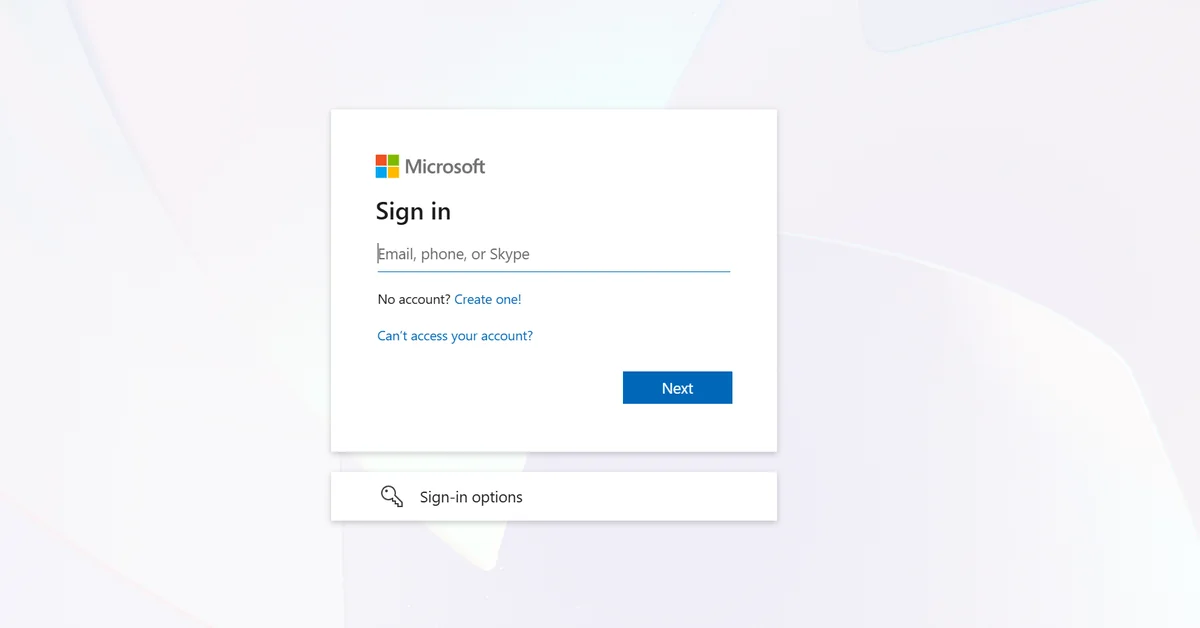
Barracuda's researchers documented a phishing campaign in which the fake Microsoft login page is never hosted anywhere. The email is a DocuSign-style signature request with a calendar invite attached. The link goes to Microsoft's genuine sign-in endpoint. A crafted redirect parameter then hands the session to Microsoft Teams, which loads a file from an outside content domain, and from there the victim's browser assembles the login form in its own memory as a "blob" address, a temporary pointer that exists only inside that tab. Every hop your mail filter, link rewriter, or web proxy can check resolves to Microsoft. There is no lookalike domain to register and no web server to take down, because there is no page until it reaches the user's machine.
The controls most firms have already paid for are keyed to a hosted page and a suspicious domain, and this chain has neither. It also doesn't sit still. The page stays connected to the operator through a background script and a messaging channel, so what the victim sees can be changed mid-session, and a sandbox can be shown something different from what a real employee sees at the same link. Barracuda found configuration for a centrally managed platform running across many victims at once. One-time codes and push approvals are exposed here, since the operator relays what the person types as they type it, and the sign-in that results is logged as successful and policy-compliant. When the tab closes, the page is gone: no URL to report, no copy to preserve as evidence, and an investigation rebuilt from sign-in and mailbox audit records instead. Barracuda's first recommendation is phishing-resistant MFA, a passkey or a FIDO2 hardware key, because it binds the login to the real site and a form assembled in memory has nothing usable to relay. The staff rule is simpler: a signature request nobody was expecting gets checked with the sender by phone before anyone signs in, even when the address bar shows Microsoft. The detection signals and the order to apply the controls in: Attackers Build Phishing Pages That Exist Only Inside Victims' Browsers.
The PDF Was a Script, and the Document It Opened Was Real
Huntress found tampered Exodus cryptocurrency wallet installers on four unrelated customer networks between late July and mid-August. Three of the four were hit on August 18, within 85 minutes of each other, by an installer compiled the day before. Nobody in those offices was shopping for a crypto wallet. What they opened was a document that arrived through the browser: a file named to end in .pdf.js, which Windows displays as a PDF because it hides known file extensions by default, or a ZIP holding a single script, run from inside Explorer's compressed-folder view without ever being extracted. Two of the victims believed they were opening work material. One got a marketing ebook. One got a legal brief, pulled live from Georgetown Law's website. Both documents were real and opened normally, and both were hosted on domains nobody had a reason to question. In the background the script installed a genuine copy of the Exodus wallet, made sure it never showed a window, and used it to load a remote access trojan straight into memory. At the time of analysis, 0 of 76 antivirus engines on VirusTotal flagged the installer.
The wallet was packaging. What runs inside it is a general-purpose remote access toolkit: a stealer that takes passwords, cookies, and autofill data out of Chrome, Edge, and Firefox; a hidden remote-desktop module that opens a second, invisible Windows desktop and runs a copy of the employee's browser profile on it, so the operator browses as your employee while the employee keeps working on the screen in front of them; and a proxy that sends the attacker's traffic out through your firm's own internet address. It relaunches every hour through a scheduled task registered in a way that leaves no command line behind, and it blanks the proxy settings so its traffic never reaches whatever would have inspected it. Its instructions travel through Microsoft's Azure storage service, a domain on nobody's blocklist. For a law office, a brief arriving as a PDF is routine. A stolen cookie from that session carries the operator past single sign-on and MFA and keeps working after the password changes, and the hidden desktop means the bank portal or the practice management system is being used inside a session your employee legitimately opened. Huntress's hardening list is short and none of it is exotic: show file extensions so a .pdf.js name reads as what it is, block scripts from running out of the download and temp folders, and stop installers from running out of folders a standard user can write to. Those are policy settings, not per-machine work, which is the question to put to whoever manages your endpoints. The full chain, the artifacts to hunt for, and the cleanup order: Trojanized Exodus Wallet Installer Delivers Modular RAT via ClickFix Lure.
Also on Our Radar This Week
September 2026 Patch Tuesday Addresses 999 CVEs Including CVE-2026-58611 — Rapid7 calls this by far the most CVEs Microsoft has ever published in a single day, 974 in its own products and 723 of those in Windows, and two are already being exploited. Both let someone who already has a foothold on a PC as a standard user climb to full control of that machine, which is the step that turns one compromised mailbox into the whole network. Two things a practice can act on without reading a CVE: the kernel and driver fixes do nothing until the machine restarts, so an update report that says complete on a laptop nobody has rebooted since Tuesday isn't done; and three older products reach the end in October 2026. Office 2021 leaves support on October 13, the last paid update year for Windows Server 2012 ends the same day, and the paid extended updates for Exchange Server 2016 and 2019, out of support since October 2025, end the same month. Anything still running on them stops getting fixes for flaws like these.
ClickFix Moves Into the Browser With Tampermonkey Cryptocurrency Theft — Last week's briefing covered ClickFix as a command pasted into the Windows Run box. Cisco Talos now has it running inside Chrome: the target pastes JavaScript into the address bar, or a script into the Tampermonkey extension, and the code rewrites what the page shows, in this case swapping cryptocurrency deposit addresses, with its instructions fetched from a public Google Sheet so the traffic looks like Google Docs. The crypto angle won't touch most practices. The mechanism will, because the same script pointed at a payroll portal or a bank site rewrites what an authorized user sees and submits, and a script loaded into a signed-in Chrome profile follows that profile to the home laptop. The control is an allowlist of browser extensions on managed devices, and last week's staff rule now covers "paste this into your browser" as well.
One Thing to Do This Week
Ask one question this week of whoever resets passwords and second factors for your practice, whether that is your IT provider or the person in the office who set the Microsoft accounts up: "If someone calls saying they're me and they're locked out, what do you do?" The answer you want is that they hang up and call you back on the number already on file before anything gets reset. If that isn't the answer, make it the rule this week and put it in writing where the resets happen. Health-ISAC calls that one procedure the most important control available against this group, and it takes a single phone call to put in place.
Get the Monthly Briefing
Once a month I pull the threats that actually mattered into one short read — what happened, what it means for firms like yours, and the one thing worth doing about it. Subscribe using the form at the foot of this page.

Brian Sammons has managed IT environments for Ohio professional service firms — medical, dental, legal, accounting, and financial — since 2004. He writes the Weekly Briefing for the owners, administrators, and IT managers responsible for keeping those firms running: what happened in security this week, and what it means for yours.
Questions about how this affects your environment? Schedule 15 minutes and I'll walk you through it.