

CISA published findings on August 25, 2026 from two red team assessments run at the same time: one at a Government Services and Facilities Sector organization (Organization A) and one at a Water and Wastewater Systems Sector organization (Organization B). Both ended in full domain compromise and access to sensitive business systems and cloud resources. Neither SOC caught the Active Directory reconnaissance that made those outcomes possible. The activity described here was documented by CISA.
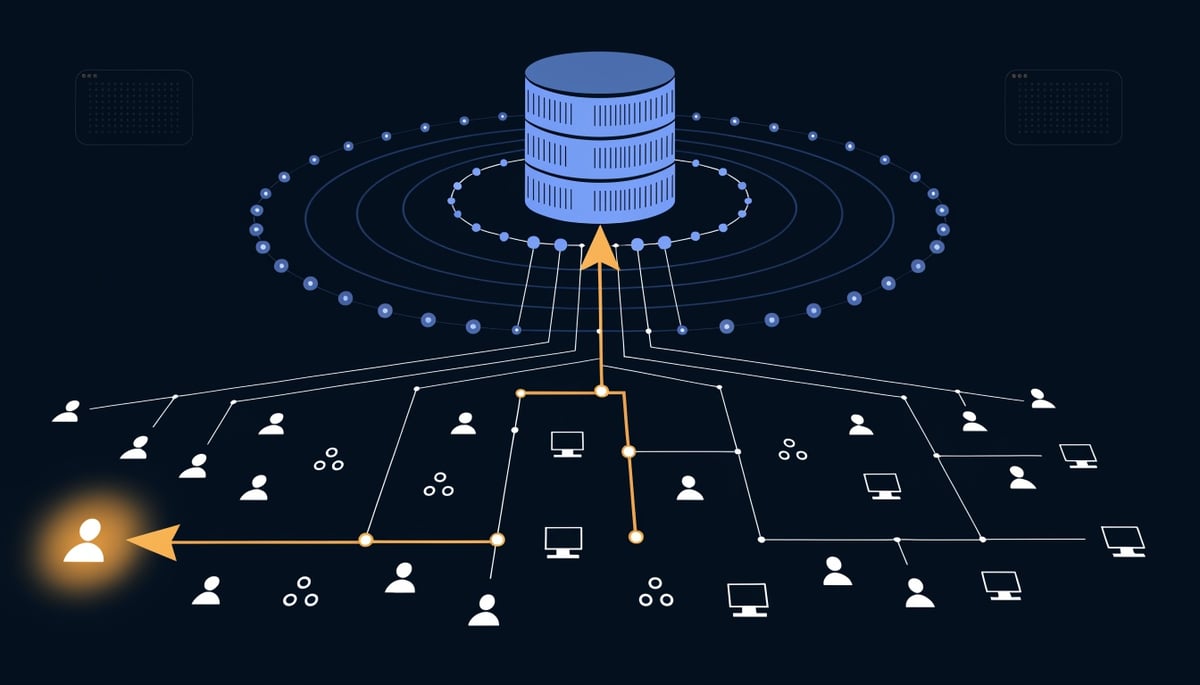
BloodHound is an open source tool that collects Active Directory data and maps it into attack paths. Its collector queries the domain for users, computers, groups, access control lists, organizational units, and group policy objects, then graphs the relationships to show the shortest route from a standard user account to domain-level control.
Key Insight: For your business, that means an attacker with one compromised laptop can see exactly which account to target next, without guessing.
At Organization A, the red team ran a modified BloodHound collector customized to evade static endpoint detection and response signatures. The queries themselves are ordinary LDAP traffic, and your domain controllers answer them because answering directory queries is their job.
Organization B's defenders were fast. Payload execution generated a medium-severity alert reading "An executable file loaded an unexpected DLL file," and staff manually isolated the three affected workstations in short order.
SOC staff triaged the alerts and quarantined all three compromised workstations within 10, 2, and 20 minutes.
Even so, before staff pulled one of those machines off the network, the red team had already executed LDAP queries through the callback and pulled every user, group, computer, domain, and GPO relationship for the entire domain. The team reviewed that collected data later in the assessment to identify the account that got them into a sensitive business system web server.
Two organizations in different sectors, operating at clearly different levels of detection maturity, both missed the same activity. That points to a structural gap in how directory enumeration is monitored, and it is worth checking whether your own alerting treats AD queries as security-relevant at all.
How BloodHound Operates in Active Directory Environments
BloodHound runs after initial access, not before it. In both assessments the collector executed from a foothold the red team already held: workstations compromised through phishing in one environment, and in the other, LDAP queries pushed through the command and control callback on a workstation before defenders quarantined it. That distinction matters for how you think about the tool. It is not a way in, it is what an attacker runs once they are standing inside your domain with any valid user context.
The collector CISA used was a modified BloodHound build, customized to avoid static endpoint detection and response signatures. Modifying the binary defeats hash-based and signature-based matching, which means an EDR product that recognizes the stock collector will not recognize the altered one. The queries it issues are ordinary Lightweight Directory Access Protocol reads that any domain user is permitted to make, so the traffic arriving at the domain controller carries the same protocol and the same authentication as a help desk script or a directory sync job.
Against Organization B, the red team pulled all users, groups, computers, domains, group policy objects, and the relationships between them for the entire domain from a single callback before the host was isolated. That data survived the loss of the host. When the assessment shifted to an assume breach model with a standard, non-administrative account, the previously collected graph was still the map used for everything that followed.
The value of the tool is the relationship layer rather than the raw inventory. BloodHound resolves object control edges, the specific rights one account holds over another, and chains them into paths. The red team used that graph to establish that a domain service account, whose cleartext password sat in an XML file on an SCCM distribution point, held outbound object control over almost 1,000 accounts through its group membership. The same data showed the account carried AllExtendedRights over a domain controller, which supported a resource-based constrained delegation attack and then DCSync privileges (T1003.006), including replication of the krbtgt account hash.
Graph data also drove target selection for post-exploitation. Reviewing previously collected BloodHound output identified a user account with access to a sensitive business system web server that accepted Kerberos authentication, which the team then impersonated using a DCSynced AES256 hash to request a ticket-granting ticket and a service ticket (T1558). Directory reconnaissance in these engagements maps directly to which of your business applications an attacker can reach with legitimate tickets and no password cracking.
The MITRE mapping for the collection activity spans several discovery techniques at once:
- T1087.002 (Account Discovery: Domain Account) for user enumeration
- T1018 (Remote System Discovery) for domain-joined computers
- T1069.002 (Permission Groups Discovery: Domain Groups) for group membership
- T1615 (Group Policy Discovery) for GPO objects and their linked scopes
- T1033 (System Owner/User Discovery) when SCCM servers were queried to tie users to their assigned workstations
Network-layer inspection struggles here because there is no malformed packet and no unusual port. The distinguishing characteristic is volume and breadth, one account reading the entire directory in a short window, which looks like normal LDAP unless the query rate itself is being measured.
Execution location compounds the problem. After creating a machine account under the default Machine Account Quota, the red team held a domain account and password they controlled, then ran standalone tools from a Linux workstation of their own and proxied the traffic through the compromised host (T1090.001). Host-based EDR never saw the process, because the process was not running on a monitored endpoint. The same proxy pattern carried into the cloud, where AzureHound and ROADrecon enumerated Entra ID applications, their permissions, and their owners (T1526, T1588.002), extending the graph from on-premises directory objects to cloud service principals.
Detection Gaps Across Different SOC Architectures
Organization B's SOC isolated three compromised workstations within 10, 2, and 20 minutes of the payload firing a single medium-severity alert: "An executable file loaded an unexpected DLL file." That alert described execution behavior on the host. Nothing in either organization's stack fired on the directory enumeration that followed.
The two environments were not equally instrumented. Organization A ran multiple SOCs with multiple EDR products, and staff in one SOC had no visibility into the detection tools of another. Alerts related to the red team's activity did fire there, at medium and low severity, and sat unactioned beneath thousands of higher-severity false positives generated by normal business operations.
That volume problem was compounded by an ownership problem. CISA's operators watched a chat exchange in which defenders tried to identify the owner, function, and normal usage of an SCCM server, failed, and closed the alert as a false positive. The SOC had no escalation procedure and limited authority to act, so the default outcome for an ambiguous alert was to close it.
Neither environment produced an alert for the reconnaissance and privilege escalation steps that turned a single foothold into domain control. Specifically, the source records no detection for:
- Machine account creation abusing the Machine Account Quota (T1136.002), set to the default 10 in Organization A and to 1,000 for all domain users in Organization B.
- Certificate requests against ADCS templates carrying the ESC1 misconfiguration, where
CT_FLAG_ENROLLEE_SUPPLIES_SUBJECTis enabled and any user can request a certificate on behalf of another (T1649). - DCSync replication of AD credentials, including the krbtgt account (T1003.006), after a resource-based constrained delegation attack using a service account holding AllExtendedRights over a domain controller.
- Enumeration of SCCM distribution points that exposed an XML file containing a cleartext domain service account password.
- Internal proxying of operator tooling through compromised hosts (T1090.001).
That last item explains part of the visibility gap. Once the red team controlled a domain account tied to a machine object, they ran standalone tools from their own Linux workstation and proxied the traffic through the foothold host. Host-based EDR never saw the tooling execute, because it never executed on a monitored endpoint. Your endpoint telemetry only covers what runs on your endpoints, and directory queries arriving over a proxy look like ordinary LDAP from an ordinary domain member.
Organization B's cloud detections show where behavioral context did work. Custom Entra ID Risky User alerts for "Unfamiliar sign-in properties" and "Suspicious API traffic" flagged the AzureHound user agent and accounts exceeding request thresholds against the Microsoft Graph API, and a Microsoft automated alert caught the interactive login from the Sync_ account, which was never meant for interactive use.
The Seamless SSO path defeated those same detections. Using Kerberos service tickets requested through Rubeus and proxied over SOCKS, the operators reached the Azure portal with valid tickets from what appeared to be a trusted internal IP. Sign-in properties looked familiar because they were familiar, which is the same reason authenticated directory queries blend into administrative traffic.
Organization A's SOC provided the clearest measure of the gap. The red team read SOC staff email through an impersonated application (T1114), captured screenshots (T1113), ran keyloggers (T1056.001), and pulled Teams messages (T1213.005) to confirm defenders had not noticed them.
Immediate Actions to Detect and Block BloodHound
Start with your domain controllers, because that is where the enumeration traffic actually lands. Enable LDAP diagnostic logging by setting the HKLM\SYSTEM\CurrentControlSet\Services\NTDS\Diagnostics\15 Field Engineering value to 5, which produces Event ID 1644 for expensive and inefficient searches. A collector sweeping the entire domain generates these events in volume from a single account in a short window, which is a pattern no ordinary user workflow produces.
Build the alert around who is asking, not just what is asked. Flag any non-administrative account issuing broad searches for objectClass=user, objectClass=group, and objectClass=computer in sequence, along with reads of nTSecurityDescriptor and ms-DS-MachineAccountQuota. Those two attributes are the ones that turn directory data into an escalation path, since one exposes access control entries such as AllExtendedRights over a domain controller and the other tells an attacker how many machine accounts an unprivileged user can add.
On the endpoint side, turn on PowerShell Script Block Logging (Event ID 4104) and process creation auditing (Event ID 4688) with command line capture included. Write your detections against process lineage rather than file hashes. Alert when a browser, mail client, or document handler spawns powershell.exe, rundll32.exe, or an unsigned binary that then opens outbound LDAP sessions to a domain controller. Signature-based rules did not stop the customized collector in these assessments, so behavioral logic is what carries the detection.
Three identity events deserve standing alerts this week:
- Interactive or portal logons from directory synchronization and other service accounts that were never designed for human sign-in.
- Kerberos service ticket requests for high-value service principal names from hosts that have no business reaching those services.
- Machine account creation by standard user accounts, plus certificate requests where the subject name is supplied by the enrollee.
Correlate these authentication events across on-premises Active Directory and the cloud tenant, so a service account that suddenly performs an interactive login or a user hash that appears on an unfamiliar host surfaces as one investigation rather than three unrelated log entries. Credential-based movement uses valid tickets and valid tokens, which means the anomaly is in the pattern of use, not in a failed password.
Then remove the conditions the enumeration is looking for. Set ms-DS-MachineAccountQuota to 0 so unprivileged users cannot add computer accounts to the domain, and delegate machine joins to a controlled group instead. Audit certificate templates for the CT_FLAG_ENROLLEE_SUPPLIES_SUBJECT flag combined with low-privileged enrollment rights, which is the ESC1 condition. Review every service account holding AllExtendedRights or replication rights against a domain controller, and pull standard user accounts out of privileged administrative groups where they were improperly assigned.
Treat your endpoint configuration manager as a Tier 0 asset on the same footing as a domain controller. That means restricting administrative console access, scanning distribution point content for XML and configuration files carrying cleartext service account passwords, and alerting on lateral connections that originate from the management server toward user workstations.
For the longer horizon, restrict LDAP and LDAPS traffic (TCP 389, 636, and 3268) to authorized management hosts and domain-joined systems that require it, and route administrative access through hardened jump hosts with outbound internet connections blocked. Egress filtering on those hosts already proved effective at stopping command and control callbacks during the assessments. Pair that with credential rotation and expiration on any long-lived static cloud access keys stored in user home directories.
Why Current SOC Processes Miss Reconnaissance Activity
Directory enumeration generates no failed logins, no encrypted files, and no malware detonation. It looks like a user account asking questions the domain is designed to answer, which is why the activity in both assessments passed without an alert. The consequence for you is timing: by the point something does fire, the attacker already knows which accounts, groups, and templates are worth touching.
Look at what that reconnaissance converted into. In Organization A, the scraped AD data exposed a workstation with the default Machine Account Quota of 10, and certificate templates carrying an ESC1 misconfiguration where the CT_FLAG_ENROLLEE_SUPPLIES_SUBJECT flag lets low-privileged users supply their own subject. The red team created a machine account, requested a certificate for it, and from there could obtain certificates for any user account in your domain. Your monitoring sees an account creation and a certificate request, both of which occur legitimately every day.
In Organization B, enumeration of SCCM distribution points surfaced an XML file holding a cleartext password for a domain service account. That account had outbound object control over almost 1,000 accounts and AllExtendedRights over a domain controller, which the team used for a resource-based constrained delegation attack and then DCSync. One of the first credentials they pulled was krbtgt. An attacker holding that hash can forge Golden Tickets and impersonate any user in your domain, and resetting user passwords does not revoke that capability.
The process gap underneath this is that most tuning answers the question "have we seen this bad thing before" instead of "is this account behaving like it normally does." Organization A's defenders received alerts tied to an SCCM server and could not determine the system's owner, function, or typical use. They closed it as a false positive. If your analysts cannot answer basic ownership questions inside a triage window, ambiguous activity gets dispositioned as benign by default, and that outcome has nothing to do with which EDR product you bought.
The absence of escalation procedures compounds it. Organization A's SOC staff managed systems across network segments where responsibilities and authorities varied, so they defaulted to a wait and see approach. Extended dwell time then produced consequences you can measure. The red team moved onto SOC workstations, captured screenshots, ran keyloggers, and pulled Microsoft Teams messages, then read SOC staff email through the Microsoft Graph API to check whether defenders had noticed them. Your internal incident communications become attacker intelligence in that scenario.
Undetected reconnaissance also changes the scale of what gets taken. Rather than working one workstation at a time, the team compromised the root drive of the distributed file system, which gave access to local files across all users' virtual desktops regardless of active sessions. That put cloud configuration files and database connection files for thousands of users in reach of a single search. Among them were long-lived static AWS IAM user credentials with no expiration or rotation configured, meaning stolen keys keep working indefinitely.
Cloud makes the dwell time question harder to close out. Neither organization had defined processes for detecting cloud compromise or for revoking access and refresh tokens afterward. If you evict an intruder from your on-premises environment without addressing issued tokens and application client secrets, they retain a path back in through identities your AD cleanup never touched.
Prioritize Active Directory Monitoring and Threat Hunting
Start with PowerShell script block and module logging on every domain-connected system, and give that rollout to your Active Directory administrators with a number attached: 100 percent of domain-joined servers and workstations forwarding script block events to your SIEM by Day 30. Collector tooling and post-exploitation frameworks both run through PowerShell often enough that the absence of this log is what turns an investigation into guesswork.
The next 30 days belong to the SOC and AD admin teams working the same list. Each item below has a pass or fail condition, not a direction of travel:
- Inventory every host that holds a domain account but carries no endpoint agent. CISA's red team ran standalone tools from a Linux workstation they controlled and proxied that traffic through a compromised internal host, which put their tooling outside the reach of host-based controls entirely. Your measurable outcome is a reconciled list of domain-authenticating source addresses that do not map to a managed endpoint, refreshed weekly.
- Set
ms-DS-MachineAccountQuotato 0 and delegate machine joins to a named group. In one assessed environment the quota was set to 1,000 for all domain users. Verify the value on every domain by Day 30 and alert on any computer account created by an account outside the delegated group. - Audit which accounts hold
AllExtendedRightsor directory replication rights on a domain controller. A single service account with that permission held outbound object control over nearly 1,000 accounts and gave the team DCSync. Target: zero non-Tier 0 accounts holding replication rights, documented and signed off by the AD owner. - Tune your EDR policy so unfamiliar binaries loading unexpected modules escalate rather than sit in a queue.
The 90-day work is about knowing what normal looks like before you try to spot the exception. Have your SOC collect 30 days of directory query volume broken down by account, source host, and query breadth, then set thresholds off that data instead of off vendor defaults. Publish the baseline as a document your analysts can point to when they justify an escalation.
Run a threat hunt every two weeks with a fixed scope. Hunt for standard user accounts sitting in privileged administrative groups, for cleartext passwords in XML and configuration files on endpoint management distribution points, and for credential files in user home directories. Both assessed organizations lost systems to credentials stored in exactly those places. Record findings per hunt so you can show the count trending down quarter over quarter.
Then test the response, not just the detection. Run a tabletop where the scenario opens after enumeration has already succeeded and the attacker has DCSynced the krbtgt account, because that scenario forces decisions most teams have never rehearsed: who authorizes a double krbtgt password reset, who reimages, who calls the system owner at 2 a.m. In one of the two organizations, defenders could not identify a server's owner or function and closed the alert as a false positive.
Measure two things from every exercise and every real alert. Time from alert generation to host isolation, and time from isolation to identified root cause. Assign both metrics to your incident response lead, review them monthly, and treat any alert closed without an identified owner for the affected system as a process failure worth investigating.
Key Takeaway: Detection Requires Active Directory Visibility, Not Just Endpoint Tools
The two organizations differed in response speed, and both still lost the domain. In Organization B, the directory data the team collected pointed to a service account with AllExtendedRights over a domain controller and outbound object control over almost 1,000 accounts, which was enough to reach DCSync privileges and the krbtgt hash. A SOC that isolates a phished workstation in two minutes still ends up with a full domain compromise if nobody sees the queries that identified which account was worth taking.
That is the gap your endpoint tooling does not cover. EDR reports what a process did on a host. Directory reconnaissance is a series of authenticated queries that the domain is built to answer, and it produces no execution artifact worth alerting on. The practical consequence is that your fastest detection is still anchored to the moment an attacker touches an endpoint, while everything they learn about your privilege structure happens in a channel you are not watching.
The single most important thing to fix is visibility. Centralized collection and alerting on LDAP query behavior and PowerShell execution across domain-connected systems, going to one place your analysts actually review, closes the blind spot that both assessments exploited. This is a logging and tuning problem, not a product gap.
Once that data exists, test whether anyone acts on it. CISA is authorized to provide this kind of assessment to critical infrastructure owners and operators on request under 6 U.S.C. §§ 652(c)(5) and 659(c)(6), and a red team engagement will tell you which alerts fired, which sat unactioned, and whether your analysts had the authority to isolate a host without waiting for a system owner.




