

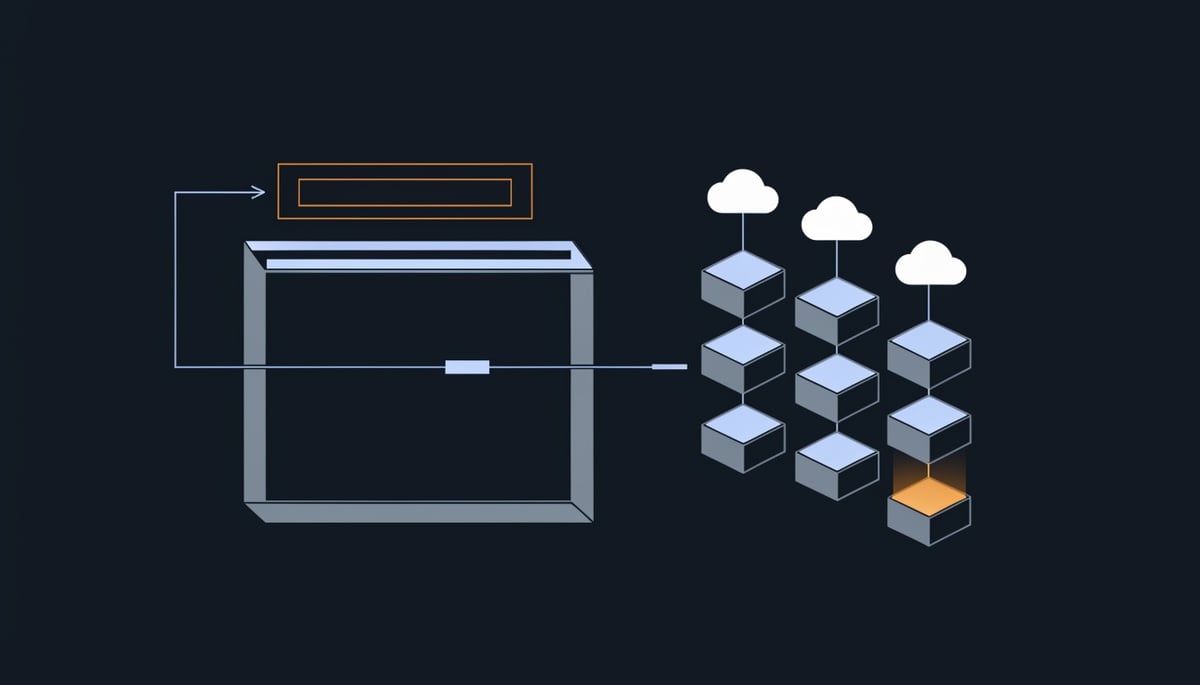
Browser-in-the-Browser (BitB) is the technique doing the work in this campaign. The victim clicks "Continue with Google" or "Continue with Facebook" and a login window opens on top of the page, complete with an address bar and a padlock icon. That window is not a browser window at all. It is HTML and CSS drawn inside the page you are already on, and the address bar it shows is a picture of a trustworthy URL rather than the real one. Details in this article come from analysis published by The Hacker News.
CTM360 documented the activity in a report called RecruitTrap, tracking the scale over a two-month window.
More than 3,000 phishing URLs impersonated real recruiters and recruitment processes tied to over 50 organizations across 14 sectors.
The entry point is an unsolicited email or meeting invitation that appears to come from a recruiter at a company your staff would recognize. It references the recipient's actual professional background and invites them to book an interview slot. From there the target lands on either a counterfeit Calendly-style scheduling page or a brand-specific careers portal, both of which reuse the names, photos, and job titles of genuine recruiters pulled from public profiles.
Marketing professionals made up the majority of observed targets, and that selection is deliberate. A compromised marketing account often carries access to advertising platforms, corporate social media profiles, customer data, and corporate email, which means one stolen login can turn into ad spend fraud, brand impersonation from your own verified accounts, and access to customer records.
The kit also screens who it bothers with. Pages filtered out personal email domains and only advanced users signing in with corporate accounts, so the collected credentials are enterprise identities by design.
In the more capable versions, the operators relay MFA prompts in real time, feeding the victim's one-time code straight into the live service. The result is an authenticated session in the attacker's hands, giving them access to mailboxes, connected apps, and internal directories with credentials your systems consider legitimate.
Attack Chain: From Email Click to Credential Harvesting
The chain begins with an unsolicited email or meeting invitation that appears to come from a recruiter at a recognizable company. The message references the recipient's actual professional background and offers an interview or informal chat, which maps to T1566.002 (spearphishing link) combined with impersonation of real people. CTM360 observed recruiter identities, photographs, and job titles copied from public profiles across more than 50 organizations in 14 sectors, with marketing professionals making up the majority of targets.
Two landing page variants feed the same credential trap. The first is a counterfeit Calendly-style scheduling page carrying the employer's branding and the recruiter's details. The second is a brand-specific recruitment portal that asks the target to pick a date and time and submit basic contact information before proceeding.
The technical detail that matters for detection is what happens behind the page. CTM360's analysis of one Calendly-themed URL found a Svelte/SvelteKit front end operating as a live state machine, not a static form that POSTs credentials to a drop script. Staged scenes advanced the victim through CAPTCHA, username, password, and multiple second-factor methods including OTP entry, phone number matching, and suffix verification.
A browser-specific session identifier was written to sessionStorage, and a persistent Socket.IO channel let the backend decide which screen to render next. That is the tell: the operator, or automation acting for them, is watching the real authentication attempt and pushing the matching prompt to the victim in real time. This is adversary-in-the-middle behavior (T1557) paired with MFA interception (T1111), so a one-time code offers no protection once the victim types it into the fake window.
The kit also screens its own traffic. CAPTCHA gates and browser-reload checks filtered out automated visitors, and the page rejected personal email domains, advancing only corporate accounts. If your sandbox or crawler hits one of these URLs with a consumer address, it will likely see a benign page, which is why URL detonation alone under-reports this campaign.
Credential capture works as a relay. The attacker signs in to the real Google or Facebook service with the submitted password, the fake page mirrors whatever MFA challenge the legitimate service returns, and the victim's code goes straight back to the operator. On success the attacker holds an authenticated session (T1539), and the victim is redirected to a genuine Calendly page so the interaction looks like a scheduling hiccup.
Infrastructure patterns give you something concrete to hunt on:
- Roughly 96% of observed phishing pages used a Calendly theme, with Cloudflare fronting many of them to conceal origin servers.
- The brand-specific portal variant spanned 116 unique hosts, of which 93.1% were dedicated or registered hosts and 50.9% resolved to AWS EC2 addresses and ranges.
- Across 813 deduplicated registered domains,
.cfdled at 40%, followed by.comat 25.1%,.infoat 15.1%,.worksat 10.5%, and.workat 6.3%. - Repeated hostnames and reused infrastructure point to a shared deployment setup behind many of the sites.
Recruitment, technology, luxury goods, and travel brands accounted for about 58% of the impersonated employers. The template is built for rebranding, since swapping the employer name, recruiter identity, background image, slogan, and authentication provider produces a new campaign while the 30-minute meeting flow and login sequence stay identical. For a SOC, that means static brand-string signatures age out quickly and infrastructure and flow indicators hold longer.
Business and Operational Impact of Compromised Recruitment Accounts
The phishing kit discarded personal email addresses and only advanced accounts on corporate domains. That single design choice tells you where the cost lands. The credential lost in this campaign is a work account tied to your tenant, your billing, and your customer data, so the incident is yours to investigate, disclose, and pay for.
Because the operators signed in to the real service while the victim was still on the fake page and relayed the MFA prompt back, they finished with an authenticated session. From your side of the logs, that session looks like a successful login by a known employee. There is no failed-password spike and no locked account to trigger a helpdesk ticket, which means the clock on your investigation starts later than the clock on the intrusion.
CTM360 noted that marketing professionals made up the majority of observed targets, and the reason is commercial. A marketing account is usually a gateway account. Through it, an attacker reaches:
- Advertising platforms with saved payment methods, where fraudulent spend accrues against your credit line before month-end reconciliation catches it
- Corporate social media profiles, where posts published under your handle are visible to customers, investors, and press within minutes
- Customer data and campaign lists, which carry contact details and behavioral records on people who never consented to that exposure
- Corporate email, which lets requests for payment changes, document access, or credential resets arrive from an internal address colleagues already trust
If your firm holds personal data on customers or candidates, exposure through a compromised marketing account puts you into breach-assessment territory. You need to determine what the session could reach, whether personal data was accessed or exfiltrated, and whether that triggers notification duties to regulators and to affected individuals under the privacy law that applies in each jurisdiction where those people live. That assessment work is expensive even when the conclusion is that no notification is required, because you have to prove the negative from log evidence.
There is a second exposure that does not depend on any of your accounts being compromised at all. More than 50 organizations had their recruitment processes and named recruiters copied, and recruitment, technology, luxury goods, and travel brands accounted for roughly 58% of the brands used. If yours is among them, candidates submitted contact details into a portal wearing your logo. You will field the complaints, the press queries, and the questions from applicants who believe your systems leaked their information.
The reuse of a single template makes this an ongoing brand problem rather than a one-off event. Operators swap the employer name, recruiter identity, slogan, and login provider while keeping the same scheduling and login flow, and CTM360 counted 813 deduplicated domains behind the activity, with 40% registered on the low-cost .cfd top-level domain. Cheap domains and a reusable template mean a takedown removes one site, not the capability.
For finance and HR leaders, the practical exposure is threefold: unbudgeted advertising spend and fraudulent payments authorized through a trusted internal account, legal and forensic costs attached to determining whether personal data was reached, and the recruiting friction that follows when candidates start treating your outreach as suspect. None of those costs sit with the individual who clicked.
Detection and Immediate Response Actions
Start with session and token revocation, not the password. Because the operators completed the real sign-in while the victim sat on the fake page, a password reset alone leaves the stolen session alive. For any user who entered credentials or an MFA code, revoke all active sessions and refresh tokens first, then reset the password, then re-enroll the MFA method.
In the first two hours, work through the identity provider audit trail for those accounts. In Microsoft Entra ID, pull sign-in logs and filter for successful interactive sign-ins from unfamiliar IP addresses or autonomous systems, paying attention to hosting-provider space rather than residential ranges. In Google Workspace, the login audit log and the token audit log both matter, since a granted OAuth token survives a credential change.
Block the infrastructure at the same time. The registered domains in this campaign skewed heavily toward low-cost TLDs, with .cfd at 40 percent of 813 deduplicated domains, followed by .com at 25.1 percent, .info at 15.1 percent, .works at 10.5 percent, and .work at 6.3 percent. A DNS or secure web gateway rule covering .cfd, .works, and .work costs you very little in legitimate traffic and removes most of the observed landing pages. Add gateway rules for scheduling-themed hostnames, since roughly 96 percent of pages used a Calendly theme.
Within the first day, hunt in proxy and DNS logs for the kit's own behavior. The front end held a session identifier in sessionStorage and kept a persistent Socket.IO channel open to its backend, so look for outbound WebSocket connections to newly registered domains from user workstations. Half of the brand-portal hosts sat on AWS EC2 addresses and many pages sat behind Cloudflare, so resolve suspicious hostnames and check whether the answer is a hosting range instead of the brand's usual CDN. A Sentinel or Defender query along the lines of DeviceNetworkEvents | where RemoteUrl matches regex "\\.(cfd|works|work)/" | summarize by DeviceName, RemoteUrl, InitiatingProcessFileName gives you the affected endpoint list quickly.
Then check what the attacker did with the session. Review these for every affected mailbox and account:
- New inbox or forwarding rules, including rules that move messages to obscure folders (
New-InboxRuleandSet-InboxRuleevents in the unified audit log) - OAuth consent grants and enterprise application registrations added during the exposure window
- New MFA methods, recovery phone numbers, or app passwords registered on the account
- Ad platform and social account admin changes, since marketing identities carry those permissions
Notify the affected users directly and tell them which page they interacted with, because the kit stepped through OTP, phone number matching, and suffix verification, and users often remember approving a prompt they now recognize as unexpected.
Over the next one to two weeks, move the accounts that matter onto phishing-resistant authentication. Passkeys or hardware-backed WebAuthn break the relay, since there is no code for the victim to hand over. Enforce it with a conditional access authentication strength policy on marketing, HR, and advertising-platform access first. Publish DMARC at enforcement with aligned DKIM so your own domain cannot be used in recruiter-impersonation mail, and add monitoring for lookalike domains carrying your brand and recruiter names.
Finally, train the one check that defeats this technique: drag the login window outside the browser tab. A real window moves, a drawn one does not.
Hardening Recruitment Systems Against Browser-in-the-Browser Attacks
Start with phishing-resistant authentication for the people this campaign actually targets: recruiters, HR coordinators, and marketing staff. Enroll them in passkeys or hardware-backed WebAuthn (FIDO2 security keys) on Google Workspace, Microsoft 365, and Meta Business accounts, and then set those accounts to reject password-plus-OTP fallback. WebAuthn credentials are bound to the real origin, so a fake window drawn inside a page cannot produce a valid assertion no matter how convincing its address bar looks. That single control breaks the MFA relay described earlier, because there is no code for the operator to replay.
For staff who cannot move to keys immediately, number matching and OTP still leave the relay path open. Give those users platform passkeys on their existing phones as an interim step, which costs nothing in hardware and can be rolled out in days. Hardware keys for a defined group of recruitment and marketing users are a one-time purchase, which makes the budget conversation a small line item against the cost of an advertising-account takeover.
Next, cut off the infrastructure. CTM360's domain data gives you a concrete blocklist shape: .cfd accounted for 40% of the 813 deduplicated registered domains, followed by .com at 25.1%, .info at 15.1%, .works at 10.5%, and .work at 6.3%. Blocking or forcing an interstitial on .cfd, .works, and .work at your DNS resolver or web proxy removes most of the campaign's registered footprint with almost no effect on normal business browsing.
Layer email controls behind that:
- Apply external-sender banners to inbound recruiter mail and unsolicited calendar invitations, not just to ordinary messages.
- Enable link rewriting and time-of-click inspection so scheduling links are evaluated when the user clicks, since 96% of observed pages used a Calendly theme and new hosts appeared constantly.
- Route unknown-reputation links through remote browser isolation, which renders the page away from the endpoint and keeps any typed credential off a session your identity provider trusts.
Train on the physical behavior of a fake window rather than on spelling mistakes. The two tests that work are dragging the popup outside the browser frame, which a real window allows and an HTML replica cannot, and watching whether the password manager offers to autofill. If your vault stays silent on what claims to be a Google sign-in page, the origin is wrong. Give recruitment and marketing teams a five-minute walkthrough of both checks and a single internal address for reporting suspected pages.
Then reduce what one compromised account reaches. Separate advertising-platform and corporate social media administration into dedicated accounts that are used for nothing else, require an admin approval workflow for OAuth application consent, and remove standing admin rights from day-to-day marketing logins. Compromise of a scheduling-page victim then yields a mailbox rather than control of your ad spend and customer audiences.
Finally, watch for the lure before it lands. Monitor certificate transparency logs and newly registered domains for your employer brand paired with recruitment terms, and file takedowns on hosts that reuse the same naming pattern, since CTM360 found repeated hostnames across a shared deployment setup with 50.9% of brand-portal hosts on AWS EC2 ranges. Feed confirmed domains into your mail gateway and proxy blocklists on the same day you find them.
Key Takeaway: Credential Theft in Recruitment Systems Requires Immediate MFA Enforcement
RecruitTrap converts a routine job inquiry into an identity attack that ends with an operator holding a valid session on one of your staff's work accounts.
The infrastructure behind it explains why blocking individual domains does not get you very far. CTM360 counted 813 deduplicated registered domains, with .cfd accounting for 40% of them, followed by .com at 25.1%, .info at 15.1%, .works at 10.5% and .work at 6.3%. About 96% of the pages reused the same scheduling theme, and the brand-specific portal variant ran across 116 unique hosts, half of them on AWS EC2 address space. Recruitment, technology, luxury goods and travel brands made up roughly 58% of the impersonated employers.
The same template gets rebranded by swapping the employer name, recruiter identity, background, slogan and authentication provider, so the page your employee sees next week will not match the indicators you blocked this week.
The one action worth committing to a date is phishing-resistant MFA (FIDO2) on every account that touches your recruitment and HR systems, completed inside 30 days. It removes the value of a stolen password because there is no reusable code for the operator to pass along to the real service, which is the step this campaign depends on to finish the login.
For your leadership conversation, the point is simple. Recruitment and HR systems hold employee and candidate records, and one convincing interview email against an account without phishing-resistant MFA reaches payroll, benefits and hiring workflows through a legitimate login.




