

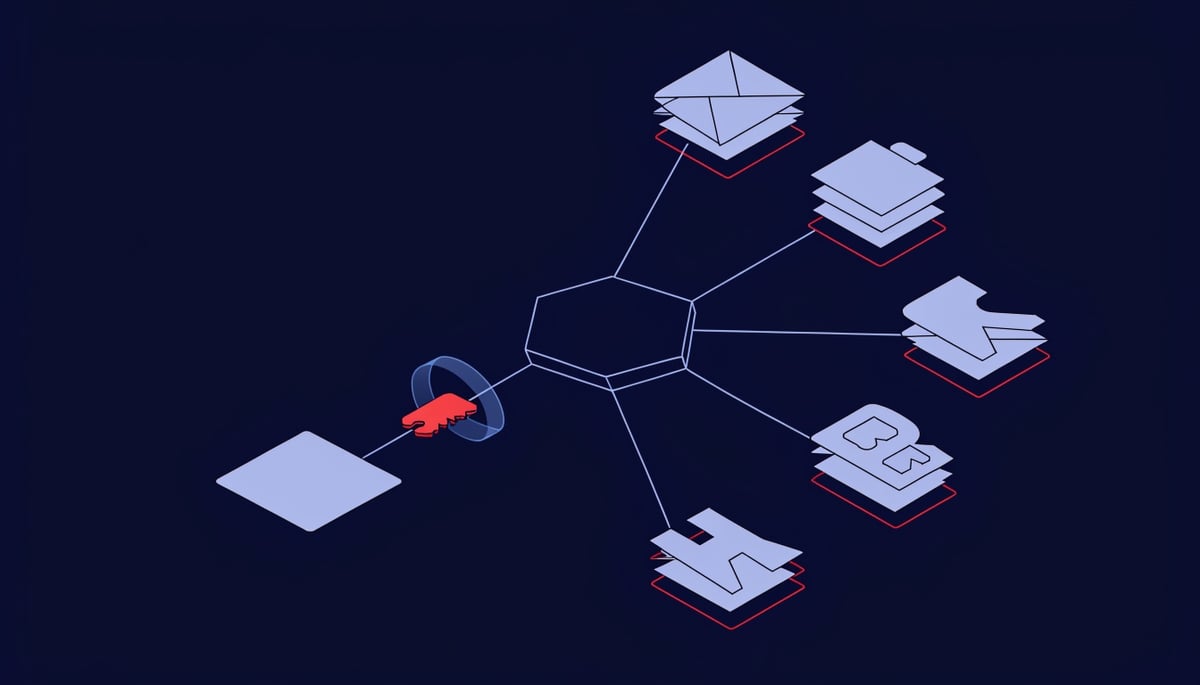
ClickFix is a social engineering trick that gets the victim to run the attacker's command for them. A web page shows a fake CAPTCHA "verification" step, a broken-file error, or a download prompt, and it walks the visitor through pasting a command into the Windows Run dialog. The command is already copied to the clipboard. All the user does is press a few keys. The activity described here was documented by Huntress.
That detail matters more than it sounds. Because your employee types the command themselves, there is no malicious attachment for an email filter to strip and no suspicious download for an endpoint control to block. The activity looks like a person using their own computer, which is exactly what it is.
The source article notes that variants swap the lure while keeping the same mechanic. Fake file, fake download page, fake verification check, same outcome.
What lands is usually an infostealer. It installs quietly and harvests every credential and session token sitting in the browser cache, then hands them to the attacker. Since most organizations have consolidated logins into Google or Microsoft Entra single sign-on, one harvested identity reaches email, files, finance systems, and HR platforms in one motion.
Attackers don't really need to break into your business anymore. They can just log in as you instead.
A stolen session token is the part that catches teams off guard. The token represents an already-approved login, so it walks past the multi-factor authentication prompt entirely. The attacker is not guessing a password. They are reusing a session your employee already completed successfully.
That is why endpoint controls alone do not close this out. The theft happens on the device, but the abuse happens in your identity provider and your SaaS and VPN accounts, hours or days later, from somewhere else. Credentials and session tokens are cheap to buy and easy to reuse, and once an attacker holds them, they move at the speed of a legitimate employee.
The Execution Chain: From Lure Page to Stolen Session Tokens
The chain starts before the victim ever sees a prompt. The landing page is usually a legitimate site with injected script, a compromised WordPress plugin, or a malvertised result that ranks for a common software search. Nothing about the domain looks disposable, which is why reputation filtering rarely catches the first hop.
The page's JavaScript writes the payload into the clipboard using the browser's own clipboard API. The command is typically padded with whitespace and a decoy comment, so the visible portion in the Run box reads like a harmless verification ID while the actual instruction sits off-screen. MITRE tracks this as T1204.004, malicious copy and paste, and it depends entirely on the user supplying the execution.
Execution lands on binaries already present in Windows. Common variants call powershell.exe with encoded arguments, mshta.exe pointing at a remote HTA file, or curl.exe pulling a second stage into a temp directory before running it. Because these are signed Microsoft binaries doing routine-looking work, application allowlisting rarely blocks the step.
The second stage is an infostealer. It reads browser credential stores and cookie databases directly from disk, pulls saved form data, and collects password manager artifacts including local vault files and any unlocked session state. Collection typically finishes in under a minute and the process often exits afterward, leaving little running for an analyst to catch later.
Session cookies are the part that changes the math. A password is one factor and can be reset. An authenticated session token represents an identity that already satisfied multi-factor authentication, so replaying it into an attacker-controlled browser produces a logged-in session without a single prompt.
That is why a stolen token walks straight past conditional access policies that were working correctly. The source material describes a stolen session sitting active and unnoticed for hours or more, which in a single sign-on environment means simultaneous access to email, file storage, finance systems, and HR platforms behind that same login.
Exfiltration usually rides HTTPS to infrastructure the endpoint has never contacted, often within a minute or two of the browsing activity that started it. Some families use Telegram bot APIs or object storage endpoints so the destination resolves to reputable infrastructure. The archive is small, frequently under a few megabytes, so volume-based egress thresholds do not trigger.
The artifacts this chain leaves behind are specific and worth knowing by name:
- Entries under
HKCU\Software\Microsoft\Windows\CurrentVersion\Explorer\RunMRUrecording exactly what was typed into the Run dialog, including the encoded command - Parent-child anomalies where
explorer.exespawns PowerShell, mshta, or curl, a lineage that almost never appears in normal user activity - Clipboard-to-shell timing, meaning a browser process active seconds before a script interpreter launches
- Outbound connections to newly registered or unfamiliar domains shortly after a browsing session, with no corresponding user-facing application
What happens next is credential reuse rather than further malware. Harvested logins get replayed against VPN portals, webmail, and the identity provider itself, usually from residential proxy address space that matches the victim's country. The follow-on login looks legitimate at the protocol level because it is legitimate, which is what makes the identity layer the place where this attack finally becomes visible to your team.
What Credential Abuse Costs an Organization After the Initial Infection
A stolen session token gives an attacker the same access your employee has, and because most organizations have consolidated logins into a single sign-on system through Google or Microsoft Entra, that access arrives all at once. Email, file storage, the CRM, the finance platform, and HR records sit behind the same front door. When that door opens, the blast radius is far wider than a single mailbox.
The first thing attackers usually do with it is read. In the business email compromise case described in the source research, a small real estate firm lost MFA on one account (the CEO's, at his own request) and the attacker sat quietly inside the mailbox learning how the CEO wrote to his finance team. The pattern was short: a customer name, an account number, an amount, then a one-word confirmation back from finance.
The attacker copied that pattern exactly and started with a test payment comfortably under $1,000. It cleared. The amounts climbed until the CEO noticed the balance looked wrong and asked for a transaction list, and finance sent back the email he had supposedly written authorizing the transfers.
One personal exception, and the business almost missed payroll. Every other control had been in good shape.
That is the shape of the financial loss. Your firm covers the redirected funds, your finance team spends weeks reconciling which payments were real, and any counterparty who received a fraudulent invoice from your domain now has a conversation to have with you.
The access does not stop at email. From a valid account, an attacker reaches the same file shares, SharePoint sites, and cloud storage your employee reaches, which is where client files, contracts, and payroll records live. If ransomware follows, it is staged from an account with legitimate permissions, so the encryption and the deletion of accessible backups happen under a login your systems already trust.
Data exposure brings its own obligations. If personal data of clients or staff was accessible from the compromised account, you are into breach assessment under UK GDPR and the Data Protection Act 2018, with the notification clock running from the point of awareness. That means legal review, ICO correspondence, and in some cases direct notification to the individuals affected.
Attribution is where this gets expensive. Your sign-in logs record a successful authentication from a valid user with a valid token, so there is no failed-login spike and no malware alert to anchor a timeline against. Practically, that shows up in three places:
- Dwell time stretches, because nothing in the logs looks like an intrusion and the account keeps behaving like an employee.
- Forensic scope widens, since your investigators cannot separate the attacker's actions from the real user's without reconstructing sessions by device and location.
- Insurance and claims work slows, as insurers ask for evidence of what was accessed and when, which is precisely the evidence a legitimate login does not produce on its own.
Then there is the cleanup nobody budgets for. Once you cannot prove which sessions were the attacker's, you reset credentials and revoke active tokens across the affected population, which signs people out of mail, chat, and mobile apps and generates a wave of helpdesk tickets and re-enrollment work. For a small team, that consumes days of capacity while the investigation is still running.
Identity Controls That Break the Attack Chain
Revoke sessions before you reset passwords. A password change on its own leaves an already-issued refresh token valid, so the attacker keeps working while your helpdesk logs a closed ticket. Force sign-out across the identity provider for the affected account, invalidate refresh tokens, then reset the credential and re-enroll the user.
The NIST Cybersecurity Framework sorts the rest of the work into four groups: what you inventory, what you enforce, what you watch, and what you rehearse. The steps below follow that order.
Start by finding out what the intruder left behind. Check the account for MFA methods you did not register, inbox rules that forward or auto-delete mail, and OAuth application consents granted during the exposure window. Those three artifacts survive a password reset, which is exactly why attackers plant them.
On enforcement, move the accounts that matter most to phishing-resistant MFA. FIDO2 security keys, passkeys, or certificate-based authentication bind the login to hardware the attacker cannot phone-phish or replay from a stolen cookie. Pair that with conditional access rules that only issue a session to a registered, compliant device, so a token lifted from an unmanaged machine has nowhere to land.
Shorten session lifetimes and turn on continuous access evaluation in your identity provider. That way a revocation event or a location change ends the session in near real time instead of waiting for a token to expire on its own schedule.
Then close the delivery path on the endpoint:
- Disable the Windows Run dialog through Group Policy for standard users where your application set allows it.
- Put PowerShell into
Constrained Language Modefor non-administrators and enable script block logging so the pasted command is recorded even when it executes cleanly. - Block
mshta.exeand unsigned script execution using Attack Surface Reduction rules and application control policies. - Remove stale local administrator rights, which decide whether an infostealer runs as a nuisance or as a system-level problem.
Detection is where identity work earns its keep. A stolen session presents as a valid login, so the signal you need is behavioral: a sign-in from a new device or country minutes after a legitimate one, a new MFA method on a privileged account, a consent grant to an app nobody has heard of.
Give your responders a written path for the first hour: isolate the endpoint, revoke tokens, pull the sign-in log for the account, review mail flow rules, and check whether the same source IP touched other identities. Blocking sign-ins from countries where you have no employees or business operations narrows that search considerably.
For the longer arc, set browser policy to disable saved passwords and move staff to a managed vault, so the browser cache stops being a credential store. Separate day-to-day accounts from administrative ones through admin tiering. Require managed apps such as Outlook on phones and tablets that reach business data, and inventory every device that touches company apps.
Train specifically on the lure your users will actually see, which is a page telling them to paste a string into a dialog box to prove they are human. Generic phishing awareness does not cover it. Test each change with a small group of affected users and roll it out in phases, and track every exception with a named owner and a closing date.
Detection Signals Worth Tuning For
The single highest-value endpoint artifact for this technique is the RunMRU key. Every command typed into the Windows Run dialog gets written to HKCU\Software\Microsoft\Windows\CurrentVersion\Explorer\RunMRU, which means the lure leaves a record of itself in the user hive even when the payload later deletes its own files.
What makes that entry stand out is its shape. Legitimate Run box use is short and human: a drive letter, cmd, an mmc snap-in. The strings written by a paste-and-run lure are long, contain pipe characters, encoded blobs, or a trailing comment used to push the real instruction out of view.
Process lineage is the second signal. explorer.exe is the parent of anything launched from the Run dialog, so a process tree showing explorer spawning powershell.exe, cmd.exe, or mshta.exe is worth surfacing on its own. That parent-child pair is uncommon in normal business use outside of IT staff and developers, which keeps the volume manageable enough to alert on.
Script block logging fills in what actually ran. PowerShell records deobfuscated content, so look for these patterns in the logged blocks:
- Base64 strings passed through
-EncodedCommandor aFromBase64Stringconversion IEXandInvoke-Expressionwrapping a downloaded string- Execution policy and window-style flags used together to run hidden
- Outbound fetches from user context using
curl,bitsadmin, orcertutil, none of which have a routine reason to pull remote content from a workstation logged in as a standard user
Those download utilities are signed Microsoft binaries, which is precisely why they get used. Application allowlisting and reputation checks pass them through, and the resulting traffic looks like a normal HTTPS connection from a normal machine.
On the identity side, the telling signals arrive after the stealer has done its work. A session token replayed from attacker infrastructure produces a sign-in that carries a satisfied MFA claim but comes from a device with no registration record, no compliance state, and a browser or client string that does not match the user's history.
Pair that with network-level context. Impossible travel between two sign-ins is the well-known one, but a first-seen ASN for a given user is often the sharper indicator, particularly hosting and VPN provider ranges that no employee has any operational reason to originate from.
Then watch for what follows within the same session. Registration of a new MFA method, an OAuth grant to an application nobody in the business has heard of, and mailbox rule creation minutes after an unfamiliar sign-in all describe the same behavior: an intruder settling in while holding a token that already satisfied every access policy.
The correlation that matters is between the two data sets. An explorer.exe to PowerShell execution on a workstation, followed by a sign-in for that same user from an unrecognised device, is a far stronger signal together than either event scored alone. Tie them by username and a tight time window and the false positive rate drops sharply.
Timing is the part teams usually get wrong. Infostealer infections frequently precede identity abuse by hours or days, because harvested credentials and tokens get sold or queued before anyone uses them. When an anomalous sign-in surfaces today, the endpoint event that explains it may sit several days back in your retention, so retrospective review across that window is where the origin of the compromise actually shows up.
Priorities for Reducing Exposure to ClickFix
The common thread across user-executed attacks is that nothing in the chain looks like an intrusion. Your employee runs the command, your identity provider issues a valid token, and the attacker uses access that was granted correctly. Controls that judge whether an action is malicious have very little to work with, which is why the useful defensive work sits at the identity layer rather than the malware layer.
The highest-value change you can make is moving your most sensitive accounts to phishing-resistant, device-bound authentication. Executives, finance approvers, IT administrators, and anyone with access to payment systems or HR records belong in that first group. When the authentication factor is tied to a registered device, a credential lifted from a browser cache and a session token replayed from an attacker's machine both stop being useful. That is the difference between an infostealer infection you clean up and a business email compromise you disclose.
Two secondary priorities are worth planning for in the same cycle:
- Constrain what your users can execute in the first place. If the Run dialog and scripting interpreters are not part of a given role's daily work, the paste-and-run technique loses its delivery method for that population.
- Write down how your team invalidates an active session, and decide in advance who has the authority to do it outside business hours.
Identity hardening has no completion date. Licensing changes, defaults shift, and exceptions granted for a legitimate reason last longer than intended. Treat it as work your team returns to on a schedule, and measure progress by how few exceptions remain open.




