

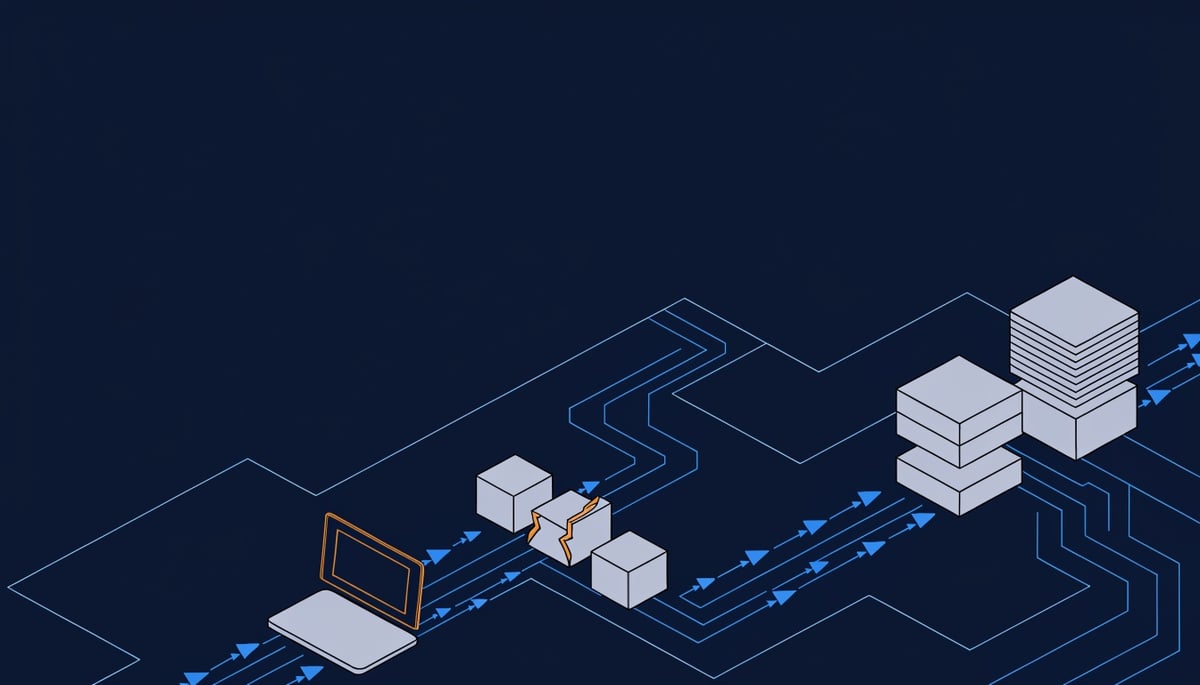
ClickFix attacks are now delivering a Go-based macOS stealer that steals browser-stored passwords, Apple iCloud Keychain data, and cached credentials — and drains cryptocurrency wallets. Huntress researcher Andrew Brandt documented the campaign, which starts with something deceptively ordinary: a user copying a command and pasting it into the Terminal app. (Source: The Hacker News)
ClickFix is a social engineering technique, not a software exploit. The victim lands on a page that looks like a routine verification step or a system error notice, and the page instructs them to copy a block of text and run it themselves.
Key Insight: There is no vulnerability to patch, because the attacker never breaks in — your user opens the door.
On macOS, that pasted command executes a Bash profiler and loader. It collects extensive details about the host, then pulls down a Mach-O payload matched to the machine's processor architecture — Apple silicon or Intel — so the malware runs cleanly on whatever hardware your staff happen to use.
The deception continues after execution. The malware prompts the victim for their system credentials behind a fake "unexpected system error" message, claiming it needs to restore damaged system files. That prompt is how it escalates privileges, and it works because it looks exactly like the kind of dialog macOS users approve without thinking.
"While the malware payload is capable of stealing passwords, its most interesting function is its capability to slowly deplete cryptocurrency accounts, siphoning their contents into accounts under the threat actor's control," Huntress said.
The reason macOS matters here is that the assumption of Mac safety is doing real work for the attacker. Staff on Macs are less conditioned to treat a browser popup as hostile, and a Terminal paste feels like a legitimate troubleshooting step when the page frames it as one.
Both the payload staging server and the command-and-control infrastructure trace back to Aeza Group, a Russian bulletproof hosting provider sanctioned by the U.S., the U.K., and Australia for facilitating criminal activity.
Attack Chain: From Fake Support Popup to Cryptocurrency Wallet Theft
The first stage is a Bash profiler that runs the moment the pasted command executes in Terminal. It fingerprints the host — collecting extensive system details, including the processor architecture — and then reaches back to a staging server to pull down a Mach-O binary matched to that CPU. Apple silicon and Intel Macs each get their own build, which means the payload runs natively without the compatibility failures that often make cross-architecture malware fall over.
The second stage is a Go-based stealer. Go compiles to a single static binary with no runtime dependencies, so it drops onto a Mac and executes without needing anything installed first. In practice, the malware is functional within seconds of the loader finishing.
Once running, the stealer harvests three credential stores in sequence:
- Browser-stored passwords — saved logins from the user's browser profiles (ATT&CK T1555.003)
- Apple iCloud Keychain data — the system credential vault holding app passwords, certificates, and Wi-Fi keys (T1555.001)
- Cached credentials — session material already resident on the machine
All of it is transmitted to a remote server the operator controls. Every corporate SaaS login, VPN credential, and email password saved in that browser profile should be treated as attacker-held from the moment the binary runs.
To reach the protected material, the malware asks for it. It displays a fake dialog citing an "unexpected system error" and offering to restore damaged system files, prompting the victim to type their system password. That is GUI-based input capture (T1056.002) feeding privilege escalation, and it works because the request arrives right after the user has already been talked into running a Terminal command — the prompt looks like part of the same repair process they believe they started.
The wallet component is what separates this sample from the typical macOS infostealer. A routine labeled DRAIN checks whether a cryptocurrency wallet holds a balance, and if it does, redirects either a portion or the full amount to an attacker-controlled wallet. Separate implementations exist for Bitcoin, Litecoin, Dogecoin, Monero, Ethereum, and Ripple's XRP.
Each of those variants includes its own function for calculating what 1% of the wallet's contents is worth in that currency. Partial withdrawals do not trigger the balance-gone moment that prompts a user to check their transaction history, so theft can continue across multiple sessions before anyone reconciles the account. This is financial theft executed on the endpoint (T1657) rather than through an exchange compromise, so there is no third party to dispute the transaction with.
Both the payload staging server and the command-and-control infrastructure trace back to Aeza Group, a Russian bulletproof hosting provider sanctioned by the United States, the United Kingdom, and Australia for supporting criminal operators. Bulletproof hosts ignore abuse complaints and takedown requests, so blocking a single domain has limited value — operators rotate to fresh infrastructure on the same provider within the same campaign.
Parallel ClickFix activity shows how much filtering now sits in front of these payloads. One macOS campaign delivering MacSync and Atomic Stealer runs a cluster of look-alike domains behind a server-side browser-fingerprinting and hardware validation gate, serving the lure only to visitors whose environment matches a genuine macOS browser while blocking crawlers, sandboxes, and automated analysis tooling.
That gating matters for your investigation workflow: if an analyst opens the reported URL from a Windows VM or a sandbox, the page returns benign content and the report gets closed as a false positive while the Mac user's credentials are already gone.
Financial and Operational Impact: Cryptocurrency Wallets and Credential Exposure
The stealer's DRAIN routine does not have to empty a wallet to profit. Huntress found separate functions that calculate what 1% of a wallet's contents is worth, depending on which coin is targeted, so the malware can move a slice of the balance and leave the rest sitting there.
"While this may not be a brand new feature, it's the first time we have seen malware capable of emptying a cryptocurrency wallet that could be used to remove any less than the entire wallet's value," Huntress said.
That changes how long the theft goes unnoticed on your side. A wallet drained to zero prompts an immediate call to your incident responder; a wallet that is quietly lighter than it was last month reads as a fee, a market move, or a mis-remembered transfer.
The routine has versions built for multiple assets, which widens the set of employees and clients who are in scope:
- Bitcoin and Litecoin — the balances most likely to sit in a long-held personal wallet on a work Mac
- Ethereum and XRP — commonly tied to exchange accounts and treasury holdings
- Monero — a privacy coin, so recovery tracing after the transfer is limited
- Dogecoin — low-value holdings that rarely get reconciled at all
None of these transfers reverse. If your finance team holds any digital assets, the loss is realized at the moment of transfer, with no card network or bank to dispute it through.
The credential side of the payload has a longer tail than the crypto theft. Apple's iCloud Keychain stores far more than website logins — Wi-Fi network passwords, app credentials, and certificates all live there, and the stealer ships the contents to a server the operator controls. Resetting the one password an employee remembers using leaves the rest of that collection valid.
Browser-stored passwords compound the problem for your identity estate. If staff save credentials in Safari or Chrome on a Mac, that store often includes access to your SaaS admin consoles, payroll portals, and vendor accounts, and the attacker gets working logins with no exploit and no alert on a failed authentication attempt.
There is also the fake prompt. The malware raises an "unexpected system error" dialog claiming it needs to restore damaged system files, and asks the user to type their system credentials. On a Mac joined to your directory or managed through MDM, that local password is frequently the same one used for corporate sign-in, which converts a personal-device infection into a foothold in your accounts.
Attribution of the infrastructure matters when you write the incident up. The staging server and the command-and-control server both trace to Aeza Group, a Russian bulletproof hosting provider sanctioned by the U.S., the U.K., and Australia. Outbound traffic from your network to sanctioned hosting infrastructure is a detail your legal and compliance teams will want in the record, separate from the data loss itself.
The awkward part for most firms is ownership of the loss. An employee who keeps personal crypto on a company-issued laptop, or checks a work email account on a personal Mac, sits in a gap where your acceptable-use policy and your insurance coverage may both come up short. Decide in advance whether your organization reimburses that loss, because the conversation happens under pressure otherwise.
The credential theft and the wallet theft arrive together from one pasted command, so treat any confirmed infection as both a financial event and an account compromise.
Detection and Immediate Response for macOS Environments
If a user tells you they pasted a command into Terminal, treat that Mac as compromised and pull it off the network immediately — disconnect Wi-Fi and unplug Ethernet, but leave it powered on so running processes and memory artifacts survive for investigation. Every credential that account touched should be considered exposed from that moment forward.
Today. Start with the shell history, because the pasted command is usually still there. On the affected machine, check ~/.zsh_history and ~/.bash_history for pipe-to-shell patterns involving curl or wget, and note any domains you find — those are your first indicators to block fleet-wide.
- Open Activity Monitor, switch View to All Processes, and sort by Network to spot unfamiliar binaries running out of user-writable directories.
- Run
lsof -i -Pto list active outbound connections and match them against the domains from shell history. - Check persistence with
launchctl listand inspect~/Library/LaunchAgentsand/Library/LaunchDaemonsfor entries you cannot account for.
Then handle credentials from a different, clean device. Reset every password stored in the user's browser profiles and iCloud Keychain, revoke active browser sessions and OAuth tokens for business apps, and re-enroll MFA where the second factor lived on that machine.
If the user held cryptocurrency, generate a new wallet with a new seed phrase on clean hardware and move the balance. A seed phrase that sat on an infected Mac stays useful to the operator indefinitely, and partial withdrawals may continue quietly against the old wallet.
This week. Hunt across your whole Mac fleet, not just the reported machine. The behavioral pattern worth querying in your EDR is Terminal spawning bash, curl, or osascript child processes, followed by an outbound connection to a newly seen domain — that sequence is rare in normal user activity and it catches variants that file hashes miss.
Ask users specifically whether they saw a password prompt describing an "unexpected system error" or offering to repair damaged system files. That fake dialog is how the operator gets local admin rights, and users who typed a password into it need that account reset even if nothing else looks wrong.
Add a DNS or firewall block on the staging and command-and-control infrastructure, which in this campaign traces back to Aeza Group, a Russian bulletproof hosting provider already sanctioned by the U.S., U.K., and Australia.
Send a short user notice while the campaign is live. The message worth repeating: no vendor, website, or IT team will ever ask you to copy text into Terminal to verify you are human or to fix an error, and any page that does is an attack.
Longer term. Push a configuration profile through your MDM that enforces Gatekeeper and blocks unsigned, un-notarised code from executing, and remove standing admin rights from everyday user accounts so the fake credential prompt has nothing to escalate into.
- Move users off browser-stored passwords to a managed password manager with its own unlock, so a browser profile dump yields nothing usable.
- Require hardware wallets for any business-held cryptocurrency, keeping keys off the endpoint entirely.
- Restrict Terminal access via MDM for staff whose roles never require it.
- Set alerting on reuse of the exposed credentials against your VPN, email, and finance systems.
Document which accounts were reset and which were not. That list is what you will need if a fraudulent login appears three months from now.
Preventing ClickFix Compromise: Browser, User, and Endpoint Controls
The single control that stops this chain is a standing rule your users can recall under pressure: no vendor, help desk, or website will ever ask you to copy text and paste it into Terminal or a Run window. Publish that rule, repeat it in onboarding, and tell staff that a page asking them to do it is the attack itself. Because the infection depends on the user completing the paste, training carries more weight here than any signature.
Give people the specific red flags to match against, since the lures are designed to look procedural:
- An unsolicited "system error" or "damaged files" notice that appears while browsing, followed by a repair instruction.
- A "verify you are human" checkbox that produces copy-paste instructions after you click it — the WebAssembly and SVG-based campaigns Unit 42 documented build these pages dynamically to dodge network inspection.
- Any prompt asking for the Mac login password to complete a fix.
- Download pages for pirated films or cracked software — the same operators pushed Lumma Stealer through files posing as 1080p releases of The Odyssey, and its 64-bit variant Remus through SEO-poisoned crack sites.
At the network edge, block the hosting infrastructure rather than chasing individual domains. The staging and command-and-control servers in this campaign trace back to Aeza Group, a Russian bulletproof hosting provider sanctioned by the U.S., U.K., and Australia. Blocking traffic to that provider's ranges at your DNS resolver and firewall removes both the payload fetch and the exfiltration path, and it holds across campaigns because the hosting outlives any single domain. Add newly registered and look-alike domains to the same block policy, since the MacSync and Atomic Stealer campaign ran a cluster of them behind a fingerprinting gate that only served lures to real macOS browsers.
Browser policy closes the delivery side. Push managed configuration to Chrome, Edge, and Safari across your fleet that blocks pop-ups, restricts notification permissions to an approved list, and disables automatic downloads. Chrome's DownloadRestrictions policy set to block dangerous file types keeps disk images and unsigned binaries off user machines without help desk involvement.
On the endpoint, signatures alone will not carry you. Go-built stealers recompile easily and each architecture-specific build looks different on disk. What stays constant is the process chain: a browser session followed by a Terminal shell spawning curl, then executing a freshly downloaded binary from a user-writable directory.
Credential isolation limits what a single compromised Mac gives up. Your users should run daily work under standard accounts, with administrator credentials held separately rather than in a browser password manager or Keychain entry that a stealer can read in one pass. Require MFA on every application that supports it so harvested passwords alone do not produce a session, and keep cryptocurrency wallet software off machines that hold corporate credentials.
Extend the same expectations to personal devices with access to company mail or files. If you cannot enforce browser policy and endpoint protection on a machine, restrict what that machine can reach.
Key Takeaway: Verify Support Requests and Isolate Compromised Machines Immediately
The decision that matters most here is a classification one: when a user tells you they followed instructions from a popup and ran something themselves, that machine is compromised, not suspicious. There is no exploit artifact to confirm, no failed patch to point to, and no crash to investigate — the user completed the action, so the attacker got what they asked for.
That rule has to cover more than Macs. Unit 42 documented ClickFix variants on Windows that abuse pcalua.exe, the Program Compatibility Assistant, as a launcher to slip past parent-process heuristics, and another that builds its lure page using WebAssembly modules and SVG steganography to stay out of network-level detection. Your users encounter the same "paste this to verify" instruction regardless of which operating system they are on.
The lures also arrive through routes your staff would not describe as a support popup at all. One campaign hid Lumma Stealer inside files posing as 1080p WEBRip and Blu-ray copies of The Odyssey; another used SEO poisoning to push cracked software and pirated game sites delivering Remus, a 64-bit Lumma variant.
Both the staging server and the command-and-control infrastructure behind the macOS campaign trace to Aeza Group, a Russian bulletproof hosting provider sanctioned by the U.S., the U.K., and Australia. Hosting of that kind survives abuse complaints, so any domain list you build from this campaign will age quickly.
The action to take: if a user reports a fake support popup, a Terminal or Run-dialog paste, or a MacSync download, record it as a confirmed compromise and treat every credential on that machine as exposed until investigation shows otherwise.




