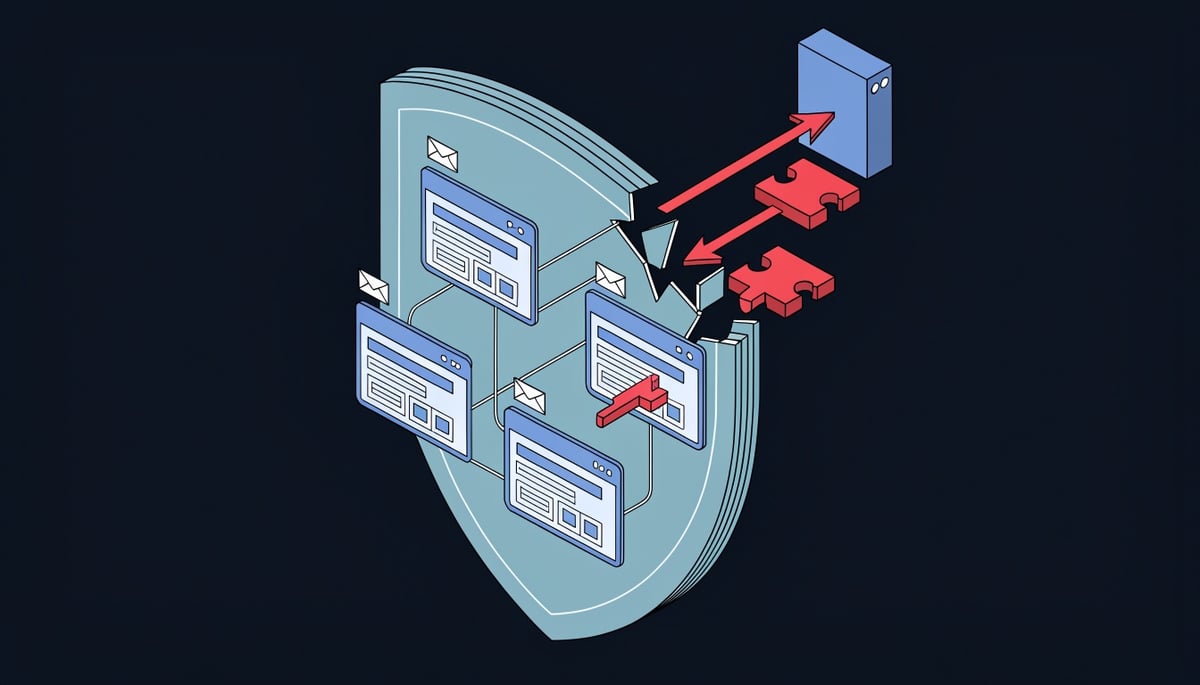
A new version of the SYS01 infostealer, tracked by Bitdefender Labs as SYS010, enrolls victims' browsers into attacker-controlled management. This lets it force-install extensions that read recent Gmail and Outlook messages in Chrome, send their content to the attacker, and permanently delete selected emails. Bitdefender considers it version 2 of a family seen in Facebook malvertising since at least 2022, and after spotting one ad on October 16 it found the campaign still running with hundreds of ads. This analysis draws on reporting from BleepingComputer.
Browser management is the feature companies use to push settings and extensions to employee browsers. SYS010 uses a script named eclient.php to enroll Chrome in an attacker-controlled Google admin console, enroll Windows devices in a rogue mobile device management (MDM) server for Edge, and set a Firefox ExtensionSettings policy that also disables Developer Tools. When your browser shows "managed by your organization," the attacker may be the one issuing the policies, and the extensions cannot be disabled or removed through normal settings.
The extensions pose as document tools. Docs Helper targets Chrome with an icon resembling the Google Docs logo and is distributed outside the Chrome Web Store, while Document Hub targets Firefox. Both steal session cookies, which give the operator access to signed-in accounts without a password or two-factor challenge. For your business, this means an attacker who can read login codes and erase security alerts in the same inbox you would use to recover the account.
The entry point is a free animated wallpaper app. Ads impersonate Wallpaper Engine and Lively Wallpapers, and the installed app works as advertised while the malware runs in the background. A separate infostealer, Remus, reads Gmail through a similar extension but loads it by enabling Developer Mode in the browser profile.
The people most exposed are Windows users who download software from social media ads, especially those who run Facebook Pages or Meta advertising and business accounts. The extensions collect spending and payment details for every such account the victim can access. On personal computers and in small businesses with no IT team managing browsers, a "managed by your organization" message is not expected and points to outside control of the browser.
From Fake Document Tools to a Managed Browser: The SYS010 Infection Chain
The SYS010 chain begins with a Meta ad offering free animated wallpapers to Windows users. The ads impersonate two real products, Wallpaper Engine and Lively Wallpapers, and send clicks to download sites, some on domains built to look official. Bitdefender found that the Wallpaper Engine lure is a renamed, digitally signed copy of the MeisterTask desktop app, which is built on Electron.
The installer delivers what the ad promised. The victim gets a working animated wallpaper, and the malicious component runs in the background during installation. This maps to MITRE ATT&CK T1204.002 (User Execution: Malicious File) and T1036 (Masquerading). A product that works and carries a valid signature gives the user no visible reason to question it.
Changing browser policy requires administrator rights. SYS010 gets them through persistence. It triggers the Windows User Account Control (UAC) prompt and repeats it every three seconds, up to 99 times, until the user approves. No software flaw is involved. For a business, one employee who clicks "Yes" to stop the pop-ups gives the operator admin-level control over that machine's browser configuration.
With elevated rights, the eclient.php script installs the malicious extensions by rewriting each browser's management settings:
- Chrome: enrolls the browser in an attacker-controlled Google admin console, which allows forced extension installs.
- Firefox: sets an
ExtensionSettingspolicy that force-installs the add-on and also disables Developer Tools and abuse reporting. - Edge: can enroll the Windows device in an attacker-controlled mobile device management (MDM) server to enable forced installation.
These steps map to T1176.001 (Software Extensions: Browser Extensions) and, for the Firefox changes, T1562.001 (Impair Defenses: Disable or Modify Tools). The source describes eclient.php as the installer script and does not publish its network behavior, hashes, or hosting domains, so traffic patterns for it are not covered here.
The extensions pose as document utilities. Docs Helper runs in Chrome with an icon resembling the Google Docs logo and is distributed outside the Chrome Web Store. Document Hub is the Firefox counterpart. Both steal session cookies (T1539, Steal Web Session Cookie), which lets the operator open signed-in accounts without a password or a two-factor challenge.
The Chrome extension handles the email side. Reading and forwarding mailbox content falls under T1114 (Email Collection), and permanently deleting chosen messages fits T1070.008 (Clear Mailbox Data). Bitdefender warns this lets attackers intercept login codes and erase security alerts before the victim sees them. Because the attacker shares the inbox, account recovery messages sent there can be read or removed too. The extensions also collect details on Facebook Pages, ad accounts, and business accounts the victim can reach, including spending and payment data. Stolen ad accounts are typically used to fund further malvertising under a trusted company's name, leaving the victim business with unauthorized ad charges and possible loss of its social media accounts.
Bitdefender judged this variant a major step up from its SYS01 predecessor, though the source does not itemize every change. The policy-based install is the clearest difference in method. The Remus infostealer, which also reads Gmail through an extension, registers the add-on directly in the browser profile and turns on Developer Mode to run it unpacked. SYS010 places its extension under management control, so the user cannot disable or remove it from the browser's own settings. The only visible sign is a "managed by your organization" notice, which many users would accept as normal on a work device. This makes the infection hard to spot and hard to reverse for anyone checking the extension page by hand.
Indicators named in Bitdefender's research:
eclient.php(policy-modifying installer script)- Docs Helper (Chrome extension, Google Docs-style icon, not from the Chrome Web Store)
- Document Hub (Firefox add-on)
- Fake Wallpaper Engine and Lively Wallpapers installers, including a renamed, signed MeisterTask Electron build
- Repeated UAC prompts at three-second intervals, up to 99 attempts
- Unexpected Google admin console or MDM enrollment on a browser or Windows device
What Email Surveillance Means for Business Accounts and Data
Session cookie theft changes the business risk of this campaign. Bitdefender found that the SYS010 extensions steal session cookies, which lets the operator open accounts the victim is already signed into without entering a password or completing a two-factor authentication challenge. If one of your employees is infected, your MFA policy does not stop the attacker from using that employee's active sessions.
Email access adds a second layer. Most services your business uses send password reset links and one-time login codes to an inbox, and an operator who can read recent Gmail and Outlook messages can collect those codes as they arrive. Bitdefender warns that the same access lets attackers erase security alerts before the victim sees them, so a "new sign-in" or "password changed" notice may disappear before anyone reads it.
Recovery also gets harder. Your staff may spend days resetting accounts while the operator continues to see each reset.
Key Insight: Bitdefender notes that when the attacker shares the inbox, regaining control of compromised accounts becomes more difficult, because the recovery messages land in the same mailbox the attacker is watching.
The extensions also catalog the Facebook Pages, advertising accounts, and business accounts the victim can reach, including spending and payment details. According to the source, stolen advertising accounts are typically used to fund new malvertising campaigns under the identity of trusted businesses. For your company, that means unauthorized ad charges on your payment method, possible loss of access to your social media accounts, and exposure of customer conversations held there. Your brand could end up attached to ads that infect other people.
Read access to a business mailbox also supplies the raw material for business email compromise (BEC), a fraud where criminals pose as an employee, vendor, or executive to redirect payments. The source does not report SYS010 operators committing invoice fraud. Recent messages often contain invoices, payment schedules, vendor contacts, and active threads, which is the context a fraudster needs to send a convincing request to change bank details. The ability to permanently delete selected messages means a reply questioning that change could be removed from your view.
Contracts, proposals, pricing, client correspondence, and attachments all pass through the inbox the Chrome extension reads. Once the extension sends message content to the operator, you have no way to confirm where that material goes next or who else receives it. For firms handling client files, this creates a confidentiality problem with clients as well as an internal one.
If the exposed messages include personal data about clients, employees, or customers, the incident may require a breach-notification assessment under GDPR or comparable laws in your jurisdiction. Whether notification is required depends on what data sat in the mailbox and the likely risk to the people involved. The campaign's ads ran to adult audiences in the European Union, so EU-based businesses and their staff fall within its reach.
Personal devices used for work carry a specific risk. On a company laptop, a browser showing "managed by your organization" may be expected. On an employee's personal computer, no legitimate management policy should exist, so any policy present belongs to whoever installed it. The forced-install controls also block the user from disabling or removing the add-on, which means an employee who spots a strange extension cannot simply delete it.
If your staff check work Gmail or Outlook on home machines, those sessions sit outside the visibility of your IT team. SYS010 is also not the only family doing this. Bitdefender points to the Remus infostealer, which registers its extension directly in the browser profile and enables Developer Mode to read Gmail inboxes, so mailbox surveillance through the browser is a technique appearing in more than one malware family.
Detecting and Removing SYS010 Browser Policies and Extensions
Your first check today is whether any browser on a device that should not be managed shows the "Managed by your organization" message. The steps below are organized by the NIST Cybersecurity Framework functions and move from finding affected machines to restoring the accounts the malware touched.
Identify
Open chrome://policy and edge://policy on each Windows machine. Any policy on a personal laptop, or on a company device your IT team does not manage through that browser, means an outside party is setting the rules. In Firefox, open about:policies and look for an ExtensionSettings entry you did not deploy, especially one that also disables Developer Tools and abuse reporting.
Next, review extensions marked as installed by an administrator. Search for Docs Helper in Chrome and Document Hub in Firefox. Bitdefender notes the Chrome version uses an icon resembling the Google Docs logo and is not distributed through the Chrome Web Store. To catch the related Remus infostealer, check whether Developer Mode is switched on with an unpacked extension loaded from the browser profile.
For Edge, open Windows Settings, go to Accounts, then Access work or school, and look for an MDM enrollment your organization did not create. An unknown entry there gives the operator a channel to push settings to the whole device.
Protect
- Block requests to eclient.php paths at your web proxy and DNS filter, since that script carries out the policy changes that install the extensions.
- Deploy your own browser management for Chrome, Edge, and Firefox so IT-owned policy controls extension settings and conflicts with or overrides attacker entries.
- Add an extension allowlist so only approved add-ons can run, which keeps unlisted tools like Docs Helper from loading.
- Remove local administrator rights from everyday accounts. Without them, a repeating elevation prompt asks for credentials the user does not have.
Detect
Create EDR detections for writes to browser policy registry keys or policy files by any process other than your management agent. Alert on new MDM enrollments and new cloud enrollments of Chrome browsers. Hunt historical proxy and DNS logs for eclient.php requests to find machines infected before the block went in. These alerts matter because the extensions stay active and look like normal company configuration once installed.
Respond
If you find an infection, delete the malicious policy entries, disconnect the rogue MDM enrollment, and remove the extensions. Then, from a clean device, reset the Gmail and Outlook passwords and sign out every active session. Revoking sessions invalidates the stolen cookies, which a password change alone may leave working.
Review each affected mailbox for forwarding rules, delegated access, and OAuth app grants the user does not recognize. On the Meta side, Bitdefender advises checking who has access to your business accounts, removing permissions no longer needed, and looking for unfamiliar ads, payment changes, or spending. Unauthorized ad charges billed to your card are the most common direct cost in these cases.
Recover
Restrict software installs to an approved catalog, and train staff to treat free wallpaper or document tool downloads from social media ads as suspect. Bitdefender also advises refusing administrator prompts with an unclear purpose and reporting any unexpected management message to IT. Finally, move MFA for email and Meta accounts to authenticator apps or hardware security keys, so a stolen inbox no longer hands the operator your login codes.
Key Takeaway: Treat Unexpected Browser Management as a Compromise Signal
SYS010 shows infostealers moving past one-time credential theft toward ongoing access. This version uses browser policy controls built for corporate IT to keep an extension running that your users cannot disable or remove, so a single infected laptop gives the operator a continuing view of your inbox for as long as the policy stays in place. Bitdefender also points to Remus, a separate infostealer that reads Gmail messages through a malicious extension. Remus takes a different route, registering the add-on directly in the victim's browser profile and enabling Developer Mode so the unpacked extension can run. When two unrelated families both end up reading inboxes through browser extensions, the signed-in browser session becomes the asset these operators are after, and your password policy alone does not cover it.
The single most important action is to audit the browser policy pages on your endpoints for management you did not set up and for force-installed extensions you did not approve. If either appears, assume every email session that user had open in that browser is compromised, because the operator can use those sessions and read what lands in them. Whoever manages your workstations and your Google Workspace or Microsoft 365 tenant can run that check across your devices and tell you which machines carry policies your team did not create. If you want a broader read on how exposed your staff are to ad-driven lures like this one, a security assessment starts with a 15-minute call and ends with written findings on five areas, including phishing risk and employee training readiness.