Researchers at Check Point found a way around Lockdown Mode in OpenAI's ChatGPT that let an attacker pull chat data out of a conversation. In the ChatGPT desktop application, the flaw allowed zero-click data exfiltration. The victim did not have to click, approve, or notice anything for chat contents to leave the app. Original reporting for this article comes from The Hacker News.
OpenAI introduced Lockdown Mode in June 2026 as an optional setting. It targets prompt injection (hidden instructions planted in content the model reads) by limiting outbound network requests, so injected instructions cannot send sensitive information to attacker-controlled servers. If you enabled it, its job was to stop the exact kind of data transfer this research demonstrated.
The weakness sat outside the AI model. ChatGPT renders HTML page previews inside code blocks and places that content in a sandbox to keep it away from app data such as cookies and local storage. According to Eli Smadja, head of research at Check Point, the preview used nested sandboxed frames whose permissions still allowed popups. By creating another nested frame, an attacker could reach an unmodified popup function and open content free of both the sandbox and Lockdown Mode restrictions. Delivery could come through a crafted prompt, a malicious GPT, or a shared chat. The attacker-controlled popup could also display lures such as a fake ChatGPT update to get users to download malware.
Check Point reported the issue to OpenAI through responsible disclosure and later published details in a report shared with The Hacker News. OpenAI addressed the vulnerability on September 18, 2026. The source does not mention a CVE identifier, and Check Point notes the issue was not limited to the Electron-based desktop app.
For business leaders, the concern is assumed coverage. If your organization turned on Lockdown Mode, or planned to, as its control against data leaving AI conversations, that control could be bypassed until the fix shipped. Employee chats with ChatGPT can contain client details, internal plans, and credentials, and this flaw gave attackers a path to that content.
How the Zero-Click Exfiltration Chain Works
The chain begins when attacker-authored content enters the victim's ChatGPT session. Check Point identifies three delivery routes for the malicious instructions:
- A crafted prompt containing hidden instructions that the victim submits or that gets pasted into a conversation
- A malicious GPT, a custom ChatGPT configuration the attacker builds and the victim chooses to use
- A shared chat, distributed through ChatGPT's normal conversation sharing feature
Each route is a form of indirect prompt injection, which MITRE ATLAS tracks as LLM Prompt Injection: Indirect (AML.T0051.001). The precondition is modest. The attacker needs the victim to open or use content they authored, so a shared link or a recommended GPT circulating among staff is enough to start the chain.
The bypass abuses HTML page previews inside ChatGPT code blocks, a feature that renders HTML and JavaScript directly in the application. ChatGPT runs that preview inside nested sandboxed frames that block access to app data such as cookies and local storage and prevent contact with external resources unless the user consents. ChatGPT also intercepted direct attempts by the previewed page to open new windows.
The gap sat in the sandbox permissions underneath that interception. Those permissions still allowed popups and allowed them to escape the sandbox. By creating one more nested frame inside the rendered page, the injected code reached an unmodified popup function that ChatGPT had not wrapped. Anything opened through that popup ran outside the original sandbox and outside the reach of Lockdown Mode's outbound request limits. This maps to sandbox escape through exploitation for defense evasion (ATT&CK T1211). In practical terms, the setting worked as designed, and a separate rendering feature gave the attacker a second exit.
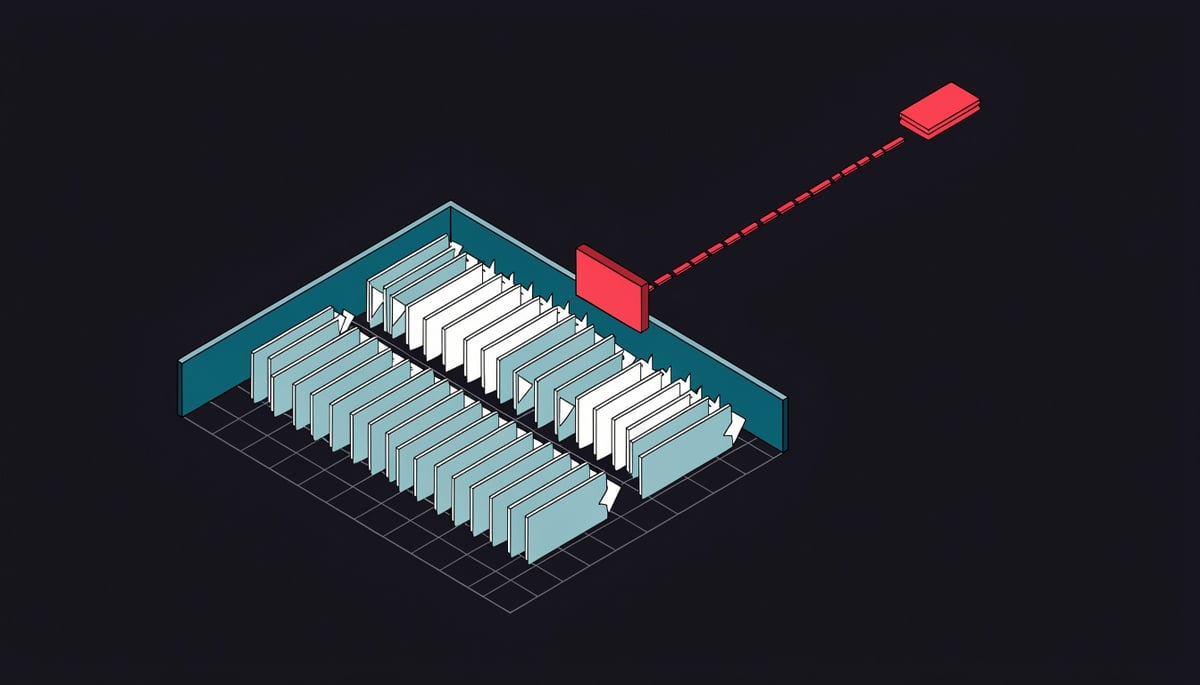
The exfiltration channel is the escaped popup window itself. The attacker controls everything it displays and every request it makes, and because it no longer carries the preview's restrictions, it can transmit data to attacker-controlled infrastructure. Check Point's write-up describes this popup route only. It does not describe image rendering, markdown links, or cached fetches as the channel.
According to the research, the data at risk is chat messages and other data from the conversation. This fits the general LLM data leakage pattern (ATLAS AML.T0057), where injected instructions cause content the model can see to leave the session. For an organization, that scope covers whatever employees have pasted into the chat, including source code, internal documents, and customer details.
In the desktop application, Check Point classifies the exfiltration as zero-click. Once the injected content is present and the preview renders inside the app, the nested frame and popup escape run programmatically, and the victim makes no decision along the way. The researchers note the weakness is not confined to the Electron-based desktop build, though the zero-click classification applies specifically to the desktop app.
The same popup can also carry a second payload. Because the attacker fully controls its contents, it can display a fake ChatGPT update that persuades the victim to click a link and download malware (ATT&CK T1204.001, User Execution: Malicious Link). That branch does require a click, so the outcome depends on the lure being convincing.
The research also describes a separate flaw in the same preview component. A week before this disclosure, Parameter Labs researcher Mukul Goyal described a takeover that needed only a public share link and one click on the HTML preview. Previews marked as previewable opened automatically. The payload then executed as chatgpt[.]com with access to the victim's authenticated web session and made API requests on the victim's behalf. Check Point confirmed the two are different vulnerabilities. Neither report publishes attacker domains, payload samples, or other IOCs, and chatgpt[.]com is the only domain named. OpenAI fixed the Lockdown Mode bypass on September 18, 2026.
Business and Compliance Risk from Leaked ChatGPT Conversations
The impact of this bypass depends on what your employees typed into ChatGPT. Staff commonly paste working material into AI assistants to get help with summaries, edits, and debugging, and that material typically includes:
- Source code, which can contain proprietary logic, internal API endpoints, and hardcoded secrets
- Customer data, such as names, account details, support tickets, and records exported from business systems
- Contracts, including pricing terms, liability clauses, and drafts still under negotiation
- Strategy documents, such as board materials, acquisition plans, and product roadmaps
- Credentials, often pasted inside configuration files, scripts, or error logs
If an attacker silently pulled those conversations, each item carries a different cost. Leaked code and strategy documents give a competitor or criminal insight into how your business works and where it is heading. Leaked credentials give the attacker access to other systems under a legitimate user's permissions, which makes later activity harder for your team to separate from normal use.
Data theft was not the only outcome Check Point described. The attacker controls everything shown in the escaped popup window, so it could display a fake ChatGPT update that persuades the user to click a link and download malware. An employee who falls for that lure turns a chat data exposure into an infected workstation on your network.
Regulatory exposure follows the data. If your staff pasted personal data about EU residents, the leak may fall under GDPR. If they pasted protected health information, HIPAA obligations may apply. Client documents covered by NDAs or confidentiality clauses in your contracts create a separate duty to the client, and that duty may require you to tell them their material left your control.
The zero-click nature of the flaw complicates each of those obligations. Breach determination depends on evidence that data left, and a leak that required no click and showed nothing unusual to the user may leave no obvious trace. Your legal and compliance teams may have to decide on notification with incomplete facts, which can mean notifying broadly as a precaution or struggling to justify a decision not to notify.
The timeline sets the scope of the question. OpenAI fixed the vulnerability on September 18, 2026, and Lockdown Mode had been available since its June 2026 launch, so conversations held by users who relied on it during that period are the ones worth assessing. Check Point also noted the underlying issue is not limited to the Electron-based desktop app, so you cannot rule out exposure on the basis that staff used ChatGPT through another interface.
The people most affected are probably the ones who took extra care. Lockdown Mode is opt-in, and the staff most likely to turn on an optional protection are executives, legal counsel, and security personnel. These are the same people whose chats are most likely to hold acquisition plans, incident details, and privileged access information.
Two related findings widen the business impact beyond chat history. Parameter Labs showed a separate flaw in the same HTML preview component that allowed account takeover through a shared chat link, with the payload running as chatgpt[.]com inside the victim's authenticated session. Earlier in September, Check Point demonstrated a covert cross-account channel that could run hidden tasks using the tools, data, and connected apps available to a victim's session while the user saw a normal answer. As Check Point's Eli Smadja put it, AI security controls are only as strong as the wider application environment around them. Your exposure from a ChatGPT incident therefore depends on what your staff have connected to their accounts as well as what they have typed into them.
Steps to Contain Exposure in ChatGPT Deployments
The single most important action is to confirm that every ChatGPT installation in your organization includes OpenAI's fix, which shipped on September 18, 2026. The public disclosure does not say whether the patch was applied server-side or required a client update. Ask your OpenAI account contact or check the vendor's release notes, then push the current desktop build through your software deployment tool anyway. Check Point noted the weakness was not limited to the Electron-based desktop app, so browser users need the same confirmation.
The steps below follow the SANS Incident Response Process, moving from containment through lessons learned.
Containment starts with the entry points the exploit used. The bypass was triggered through HTML previews inside code blocks, and the attacker's content arrived through custom GPTs and shared conversations. Where your workspace plan allows, take these steps:
- Restrict third-party custom GPTs to an approved list, and disable connectors, browsing, and file sources that pull outside content into conversations holding sensitive work.
- Tell staff not to open ChatGPT share links from outside the company. Parameter Labs showed that a previewable HTML block in a public share link opens automatically. In their case, a single click let the payload run as chatgpt[.]com with the victim's authenticated session.
- Remind users that ChatGPT updates never arrive as a link inside a chat window. The popup escape let attackers display fake update prompts carrying malware, so any download request that appears mid-conversation should be reported.
Next, separate untrusted content from sensitive data at the session level. Check Point's earlier covert command channel ran hidden tasks with whatever tools, data, and connected apps the victim's session could reach. Your finance, legal, and engineering leads should handle external documents, links, and third-party GPTs in a different conversation from the one holding confidential material.
For identification, review the Enterprise compliance API or workspace audit logs where your plan provides them. Look for conversations that used external custom GPTs, imported chats shared from accounts outside your domain, or rendered previews pointing to unfamiliar domains. Focus on activity before September 18, since that is the window when the bypass worked.
Your incident response team also needs a short playbook for scoping a chat-data leak. It should cover these tasks:
- Identify which users opened external share links or third-party GPTs during the exposure window
- Pull the contents of the affected conversations to see what data was present
- Rotate any credentials, API keys, or tokens that appear in those chats
- Check affected endpoints for files downloaded after an unexpected update prompt
On the policy side, update your AI acceptable-use policy to name the data classes that may not enter ChatGPT at all. Pair it with a rule that staff must not paste content from unknown senders into conversations already holding internal material.
Longer-term work belongs in the lessons-learned phase. Treat Lockdown Mode and similar vendor hardened modes as one control among several. Check Point's own conclusion was that "AI security controls are only as strong as the wider application environment around them," and this bypass came from a preview feature that sat outside Lockdown Mode's scope.
Add prompt-injection scenarios to your threat models and red-team exercises, and test the features around the model as well. Rendering, sharing, plugins, and connected apps are where the recent ChatGPT findings originated. Then evaluate data loss prevention controls that inspect what users paste or upload into AI tools at the browser or endpoint, with rules that flag credential patterns and customer identifiers before they reach the chat.
What This Means for Trust in AI Safety Controls
Lockdown Mode had a narrow purpose: stop injected instructions from sending conversation data out of ChatGPT. Check Point got around it through the HTML preview feature, which has nothing to do with the AI model itself. Smadja put the lesson this way: "AI security controls are only as strong as the wider application environment around them."
The preview component has produced more than one flaw. A week before this disclosure, Parameter Labs showed that a public ChatGPT share link could run attacker code as chatgpt[.]com with access to the victim's logged-in web session, which was enough to take over the account. Check Point confirmed these are separate vulnerabilities in the same component and said that "every new feature is a chance for more vulnerabilities." Its September research on a covert cross-account command channel showed something similar. An attacker's hidden task ran inside a victim's session while the victim saw a normal answer.
The pattern extends past ChatGPT. Over the past few months, researchers have reported Embrace, Plugin4Shell, and PleaseFix across coding assistants, agent marketplaces, and agentic browsers. Your vendor list probably includes several of these tools.
For your firm, a safety toggle inside an AI product describes what the vendor intends. Whether it actually holds depends on the rest of the application. Treat these settings as one layer that needs its own testing. Pair them with a written policy on what data your staff may put into AI sessions.
The most important step is to confirm that your ChatGPT deployment has OpenAI's fix. Until you have that confirmation, keep client records, credentials, and other sensitive material out of any session that opens shared chats, custom GPTs, or other untrusted content. If you are not sure which teams use AI assistants or what data they handle there, a security assessment can map those tools and the information going into them.