A cybercrime group distributing ArcticRAT, an Android malware family, now uses a large language model to read data stolen from infected phones and estimate each victim's financial value. Researchers at Zimperium found that newer builds, referred to as ArcticRAT 2.0, contain an API connection to xAI's Grok model that operators can switch on remotely. Details in this article come from analysis published by Dark Reading.
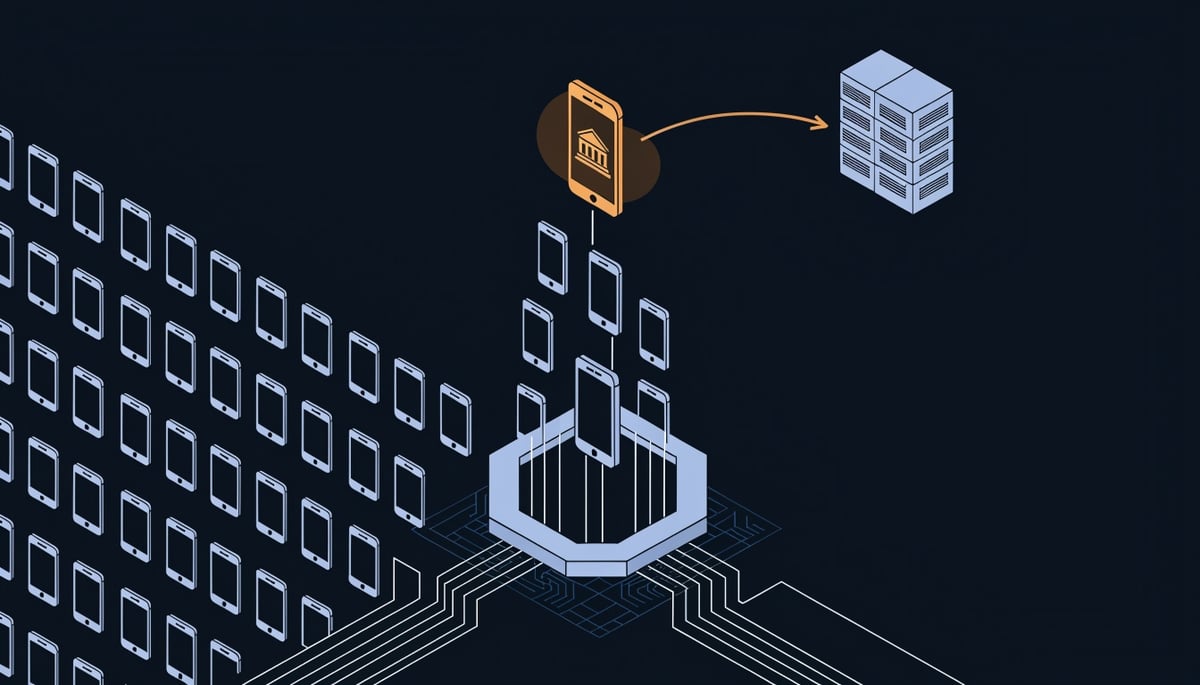
Once activated, the AI component reviews the victim's installed apps and picks out banking, cryptocurrency, and trading platforms. It also sorts stolen SMS messages, setting aside routine and promotional texts and flagging one-time authentication codes, account balance changes, and transaction notifications. The malware then estimates the victim's financial standing and sends the results to the attackers' command-and-control (C2) servers.
ArcticRAT is a remote access trojan (RAT), malware that gives attackers ongoing, hands-on control of an infected device. Zimperium describes the newer versions as a "dangerous escalation," because operators can now interact with compromised phones in real time and choose which functions to activate for each target. Earlier versions were narrower and focused on users of 11 specific cryptocurrency applications.
The business concern is how the operators decide where to spend effort. Sorting through large volumes of stolen messages used to take manual work. The AI step now does that triage automatically and surfaces the phones that hold banking access, payment approvals, or crypto holdings. Zimperium chief scientist Nico Chiaraviglio told Dark Reading the malware uses AI to filter SMS and other user information for data that could support fraud.
If an employee's phone receives your company's bank alerts, wire confirmations, or MFA codes, that device matches the profile this tool is built to find. An executive or finance staff member with business banking apps on a personal Android phone would likely rank higher in the attackers' review than a typical user. The result is that infections on devices tied to your firm's money are more likely to receive direct attention from the operators.
For organizations that treat mobile devices as a lower priority than laptops and servers, this shifts the risk. A phone with access to your financial accounts is now something attackers can identify and act on without first reading through its contents by hand.
How ArcticRAT 2.0 Collects Data and Feeds It to AI Triage
ArcticRAT 2.0 reaches victims through three channels: malvertising, smishing (phishing delivered by text message), and links posted on third-party forums. Each channel sends the target to a malicious website. According to Zimperium, the primary vector was a landing page that convincingly impersonated Google Play to trick targets into downloading a malicious application. In some cases, operators delivered the payload directly to Android devices from Amazon Web Services storage buckets.
Zimperium's sample counts point to a two-stage design. Since July, its analysts have identified 78 unique samples, made up of 42 droppers and 36 payloads. A dropper is a small installer whose job is to fetch and install the main malware. For a non-technical reader, this means the victim thinks they are installing a normal app from Google's store and instead installs a delivery tool for the real malware.
After installation, ArcticRAT 2.0 abuses Android Accessibility Services permissions, as earlier versions did. Accessibility Services exist to help users with disabilities, and an app holding that permission can read on-screen content and perform taps for the user. The malware uses this access to connect to its command-and-control (C2) servers and give operators remote control of the device. The source does not describe how the malware survives reboots or resists removal, and those persistence details have not been publicly disclosed. Once this permission is granted, the attacker can operate the phone much as the owner would.
The first thing the malware does is profile the device. It collects location, battery status, screen state, Wi-Fi connectivity, and the applications currently active, then sends this to the operators. They use the profile to decide which of the 129 distinct commands Zimperium catalogued to run against that victim. While they work, a completely black, un-dismissible overlay makes the phone appear locked or powered off, so the owner sees nothing.
The capabilities available after profiling map to several MITRE ATT&CK for Mobile techniques. This mapping is our analysis. Zimperium's reporting does not assign technique IDs.
- Keystroke and credential theft (Input Capture, T1417)
- Screenshots, screen recording, and live screen streaming (Screen Capture, T1513)
- Microphone monitoring (Audio Capture, T1429)
- Theft of SMS messages, contacts, and call logs (Protected User Data, T1636)
- Stealing or changing lock-screen credentials, which can lock the owner out of the device
For a business, a single infected phone exposes typed passwords, on-screen content, private conversations, and the contact list, all of which can be reused against the owner's other accounts.
The change from the original malware is substantial. Early ArcticRAT targeted users of 11 specific cryptocurrency applications and focused on harvesting the data needed to break into those accounts. Version 2.0 lets operators interact with infected devices in real time rather than relying purely on hardcoded actions. In practice, the earlier tool ran a fixed script, while the new one lets a person steer the attack device by device.
The final stage connects collection to the AI triage step covered earlier. The text messages, app inventory, and other data gathered above become the input. The analysis runs on that stolen material before results go to C2. This cuts the time operators spend reading through large volumes of stolen data by hand, so they can focus on the victims most likely to pay off.
On indicators, Zimperium reports 21 IP addresses used for C2 communications. The public reporting does not list those addresses, file hashes, package names, or the landing page domains, so specific IOCs have not been publicly disclosed in the source material.
Why AI-Assisted Victim Selection Raises Financial and Fraud Risk
When malware sorts victims by financial value, the people most likely to be singled out are the ones who control money. If someone on your accounts payable or treasury team carries an infected Android phone, that device can hold payment approval texts, business banking sessions, vendor contacts, and call history tied to transactions. To an ArcticRAT operator, that one handset is worth far more than a typical employee device, and AI triage helps the attacker spot it faster.
Zimperium's chief scientist, Nico Chiaraviglio, described the purpose of the AI layer plainly:
"ArcticRAT uses AI to read through user information such as SMS messages to filter for financial information that could be used perform fraud."
The fraud risk comes from combining that triage with the malware's surveillance features. Newer versions support credential and keystroke theft, live screen streaming, microphone monitoring, and theft of contacts and call logs. With those, an attacker can watch what your finance staff see, listen to calls with banks or suppliers, and learn exactly who your company pays and how. That supports several follow-on schemes:
- Account takeover of your business banking or payment platforms using captured passwords and intercepted codes.
- Payment diversion, where invoices from known vendors are redirected to attacker-controlled accounts using real names and payment histories.
- Wire fraud that impersonates your executives or finance leads, made more convincing by stolen contact lists and call records.
Zimperium also reports a black, un-dismissible screen overlay that makes the phone appear locked or powered off while operators work in the background. An employee could set the phone down and see nothing unusual while an attacker is actively using it. Losses from this kind of fraud usually surface only when a vendor reports a missed payment or a bank statement shows an unexpected transfer.
Speed is the second concern. Early ArcticRAT builds focused on 11 specific cryptocurrency apps and ran hardcoded actions. Current versions let operators interact with devices in real time and choose from 129 distinct commands based on what each phone contains. Automated sorting removes much of the manual work of reading stolen data, which shortens the time between infection and an attempted theft. For your business, that means less time for an employee or bank to notice something is wrong before funds leave an account.
The malware can also steal or change lock-screen credentials, which can lock victims out of their own phones. If the locked device is the one your finance lead uses to receive bank alerts or confirm transfers, the lockout slows your ability to contact the bank and dispute transactions.
Data exposure creates a separate set of costs. Stolen SMS messages, contacts, and call logs often include personal financial details about your employees, clients, and their families. If an infected device holds customer or employee information, the theft may trigger breach notification and privacy obligations depending on the data involved and where those individuals live. That brings legal review, forensic investigation, and notification work, separate from any direct fraud losses.
The risk is not spread evenly. Small businesses face higher exposure because the owner's personal phone often doubles as the device for banking, payroll approvals, and vendor communication, with few separate checks on outgoing payments. Corporate finance teams concentrate payment authority on a small number of devices. High-net-worth individuals, including executives and business owners, are more likely to rank near the top of an attacker's list once the AI estimates each victim's financial standing. If your organization has people in any of these roles, their phones carry a higher fraud risk than the average endpoint in your environment.
Detecting and Containing ArcticRAT Infections
If you suspect an Android phone is infected with ArcticRAT, cut its access to company accounts and revoke every session it holds before you try to inspect the device itself. The malware gives operators live control through Android Accessibility Services, so treat anything typed on that handset during the infection, including passwords and PINs, as captured. The steps below follow the SANS Incident Response Process, moving from identification through containment, eradication, recovery, and lessons learned.
Identification starts with what users notice and what your mobile management console shows. Zimperium describes a "completely black, un-dismissible" overlay that makes the phone look locked or powered off while attackers work behind it. Ask staff to report these signs immediately:
- A screen that turns fully black and will not clear, even though the phone was never shut down.
- A lock-screen PIN, pattern, or password that suddenly stops working. ArcticRAT can steal or change lock-screen credentials, which can lock owners out of their own devices.
- An app holding Accessibility Services permission that the user does not recognize.
- Unexpected one-time codes, login alerts, or transaction notifications from banking or crypto services.
On the network side, Zimperium tracked 21 IP addresses used for command and control (C2, the servers that send instructions to infected devices). If you obtain those indicators from the vendor's research, block them at your firewall and search DNS, proxy, and mobile threat defense logs for any device that contacted them. A phone that reached a C2 server may also have streamed its screen and recorded microphone audio, so treat conversations held near that device as potentially exposed.
Containment centers on accounts. From a separate, known-clean device, reset passwords and revoke active sessions for email, business banking, payment platforms, and any crypto exchanges used on the phone. Call your bank's fraud line to flag the accounts for unusual transfers, and tell your finance team to hold recent payment instruction changes until they are verified. Remove the phone's enrollment in your mobile device management (MDM) platform so it can no longer sync corporate mail or reach internal apps.
For eradication, a factory reset is the dependable option. Operators have 129 distinct commands available, including functions that manipulate device settings, so deleting one suspicious app does not confirm the phone is clean. Reinstall apps only from the official Google Play Store app, and skip any backup taken during the suspected infection window.
Recovery and short-term hardening should close the paths this malware depends on. Zimperium's chief scientist, Nico Chiaraviglio, recommends controls over app installation and permissions, on-device threat detection, and runtime application protection that flags suspicious screen sharing and malicious overlays. The vendor also states that signature-based security layers are no longer sufficient for enterprise mobile endpoints. In practice, your short-term list looks like this:
- Use MDM policy to block installs from unknown sources on company-owned phones and BYOD work profiles.
- Alert on, or require approval for, any new Accessibility Services grant.
- Require dual approval for payment changes and large transfers, with verification by a callback to a number already on file, never by text message.
- Move finance staff off SMS one-time codes, since this malware reads and forwards text messages.
Over the longer term, segment payment and treasury systems so a compromised phone session cannot reach them directly, and enforce phishing-resistant MFA such as FIDO2 security keys on financial platforms. Train finance staff to recognize the fake Google Play landing pages and text-message lures tied to this campaign. Close the lessons-learned phase by applying the same monitoring, access controls, and patch requirements to phones that handle company money that you already apply to laptops and desktops.
Key Takeaway: Protect the Endpoints That Touch Money First
ArcticRAT started as a stealer aimed at users of 11 specific cryptocurrency apps. It now gives operators 129 distinct commands. Each infection begins with a profile of the phone (location, battery, screen state, Wi-Fi connection and active apps), and the attacker uses that profile to decide which features to turn on. Adding AI to this process lets the operator spend less time on low-value phones and reach the ones tied to money sooner.
For your business, the takeaway is about priority. Your exposure to this kind of malware sits with a small group of people: those who approve payments, sign in to business banking, receive transaction codes by text, or manage company crypto holdings. An attacker's AI triage will rank their phones highest. The newer builds can also steal or change the lock-screen credential, which can leave that employee locked out of their own device while the attacker keeps control of it.
Zimperium's view is that conventional signature-based security layers are no longer sufficient to protect enterprise mobile endpoints. In practice, the phones your finance staff carry deserve the same attention you already give your laptops and servers.
The single most important action is to list the users and devices with access to your banking, payment and financial data. Then confirm that each one is monitored, hardened and covered by payment verification controls, so a stolen code or hijacked session alone cannot move funds.
If you are unsure which phones belong on that list, whoever manages your company mobile devices and staff accounts can usually identify them for you. A security assessment is a sensible next step. It consists of a 15-minute call followed by written findings on five areas (dark web exposure, phishing risk, security controls, remote access and employee training readiness), and phishing risk and training readiness relate most closely to how lures for this malware reach your employees.