

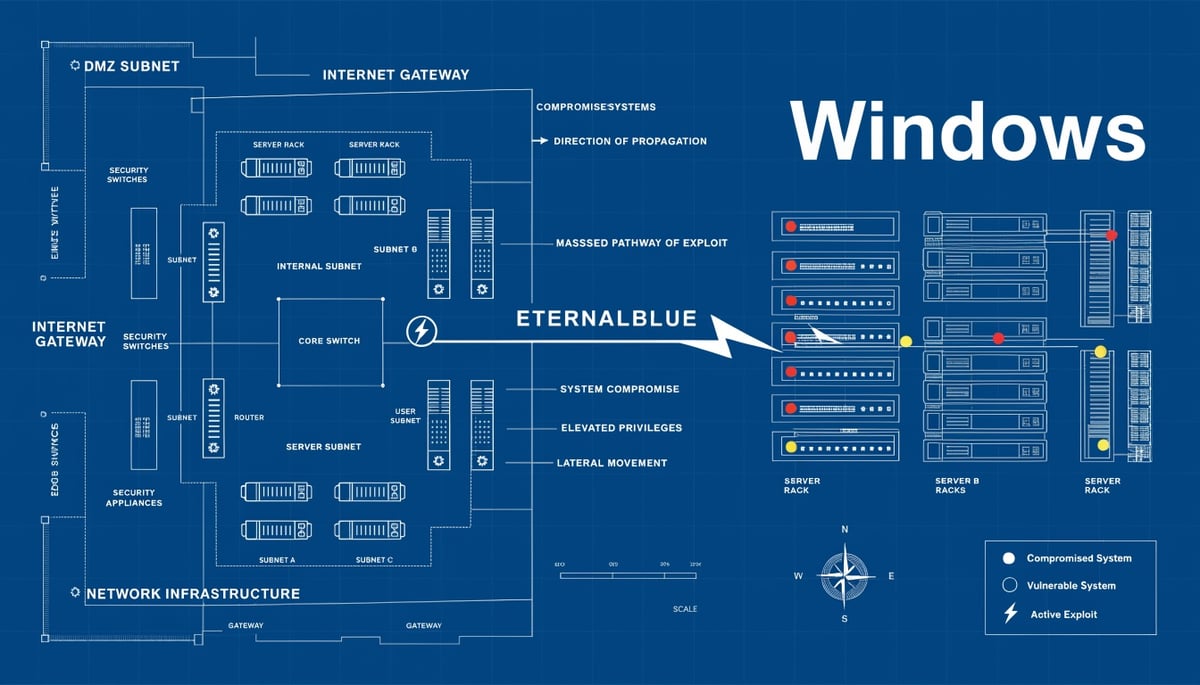
FortiGate firewalls serve as the primary security checkpoint between your internal network and the internet, processing every connection attempt and enforcing access policies. When attackers compromise these devices through CVE-2025-59718, they effectively control the gateway to your entire infrastructure. (Source: Rapid7)
The vulnerability enables attackers to bypass SSO authentication mechanisms without valid credentials, granting administrative access to the firewall's management interface. This level of access allows them to reconfigure security policies, create new VPN accounts, and establish persistent backdoors that survive reboots and security updates.
Key Insight: The vulnerability enables attackers to bypass SSO authentication mechanisms without valid credentials, granting administrative access to the firewall's management interface.
The business implications extend far beyond a single compromised device. FortiGate appliances protect critical business functions including email servers, customer databases, and cloud applications. When attackers control these firewalls, they can intercept encrypted communications, redirect traffic to malicious servers, and disable logging mechanisms that would normally alert security teams to suspicious activity.
The incident described reveals a particularly concerning pattern: attackers maintained access for approximately two weeks before initiating internal network activities. During this dwell time, they downloaded configuration files containing network architecture details, authentication settings, and potentially sensitive credentials. This reconnaissance phase provides attackers with a complete blueprint of your infrastructure, enabling them to plan targeted attacks against specific systems.
Financial services, healthcare providers, and manufacturing companies face heightened risk due to their reliance on FortiGate devices for regulatory compliance and operational continuity. A compromised firewall can lead to PCI DSS violations, HIPAA breaches, or disruption of industrial control systems. The cascading effect touches every system behind the firewall - from point-of-sale terminals to medical devices to production lines.
The attack methodology demonstrates sophisticated operational security. Rather than immediately launching ransomware or exfiltrating data, attackers established multiple administrative accounts with domains hosted on Namecheap infrastructure, including openmail[.]pro. They enabled SSL VPN functionality on devices where it was previously disabled, transforming the firewall into an authorized entry point that appears legitimate to monitoring systems.
This approach creates significant detection challenges. Traditional security tools focus on endpoint behavior and network anomalies, but firewall configuration changes often appear as routine administrative tasks. The attackers leveraged common tools like PsExec and RDP for lateral movement, mimicking legitimate IT administration patterns that blend into normal network traffic.
The investigation revealed attackers specifically targeted virtualization platforms, domain controllers, and backup infrastructure - systems that represent single points of failure for business operations. Compromise of these systems enables attackers to destroy backups before deploying ransomware, manipulate authentication systems to maintain persistence, or access entire virtual machine farms containing sensitive workloads.
Organizations running FortiGate devices face an immediate decision: continue operating with potential compromise or implement emergency patching that may disrupt business operations. The challenge intensifies for companies with distributed locations, each potentially running vulnerable firewalls that require individual remediation. Every unpatched device represents a potential entry point that could compromise the entire corporate network, regardless of other security investments.
The Exploitation Chain: From Internet Access to Internal Network Compromise
The attack begins with a direct connection to the FortiGate management interface from external IP addresses. Rapid7's investigation revealed attackers initially authenticated using existing local administrator accounts without any brute-force attempts, suggesting they possessed valid credentials or exploited the SSO bypass vulnerability directly. The authentication occurred from IP addresses including 198.98.54[.]209 and 104.28.227[.]105, which security vendors had already flagged as malicious infrastructure.
Once authenticated, attackers immediately downloaded the FortiGate configuration file through the GUI interface. This configuration export provides attackers with a complete blueprint of the network architecture, revealing internal IP ranges, DHCP configurations, authentication settings, and relationships between network segments. The download event appeared in system logs with warning-level severity, showing the admin account performing the action from external IP 104.28.227[.]105.
The vulnerability grants attackers administrative-level access to the FortiGate management console, equivalent to having physical access to the device. This privilege level allows complete control over firewall policies, VPN configurations, and routing tables. Attackers leveraged this access to enable the SSL VPN component, which had been deliberately disabled in the target environment. They modified VPN settings through the GUI, creating new firewall policies that permitted their continued access while appearing as legitimate administrative changes in system logs.
Persistence mechanisms were established through multiple newly created accounts across different privilege levels. Attackers created SSO administrator accounts linked to forticloud.com domains, system administrator accounts, and local accounts associated with Namecheap-hosted email domains like openmail[.]pro. These accounts provided redundant access paths, ensuring continued control even if individual accounts were discovered and disabled. The account creation events appeared as routine administrative actions in logs, making detection challenging without careful timeline analysis.
The compromised FortiGate device became a launching pad for internal network infiltration. Attackers waited approximately two weeks after initial compromise before beginning lateral movement, using this time to study the environment and establish robust persistence. When they finally moved, they connected through the newly enabled SSL VPN using their created accounts, obtaining IP addresses from the FortiGate's DHCP pool. This made their connections appear to originate from internal network ranges, bypassing many security controls designed to scrutinize external traffic.
Post-exploitation activities followed a methodical pattern. Attackers deployed Mimikatz to harvest Windows credentials from memory and registry hives, obtaining elevated administrator accounts. They used Advanced IP Scanner and Advanced Port Scanner to map the internal network, identifying SMB shares and accessible systems. With harvested credentials, they moved laterally using PsExec and RDP, targeting high-value systems including virtualization platforms, domain controllers, and backup infrastructure servers.
The exploitation chain demonstrates how a single vulnerability in edge infrastructure cascades into complete network compromise. Attackers transformed the security appliance meant to protect the network into their primary access vector, using legitimate administrative tools and protocols to blend with normal traffic. The combination of configuration downloads, account creation, VPN enablement, and credential harvesting created multiple overlapping compromise mechanisms that would persist through standard remediation attempts.
FortiGate CVE-2024-55591 Attack Chain
Identifying Affected FortiGate Instances and Exposure Assessment
Determining which FortiGate appliances in your environment are vulnerable to CVE-2025-59718 requires systematic inventory and exposure assessment. While the source investigation doesn't specify exact firmware versions affected, the vulnerability impacts FortiGate devices with SSO authentication capabilities enabled, particularly those running firmware versions from before December 2025.
To check your FortiGate firmware version through the CLI, connect via SSH and execute get system status. The output displays the firmware version under "Version:" along with the build number. Through the GUI, navigate to System > Dashboard and locate the System Information widget where the firmware version appears prominently.
For comprehensive inventory across multiple FortiGate devices, leverage FortiManager if deployed, or use the FortiGate REST API to query device status programmatically. The API endpoint /api/v2/monitor/system/status returns version information that can be collected across your entire FortiGate fleet.
Focus immediate attention on FortiGate appliances deployed in these critical scenarios:
- Internet-facing edge firewalls - These devices represent the highest risk as they're directly accessible to external attackers. The investigation showed attackers connected directly from external IPs like 45.32.216[.]250 and 104.28.227[.]105.
- DMZ segmentation firewalls - FortiGates separating DMZ resources from internal networks provide attackers a pivot point into protected environments if compromised.
- Branch office gateways - Remote site FortiGates often have less monitoring and slower patching cycles, making them attractive targets for establishing persistent access.
- Cloud environment firewalls - FortiGate VM instances in AWS, Azure, or GCP protecting cloud workloads may have different update mechanisms than on-premises appliances.
Assess each device's exposure level by examining its network positioning and accessible services. Run show full-configuration | grep "set admin-sport" to identify the HTTPS management port. Check if this port is accessible from untrusted networks by reviewing firewall policies with show firewall policy | grep -A 5 "set dstintf wan".
The investigation revealed attackers specifically targeted devices with DHCP services enabled, as evidenced by authentication attempts originating from the FortiGate's DHCP range. Review your DHCP configuration using show system dhcp server to identify which interfaces serve dynamic addresses.
Create a risk matrix based on device exposure and protected assets:
- Critical Priority: Internet-facing FortiGates protecting domain controllers, backup infrastructure, or virtualization platforms. The investigation showed attackers specifically targeted these high-value systems after gaining firewall access.
- High Priority: FortiGates with SSL VPN services, even if currently disabled. Attackers enabled previously disabled SSL VPN features to establish covert access channels.
- Medium Priority: Internal segmentation firewalls between network zones, particularly those protecting servers with SMB shares that attackers could enumerate.
- Lower Priority: Lab or development FortiGates isolated from production networks with no path to critical assets.
Document findings in a tracking spreadsheet including device hostname, firmware version, management interface exposure, SSL VPN status, and protected asset criticality. This inventory becomes your remediation roadmap, ensuring you address the most dangerous exposure points first while maintaining operational continuity.
Immediate Actions: Patching, Workarounds, and Detection
Organizations must act within 24-48 hours to address CVE-2025-59718 through a combination of immediate patching, temporary mitigations, and enhanced monitoring. The vulnerability's exploitation timeline shows attackers establishing persistence approximately two weeks before launching internal reconnaissance, providing a critical window for detection if proper monitoring is in place.
Key Insight: The vulnerability's exploitation timeline shows attackers establishing persistence approximately two weeks before launching internal reconnaissance, providing a critical window for detection if proper monitoring is in place.
Immediate Priority: Configuration Verification and SSL VPN Isolation
Your first action should focus on the SSL VPN configuration that attackers specifically targeted. Access your FortiGate management interface and navigate to VPN > SSL-VPN Settings to verify whether SSL VPN is enabled. If your organization doesn't actively use SSL VPN functionality, disable it immediately through config vpn ssl settings followed by set status disable and end. This removes the primary attack vector observed in the Rapid7 investigation.
For environments requiring SSL VPN access, implement source IP restrictions immediately. Configure allowed source addresses through config vpn ssl settings, then set source-address "trusted_network" where trusted_network represents your predefined IP ranges for legitimate remote access. The investigation revealed attackers authenticated from IP addresses including 45.32.216.250 and 104.28.227.105 - addresses that would have been blocked by proper source restrictions.
Critical Log Monitoring Patterns
Deploy these specific log queries to detect exploitation attempts in your FortiGate system logs:
- Monitor for configuration downloads: Search for log entries containing
logid="0100032095"combined with external IP addresses in the UI field. The presence ofaction="download"withmsg="System config file has been downloaded"from non-administrative IP ranges indicates potential compromise. - Track SSO administrator account creation: Filter for
logdesc="Object attribute configured"withaction="Add"andcfgpathcontaining "system.sso-forticloud-admin". Legitimate SSO accounts rarely use external email domains like openmail.pro or generic forticloud.com addresses. - Identify VPN configuration changes: Search for
cfgpath="vpn.ssl.settings"modifications, particularly when the user field shows "admins" rather than specific administrator usernames. Multiple VPN edits within short timeframes suggest persistence establishment.
Detection Rules for Active Exploitation
Configure your SIEM or log aggregation platform to alert on these specific patterns observed during the compromise:
Create correlation rules that trigger when multiple administrative actions occur from the same external IP within a 30-minute window. The investigation showed attackers performed configuration downloads, account creation, and firewall policy modifications in rapid succession. Set thresholds for more than three configuration changes (type="event" subtype="system") from any single external source IP.
Monitor for authentication anomalies by tracking SSO logins where the source IP doesn't match your documented administrative access points. The attackers' initial SSO authentication came from external addresses without prior authentication failures, indicating bypass rather than credential compromise.
Threat Hunting for Historical Compromise
Search your FortiGate logs retrospectively for indicators dating back to early December 2025. Focus on DHCP lease assignments that resulted in unexpected internal IP allocations - the investigation revealed attackers received IP addresses from the FortiGate's DHCP range despite the SSL VPN being officially disabled. Query for authentication events where the source interface is "ssl.root" but your SSL VPN configuration shows it should be inactive.
Review all firewall policy additions (cfgpath="firewall.policy") created in the past 90 days, particularly those allowing inbound connections from any source to internal resources. The attackers added policies to facilitate their continued access, often with generic names that blend with legitimate rules.
Incident Response Gaps This Vulnerability Exposes
The Rapid7 investigation reveals fundamental gaps in how organizations detect, contain, and investigate edge device compromises. The two-week delay between initial exploitation and discovery demonstrates how traditional incident response frameworks fail when attackers target infrastructure components that sit outside standard monitoring perimeters.
The investigation's "inside out" approach—working backward from internal enumeration to discover the FortiGate compromise—exposes a critical detection blind spot. Most security operations centers (SOCs) monitor endpoint telemetry, authentication logs, and network traffic, but FortiGate system events often remain isolated within the device itself. When attackers modified VPN settings and created firewall policies from IP address 45.32.216[.]250, these configuration changes generated log entries but no centralized alerts.
Detection Architecture Failures
The absence of brute-force attempts before successful SSO authentication represents a detection opportunity that went unexploited. Traditional security monitoring focuses on failed login patterns, but this attack bypassed authentication entirely through cryptographic signature verification flaws. Your SIEM rules likely trigger on repeated authentication failures, not on successful logins from unfamiliar external addresses to administrative interfaces.
Configuration downloads from external IPs like 104.28.227[.]105 should trigger immediate alerts, yet these events often blend into routine administrative activity. The investigation found attackers downloaded device configurations through the GUI—an action that exposes your entire network topology—without triggering security responses. This gap exists because many organizations classify configuration exports as low-risk administrative tasks rather than potential reconnaissance activities.
Containment Paradox
Isolating a compromised firewall presents an impossible choice: disconnect it and lose network connectivity, or leave it running while attackers maintain access. The investigation showed attackers used newly created accounts with forticloud.com domains and openmail[.]pro addresses to maintain persistence. Blocking these accounts requires firewall access, but accessing the firewall means traversing the compromised device itself.
The DHCP discovery that revealed authentication from the FortiGate's internal IP range highlights another containment challenge. When your firewall becomes the attacker's entry point, traditional network segmentation fails. You cannot simply quarantine the infected segment when the infection originates from the device enforcing quarantine rules.
Forensic Collection Challenges
FortiGate devices present unique forensic challenges that the investigation methodology exposed. System logs showing configuration changes included entries like "Edit vpn.ssl.settings" and "Add firewall.policy," but these logs rotate quickly and may overwrite critical evidence within days. Without proactive log forwarding to a SIEM, the forensic trail disappears.
The investigation's reliance on correlating multiple data sources—FortiGate logs, Windows authentication events, and endpoint telemetry—reveals how fragmented evidence becomes when edge devices are compromised. Chain of custody for firewall forensics requires special handling: you must preserve volatile memory, configuration backups, and system logs before any remediation attempts. Yet most incident response playbooks focus on endpoint forensics, not infrastructure device preservation.
Memory acquisition from FortiGate appliances requires vendor-specific tools and procedures that many incident response teams lack. The investigation's success in identifying Mimikatz usage and PsExec deployment came from endpoint detection, not firewall monitoring. This gap means organizations miss critical early-stage attack evidence that exists only in firewall memory or temporary files.
Hunting for Active Exploitation and Post-Compromise Artifacts
Hunting for exploitation artifacts requires examining FortiGate log patterns that deviate from normal administrative behavior. The investigation revealed attackers authenticated without brute-force attempts, suggesting they exploited the SSO bypass directly or possessed valid credentials obtained through other means.
Start your hunt by searching for authentication events from external IP addresses to local administrator accounts. In FortiGate logs, look for logid="0100032001" events where the ui field contains external IP addresses rather than internal management networks. The investigation showed successful logins from addresses like 23.163.8[.]21 and 103.20.235[.]155 without preceding failed attempts.
For Splunk environments, construct this query to identify SSO authentication anomalies:
index=fortigate logid="0100032001" OR logdesc="Admin login*" | regex ui="GUI\((?!10\.|192\.168\.|172\.1[6-9]\.|172\.2[0-9]\.|172\.3[0-1]\.)" | stats count by user, ui, action | where count < 5
This surfaces authentication events from non-RFC1918 addresses with low attempt counts, characteristic of SSO bypass exploitation rather than credential stuffing.
Configuration download events provide another critical hunting opportunity. Search for logid="0100032095" entries where the action field equals "download" and the message contains "System config file has been downloaded". Cross-reference these events with the source IP addresses to identify external actors accessing sensitive configuration data.
Account creation patterns reveal persistence establishment. Hunt for logid="0100044546" or logid="0100044547" events with cfgpath containing "system.sso-forticloud-admin" or "system.admin". The investigation found attackers creating accounts with domains like openmail[.]pro and forticloud.com addresses, distinguishable from legitimate corporate email patterns.
Network artifacts from compromised FortiGate devices manifest as anomalous internal traffic originating from DHCP pool addresses assigned to VPN clients. Query your network flow data for connections from FortiGate DHCP ranges to internal Windows authentication services on ports 445, 3389, and 135. These connections indicate attackers pivoting from the firewall into the internal environment.
For ELK Stack deployments, this query identifies suspicious VPN-to-internal traffic:
source.ip: 192.168.200.0/24 AND destination.port: (445 OR 3389 OR 135) AND NOT destination.ip: 192.168.200.0/24 | stats by source.ip, destination.ip, destination.port
Memory artifacts on compromised FortiGate devices include modified SSL VPN configurations and firewall policies. Execute diagnose debug config-error-log read to review configuration change history. Look for vpn.ssl.settings modifications and firewall.policy additions that coincide with external authentication events.
Post-compromise indicators include execution of network scanning tools like Advanced_IP_Scanner_2.5.4594.1.exe and Advanced_port_scanner_2.5.3869.exe on internal systems accessed via the compromised firewall. Search Windows event logs for process creation events (Event ID 4688) containing these filenames, particularly when the parent process is mstsc.exe or PsExec.exe.
The investigation timeline shows attackers waiting approximately two weeks between initial access and internal reconnaissance. Focus hunting efforts on FortiGate authentication logs from the past 30 days, then correlate forward to identify delayed lateral movement patterns. This temporal gap represents a critical detection opportunity before attackers achieve their objectives.
Lessons for Firewall Security Posture and Future Readiness
The FortiGate CVE-2025-59718 incident exposes a fundamental architectural truth: when your firewall becomes the attacker's gateway, traditional security models collapse. This vulnerability transforms the very device meant to protect your network into a privileged attack platform with administrative access to both external and internal environments.
Perimeter devices attract sophisticated attackers precisely because they occupy a unique position in network architecture. Unlike endpoints that security teams monitor obsessively, firewalls operate in a visibility gap—trusted implicitly while generating logs that often remain unexamined until after a breach. The investigation's discovery that attackers maintained access for two weeks before internal activity began demonstrates how this trust becomes a liability.
The architectural assumptions that fail during firewall compromise extend beyond simple network segmentation. Organizations design their security controls assuming the firewall enforces policy, but when attackers control that enforcement point, they can selectively disable logging, modify traffic inspection rules, and create exceptions for their command-and-control channels. The ability to download configuration files means attackers understand your network topology better than many internal teams.
This incident demands a fundamental shift toward resilience through architectural redundancy. Critical firewalls require active-active high availability configurations where configuration changes trigger alerts regardless of which node initiates them. Deploy separate management networks for firewall administration that don't traverse the same devices they're meant to secure. Consider firewall diversity strategies where different vendor products protect distinct network segments, preventing single-vulnerability exposure across your entire perimeter.
Supply chain integrity for firmware updates represents another critical consideration. The investigation revealed attackers using domains like openmail[.]pro and forticloud.com lookalikes, highlighting how trust in vendor infrastructure becomes an attack vector. Establish firmware validation processes that go beyond vendor signatures—maintain cryptographic hashes of known-good configurations and alert on any deviation. Schedule firmware updates during maintenance windows with full traffic monitoring enabled to detect exploitation attempts during the vulnerable transition period.
Zero-trust principles must extend to the firewall itself. Rather than assuming firewall-authenticated traffic is legitimate, implement microsegmentation that treats firewall-originated connections with the same scrutiny as any other source. Deploy internal inspection points that validate traffic patterns regardless of perimeter authentication status. This approach prevented the Rapid7 investigation from escalating into a full environment compromise—internal controls detected anomalous behavior despite the firewall's compromise.
The security testing cadence for perimeter devices requires fundamental reconsideration. While organizations routinely scan internal assets, firewalls often escape regular assessment due to availability concerns. Implement quarterly configuration reviews that specifically examine account creation patterns, policy modifications, and authentication source addresses. Develop baseline behavior profiles for administrative actions—the investigation's finding that configuration downloads preceded account creation provides a clear behavioral signature for future detection.
Design your incident response capabilities with the assumption that your firewall is already compromised. This means establishing out-of-band communication channels for security alerts, maintaining offline configuration backups for comparison, and developing response playbooks that don't depend on firewall logs for forensic reconstruction. The investigation's success in tracing the attack despite the firewall compromise demonstrates the value of diverse telemetry sources that survive perimeter device manipulation.




